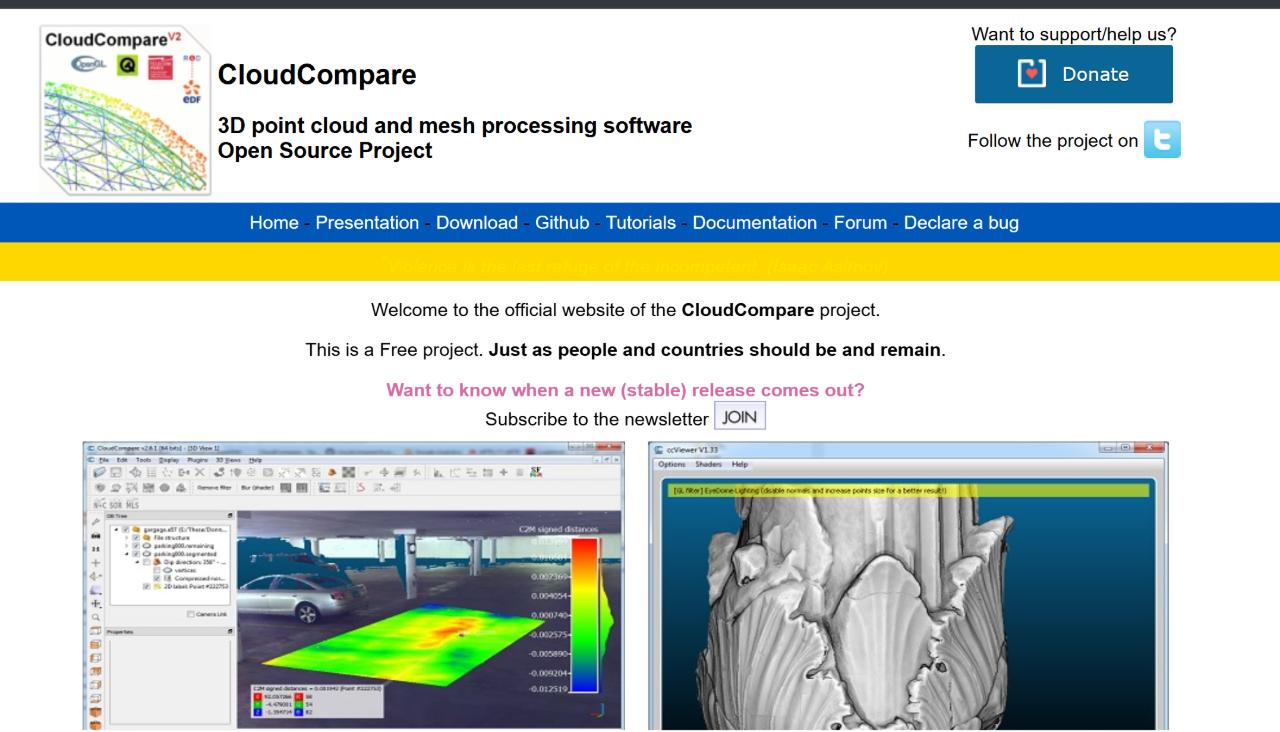
CloudCompare is a free and open-source 3D point cloud and triangular mesh processing software application distributed under the GNU General Public License (GPL). Widely used by surveyors, GIS specialists, laser-scanning professionals, civil engineers, and researchers, CloudCompare is designed to inspect, align, segment, compare, and measure dense 3D point clouds and meshes across Windows, macOS, and Linux.
1. In-Depth Review: Why GIS & Survey Teams Use CloudCompare
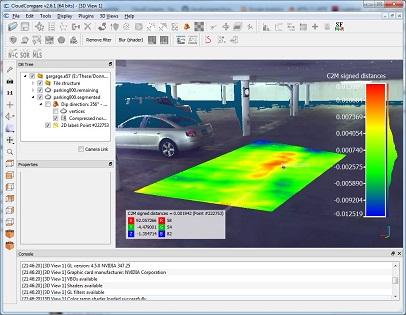
- Built for Large Point Clouds & Direct Cloud Comparison: Uses an octree-based structure to handle large 3D scans efficiently and compare two point clouds or a point cloud against a mesh (such as tracking deformation, erosion, or as-built vs. design deviations).
- Practical Field Measurement, Cross Sections & Volumes: Enables teams to measure coordinates, clearances, cross-section slices, and 2.5D volumes for stockpiles, quarries, or cut-and-fill checks without paid viewer restrictions.
- Free, Open-Source & Cross-Platform: Available under the GNU GPL for commercial, educational, and personal use on Windows, macOS, and Linux with no paid subscription fees.
2. Key Features & Capabilities
- Cloud-to-Cloud & Cloud-to-Mesh Distance Analysis: Compute scalar distance fields and color scales between scanned datasets or reference 3D surfaces.
- Point Cloud Registration & Alignment: Align multiple laser scans or point clouds using point pairs, coarse alignment, and Iterative Closest Point (ICP) registration.
- Segmentation, Cross Sections & Subsampling: Crop/segment regions of interest, extract cross-section profiles (such as for DXF export), and subsample dense clouds to manageable point densities.
- 2.5D Volume & Surface/Mesh Tools: Calculate 2.5D volumes between clouds or planes and generate or process triangular meshes.
- Broad Point Cloud, Mesh & CAD Format Support: Read and write common point cloud, mesh, and exchange formats including `.LAS`, `.LAZ`, `.E57`, `.PLY`, `.PTS`, `.OBJ`, `.STL`, `.FBX`, and `.DXF`.
- ccViewer & Plugin / Python Ecosystem: Includes the lightweight `ccViewer` utility alongside plugins and Python scripting options.
- Official Links: Free Trial, Free / Education & Pricing
To ensure authentic open-source builds and avoid untrusted downloads, always use CloudCompare's official project portals:
- Official Project Overview: https://www.cloudcompare.org/
- Official Downloads & Releases: https://www.cloudcompare.org/release/
- Free / Education (GNU GPL Open Source for All Purposes): https://www.cloudcompare.org/
- Pricing & Licensing (Free & Open-Source under GNU GPL; Optional Donations): https://www.cloudcompare.org/release/

4. Step-by-Step Installation Guide
- Verify Operating System & Hardware: Confirm your computer runs a supported 64-bit operating system (Windows, macOS, or Linux) with a multi-core processor, sufficient RAM for your point-cloud size, an OpenGL-compatible graphics card, and free disk space.
- Download the Official Installer or Archive: Visit https://www.cloudcompare.org/release/ and download the latest stable 64-bit Windows installer or compressed archive (or follow the official macOS/Linux instructions).
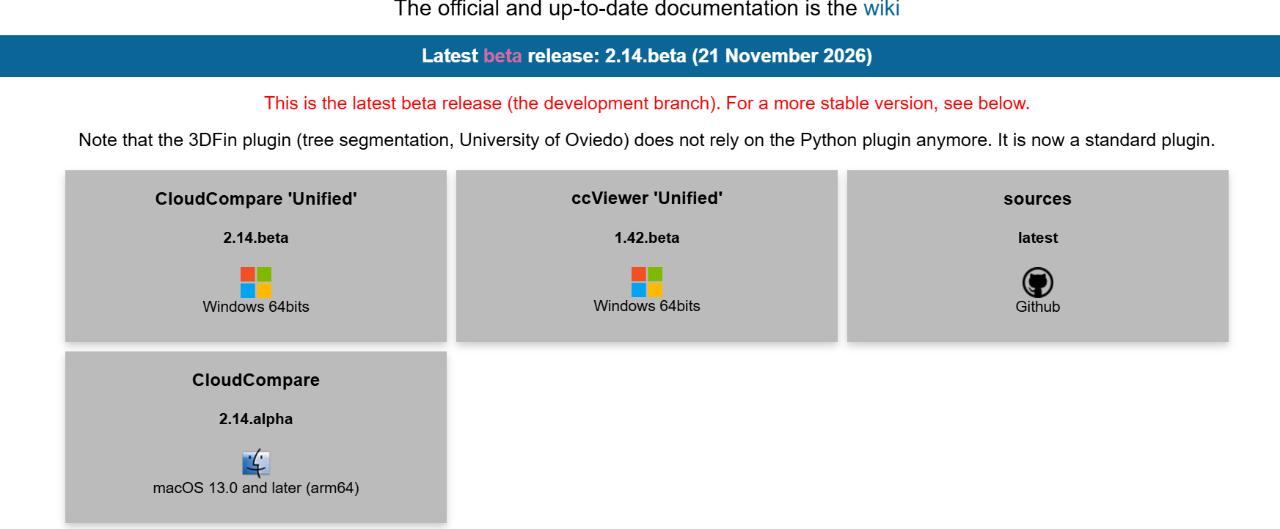
- Run the Setup or Extract the Archive: Run the installer executable (or extract the archive into a folder and launch `CloudCompare.exe` / `ccViewer.exe`), following standard prompts.
- Launch CloudCompare: Open CloudCompare from your Start menu or application folder—no license key or paid activation is required.
5. How to Use CloudCompare: Beginner Workflow
- Load Point Cloud or Mesh Files: Launch CloudCompare and open your scan or mesh file (`File > Open`)—such as `.LAS`, `.LAZ`, `.E57`, `.PLY`, or `.OBJ`—and confirm any Global Shift settings if prompted for large coordinates.
- Inspect & Navigate the 3D View: Select the cloud in the DB Tree panel, rotate/pan/zoom in the 3D viewport, and adjust point size or scalar field color scales as needed.
- Clean, Subsample, or Segment Data: Trim unwanted noise or surrounding areas using segmentation/cropping tools, or subsample overly dense clouds to keep performance smooth.
- Measure, Align, or Compare Clouds: Use `Point Picking` for distances/coordinates, align scans, or compute cloud-to-cloud/cloud-to-mesh distances and 2.5D volumes.
- Export Processed Results: Save your project or export the modified point cloud, mesh, cross-section `.DXF`, or scalar values for use in QGIS, CAD, or BIM workflows.
6. Frequently Asked Questions (FAQ)
- Is CloudCompare free for commercial and educational use?Yes. CloudCompare is free and open-source software released under the GNU General Public License (GPL), allowing use for personal, educational, and commercial purposes.
- Which operating systems support CloudCompare?CloudCompare runs on Windows, macOS, and Linux.
- Does CloudCompare include a lightweight viewer?Yes. `ccViewer` is distributed alongside CloudCompare for viewing 3D point clouds and meshes.