Autodesk 3ds Max 2027.2 (x64) is a professional 3D modeling, animation, and rendering application built for architectural visualization (ArchViz), game asset creation, industrial design, and visual effects (VFX). Evaluating a free trial lets 3D artists, architects, engineers, and studios test how its modeling tools, rendering engines, and scene pipelines perform on real production assets before committing to a subscription.
Why 3D Artists & Studios Use Autodesk 3ds Max 2027.2
- High-Impact Modeling & Scene Control: Combines polygonal and spline modeling with procedural modifiers and fast scene handling to take concepts from initial blockout to finished 3D environments and character assets.
- Built-In Rendering & Material Consistency: Ships with the Arnold rendering engine and supports OpenPBR and OSL materials, helping teams achieve realistic lighting, reflections, and look-development consistency across tools.
- Pipeline & Ecosystem Integration: Fits smoothly alongside AutoCAD, Revit, and Inventor, supports OpenUSD, and works with popular extensions and renderers such as V-Ray, Corona, Forest Pack, RailClone, and tyFlow (always verify plugin version compatibility before upgrading).
What's New in 3ds Max 2027 & Update 2027.2
- Native 3D Gaussian Splatting (3DGS) & Point Workflows (2027.2): Import, preview, edit, relight, and render Gaussian Splat assets (
PLY,SPZ,LCC), work with the new Points object type and Point Instance modifier for render-time instancing, and render splats with Arnold (MAXtoA) and OpenUSD (0.16.2). - Smart Bevel & Modeling Upgrades: Faster Smart Bevel performance on post-Boolean intersections, custom direction control on Extrude, fixed-radius Spline Chamfer updates, Noise Plus, Field Helper, and improved Boolean and Array modifiers.
- Arnold Updates & Autodesk Assistant: Includes updated Arnold (MAXtoA) support, OpenPBR as the default material, Python 3 scripting, and Autodesk Assistant (technical preview) for natural-language help inside the software.
Key Features & Capabilities
Feature CategoryPractical Capabilities3D Modeling & RetopologyBuild and refine hard-surface and organic models with Smart Bevel, Retopology tools, Noise Plus, Field Helper, and updated Boolean/Array modifiers.3D Gaussian Splats & Point InstancingImport and manipulate Gaussian Splatting data (PLY, SPZ, LCC) and instance geometry or splats efficiently at render time via Points and Point Instance.Arnold Renderer (Built-In)Produce photorealistic lighting, shadows, volumes, and renders with Arnold integrated directly into 3ds Max.PBR, OpenPBR & OSL ShadingCreate realistic materials and shaders using OpenPBR, Physically Based Rendering (PBR) workflows, OSL, and texture baking.Simulation & VFX (Bifrost & Plugins)Simulate liquids, smoke, fire, and complex effects using Bifrost and compatible third-party plugins.Animation & RiggingAnimate characters and objects using CAT (Character Animation Toolkit), Biped, animation controllers, and real-time Motion Paths.OpenUSD & CAD/BIM InteroperabilityExchange scene data via OpenUSD and coordinate workflows with AutoCAD, Revit, and glTF.AI-Assisted Noise Reduction & ScriptingSpeed up look-dev with denoising tools and automate or customize pipelines using Python 3.
Frequently Asked Questions (FAQ)
- What operating system does Autodesk 3ds Max 2027.2 require? Autodesk lists 64-bit Microsoft Windows 11 as the supported operating system for 3ds Max 2027 (unlike 2025 and 2026, which also supported Windows 10).
- What are the basic hardware recommendations for running 3ds Max 2027? Autodesk's minimum requirements start at a 64-bit Intel or AMD multi-core CPU with SSE4.2, at least 4 GB of RAM (8 GB or more recommended), and 9 GB of free disk space—though larger ArchViz, simulation, and rendering scenes benefit significantly from higher RAM, a fast SSD, and a dedicated GPU.
- Why should I check plugins before upgrading to 2027.2? Third-party renderers and plugins (such as V-Ray, Corona, Redshift, or scattering/simulation tools) require releases compatible with 3ds Max 2027, so testing in a trial or separate environment helps prevent missing-plugin issues on active projects.
How to Download & Evaluate Safely
- Use Official or Authorized Sources: Download the 64-bit installer through Autodesk’s official website or an authorized distributor to ensure file authenticity, security, and valid trial licensing.
- Verify System & Graphics Specs: Confirm your PC runs 64-bit Windows 11, check your graphics hardware/drivers, and ensure sufficient disk space and RAM before installation.
- Test Your Workflow in a Trial First: Evaluate scene loading, modifier behavior, plugin compatibility, and render speed on sample files before rolling out the update across production work.
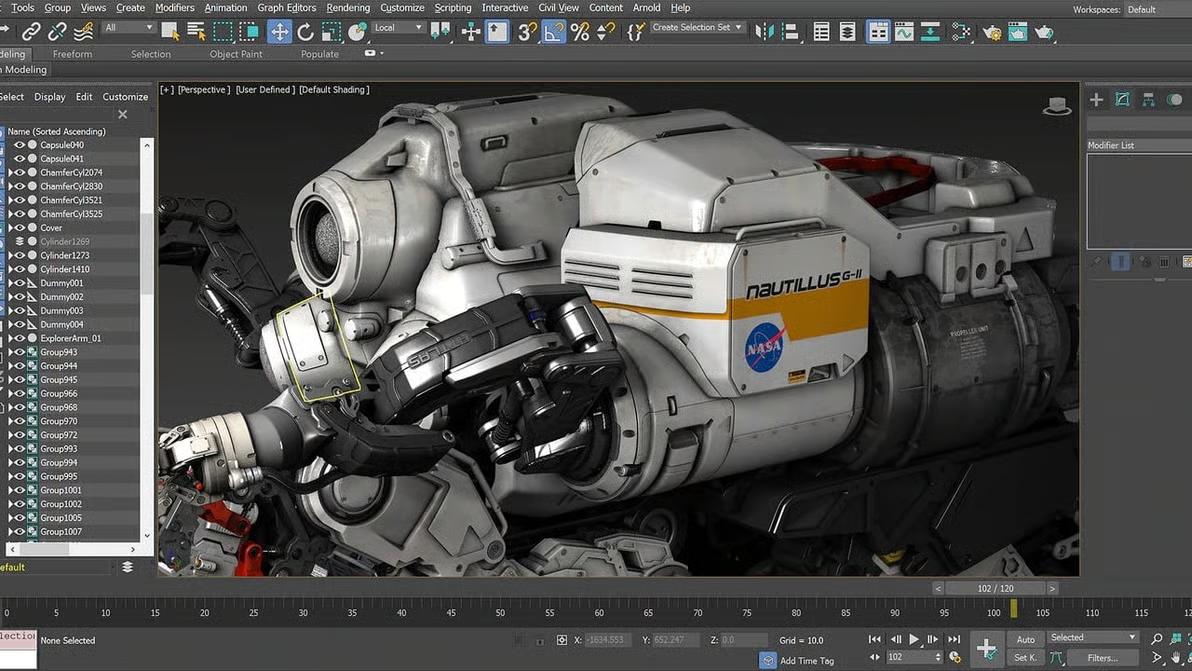
Screen Short