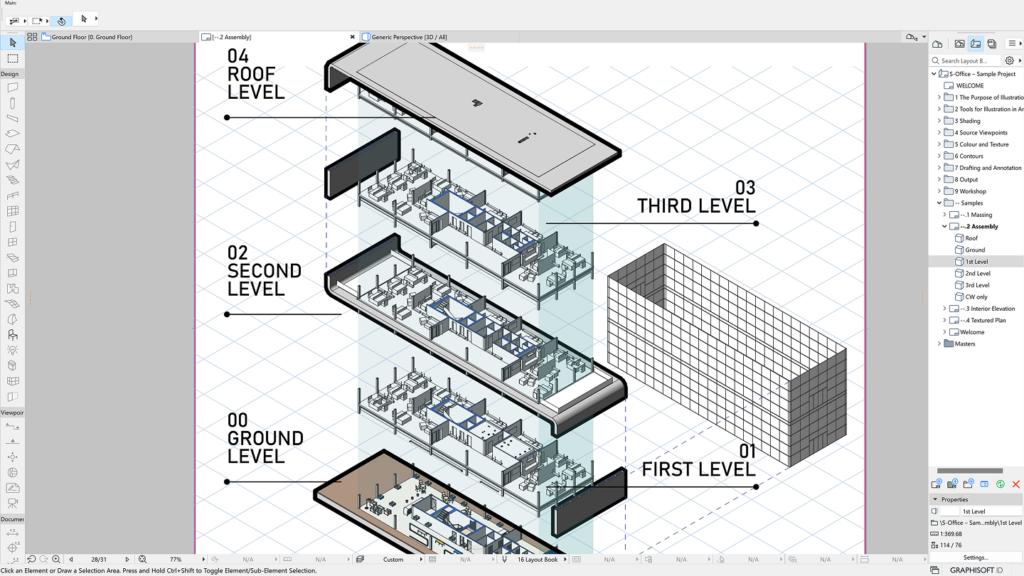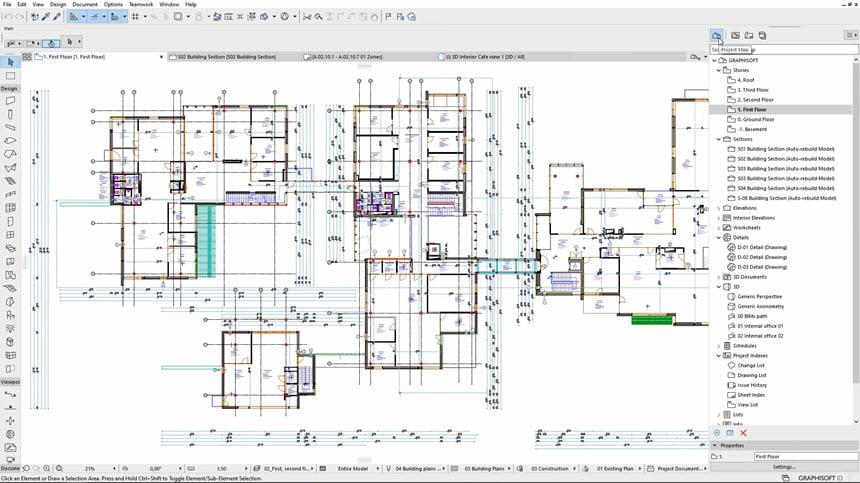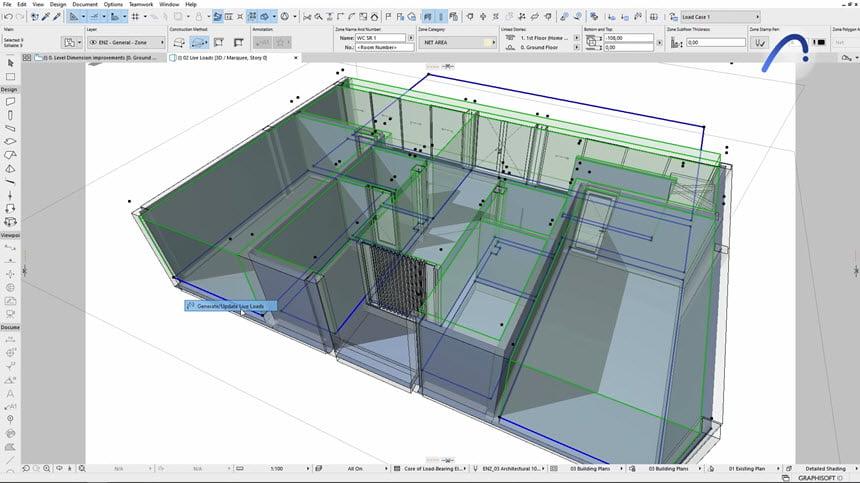
Graphisoft Archicad 29.2.1 (Build 5101 x64) is a Building Information Modeling (BIM) software platform created by architects for architectural and multidisciplinary design teams. Rather than treating drawings as disconnected lines, Archicad builds a central 3D model embedded with construction intelligence—so updates to floor plans automatically synchronize across sections, elevations, schedules, and quantity takeoffs. Evaluating a free trial allows architects, BIM managers, engineers, and students to test modeling performance, AI-assisted workflows, and collaboration tools on real building projects before choosing a subscription plan.
Why Architectural Practices & Teams Use Archicad 29.2.1
- Single-Model Consistency: Keep plans, sections, elevations, interactive schedules, and material quantities synchronized automatically as designs evolve, reducing manual drafting rework and coordination errors.
- Real-Time Multidisciplinary Collaboration: Connect distributed architects and engineers on shared projects using BIMcloud and Teamwork, with reliable file exchange across OpenBIM and IFC standards (
IFC4/IFC4.3). - Stability & Hotfix Refinements (29.2.1 Build 5101): The 29.2.1 update provides targeted stability and workflow fixes across 3D modeling, Teamwork & BIMcloud, and project data management while retaining all enhancements introduced in Archicad 29.
What's New in Archicad 29 & Update 29.2.1
- Built-In AI Assistant & AI Visualizer: Use an integrated AI chatbot directly inside the Archicad workspace for workflow guidance across project phases, alongside AI visualization tools to explore early design concepts faster.
- Integrated MEP Designer: Model, calculate, and document HVAC and MEP systems inside Archicad's interface (included with Archicad Collaborate plans), keeping mechanical and architectural coordination in one environment.
- Faster Documentation & 3D Layout Control: Place openings directly in sections and elevations (including slanted roofs), rotate elements quickly with
Ctrl+R/Cmd+R, control DPI resolution on 3D layout views, filter unused views, and customize interactive schedule colors and formatting. - Expanded Interoperability & Native Platform Support: Supports IFC 4.3, native OBJ import, Bluebeam Studio connection, algorithmic workflows with Rhino/Grasshopper, and native performance on both 64-bit Windows and Apple Silicon Macs (including macOS Dark Mode).
Key Features & Capabilities
Feature CategoryPractical CapabilitiesIntelligent 3D BIM ModelingCreate parametric building elements and complex forms where every geometry change updates 2D views and schedules automatically.AI Assistant & Conceptual VisualizationGet in-app AI assistance during modeling and generate rapid visual studies alongside built-in rendering and live links to Enscape and Twinmotion.BIMcloud & TeamworkCollaborate simultaneously across local or remote teams with real-time model synchronization and structured permission controls.Automated Documentation & SchedulesProduce construction permit drawings, enlarged details, custom line arrowheads, and formatted material quantity schedules.OpenBIM & Interdisciplinary ExchangeExchange clean BIM data with structural and MEP consultants via IFC4 / IFC4.3 and over 40 supported import/export formats.Sustainability & Energy EvaluationEvaluate building energy performance and environmental impact during early design stages to support low-carbon architectural decisions.BIMx Interactive PresentationsPublish hyper-models for interactive 2D/3D client walkthroughs on desktop, web, and mobile devices.
Frequently Asked Questions (FAQ)
- What is Graphisoft Archicad 29.2.1 used for? It is used for architectural BIM modeling, automated 2D construction documentation, quantity takeoffs, energy evaluation, visualization, and multidisciplinary coordination with structural and MEP engineers.
- What improvements are included in Archicad 29.2.1 Build 5101? Build 5101 is an official update/hotfix for Archicad 29 that resolves issues in modeling, Teamwork & BIMcloud, and project data handling while bundling previous Archicad 29 updates.
- How can I try Archicad 29 before purchasing a subscription? Graphisoft offers an official free trial through its website, allowing students, educators, and professionals to test Archicad's BIM modeling, documentation, and visualization workflows on their own projects.
How to Download & Evaluate Safely
- Use Official or Authorized Sources: Download the 64-bit installer directly from Graphisoft’s official download portal (
graphisoft.com) or an authorized partner to ensure signed, unmodified installation files. - Verify Hardware & OS Requirements: Confirm that your computer runs a supported 64-bit Windows or macOS version with a dedicated graphics card, multi-core processor, and sufficient RAM for 3D BIM models.
- Evaluate with Your Real Workflow: Test IFC imports/exports, schedule templates, and rendering connections during your official trial period to verify compatibility before deploying across active office projects.
Screen Short