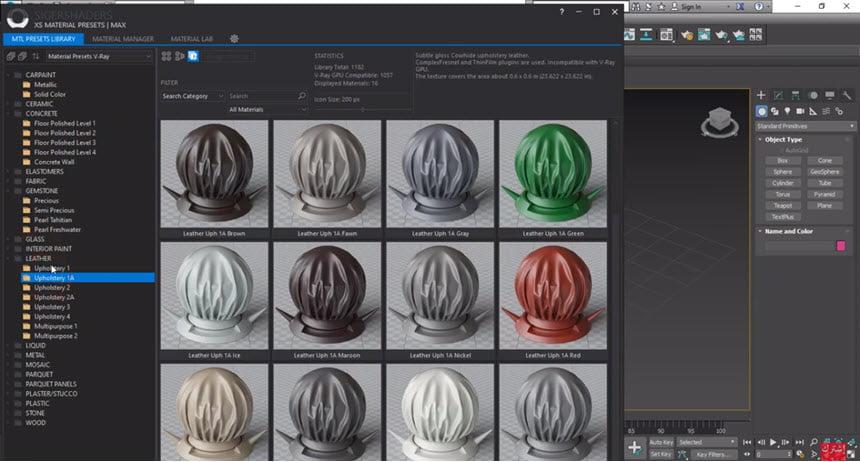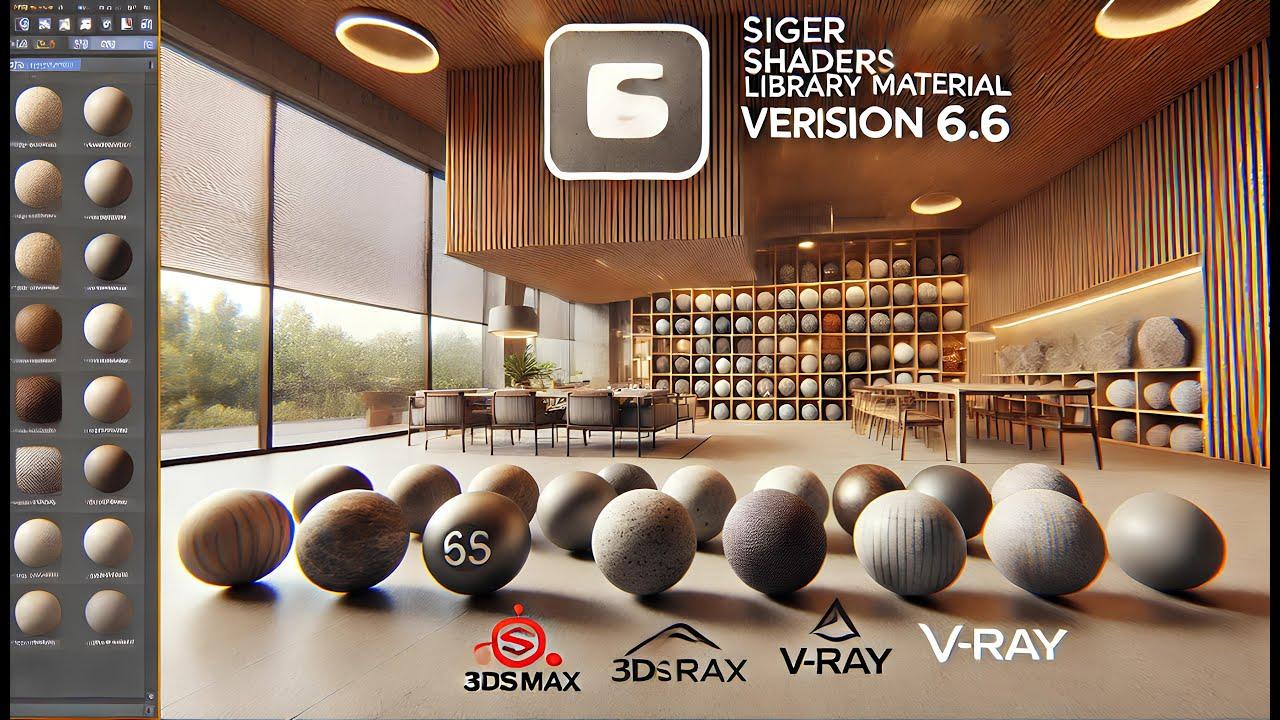
SIGERSHADERS Siger Studio XS Material Presets Studio (XSMP) 8.0 is a professional material library manager and shader preset plugin for Autodesk 3ds Max (versions 2020–2026). Built for architectural visualization (ArchViz) artists, interior designers, product visualizers, and 3D studios, XSMP integrates directly inside 3ds Max to organize thousands of physically based rendering (PBR) presets—spanning metals, glass, wood, stone, concrete, fabrics, plastics, and liquids. Evaluating an official demo or trial edition lets artists and visualization teams test shader accuracy, preview responsiveness, and renderer compatibility on real scenes before choosing a license.
Why ArchViz Artists & 3D Studios Use Siger Studio XSMP 8.0
- Physically Accurate Shading Without Manual Guesswork: Every preset is built around real-world physical properties—including calibrated Index of Refraction (IOR) and reflectance values—so materials react realistically to scene lighting right out of the box.
- Multi-Renderer Flexibility in One Interface: Supports leading production renderers inside 3ds Max, including V-Ray, Chaos Corona, and Arnold, making it easier for studios to maintain consistent look development across different client pipelines.
- Faster Scene Assembly & Team Consistency: Allows artists to browse, preview, assign, and customize materials with minimal clicks while saving studio-specific material libraries and managing texture paths automatically to prevent missing bitmap errors.
Key Features & Workflow Capabilities
Feature CategoryPractical CapabilitiesIntegrated Plugin Library ManagerBrowse, search, filter, and organize large shader libraries directly inside the 3ds Max workspace without switching external apps.Multi-Engine PBR PresetsAccess ready-to-render material presets tailored for V-Ray, Corona Renderer, and Arnold across architectural and industrial categories.One-Click Material AssignmentApply selected shaders directly to scene objects or active Material Editor slots with a single click.High-Resolution Seamless Textures (4K–8K+)Achieve crisp close-up detail using tileable high-resolution maps managed efficiently to keep viewport and scene memory responsive.Lab-Tested Physical ShadersRely on shaders calibrated for physically plausible reflection, glossiness/roughness, and IOR behavior.Slate & Compact Material Editor SupportWorks seamlessly with both the Slate Material Editor (node-based) and the classic Compact Material Editor.Lab Function & Custom User LibrariesModify existing presets or build custom materials using the built-in Lab tools, then save them into personal or shared team libraries.Fast Material PreviewsInspect shader appearance quickly via high-clarity preview thumbnails before running full scene test renders.Automatic Texture Path ManagementTracks and links bitmap file paths automatically, reducing missing-texture issues when archiving or transferring projects between workstations.Ongoing Engine & Version UpdatesRegularly updated to maintain compatibility with newer 3ds Max releases (2020–2026) and updated renderer builds.
Practical Workflow Tips for Using XSMP in Production
- Standardize Studio Libraries: Use the User Material Library feature to store approved brand finishes (woods, metals, architectural glass, and fabrics) in a shared network location so every artist on a project pulls identical shaders.
- Match Preset Libraries to Your Active Renderer: Before assigning materials, confirm that your active production renderer in 3ds Max (V-Ray, Corona, or Arnold) matches the selected XSMP preset collection so shader nodes load cleanly.
- Verify Bitmap Paths Before Archiving: Take advantage of XSMP's texture path management alongside 3ds Max's Asset Tracking (
Shift+T) when packaging scenes for render farms or client handoffs.
Frequently Asked Questions (FAQ)
- Which versions of Autodesk 3ds Max are supported by XSMP 8.0? Siger Studio XS Material Presets Studio 8.0 supports 64-bit Autodesk 3ds Max 2020 through 2026 on Windows.
- Which rendering engines work with Siger Studio XSMP? It provides dedicated preset collections and integration for Chaos V-Ray, Chaos Corona, and Autodesk Arnold, and works with both the Slate and Compact Material Editors.
- How can I test Siger Studio XSMP before purchasing a license? Siger Studio provides official product documentation, version compatibility notes, and evaluation/demo options on its website so users can verify installation and renderer integration before buying a commercial license.
How to Download & Evaluate Safely
- Use Official or Authorized Sources: Download the plugin installer and texture archives directly from Siger Studio’s official website (
sigershop.eu) or an authorized distributor to ensure clean, verified files. - Check 3ds Max, Renderer & Storage Requirements: Confirm your 64-bit Windows OS, supported 3ds Max version (2020–2026), installed renderer version (V-Ray, Corona, or Arnold), and sufficient SSD/HDD space for high-resolution 4K–8K texture libraries.
- Review Licensing & Demo Terms: Check single-user versus studio licensing terms and test preview rendering on a sample project before deploying across production workstations.
Screen Short