Maxon Cinema 4D is a professional 3D modeling, animation, simulation, and rendering software application developed by Maxon. Widely used by motion graphics designers, VFX artists, product visualizers, and architectural visualization studios, Cinema 4D is known for its approachable procedural workflow, industry-leading MoGraph toolset, unified physics simulation system, and tight integration with Redshift rendering and Adobe After Effects.
1. In-Depth Review: Why 3D & Motion Designers Use Maxon Cinema 4D
- Industry-Standard MoGraph & Procedural Workflow: Lets artists clone, animate, fracture, and deform thousands of objects non-destructively using effectors and fields—making it a go-to tool for broadcast motion graphics and product reveals.
- Integrated Redshift Rendering & Unified Simulations: Includes Redshift CPU/GPU rendering alongside unified cloth, rope, rigid body, soft body, and pyro simulations inside one cohesive viewport.
- Smooth Pipeline with After Effects & CAD/BIM Formats: Connects directly with Adobe After Effects via Cineware and imports CAD/3D assets (such as STEP, IGES, FBX, USD, and Alembic) for architectural and industrial visualization.
2. Key Features & Capabilities
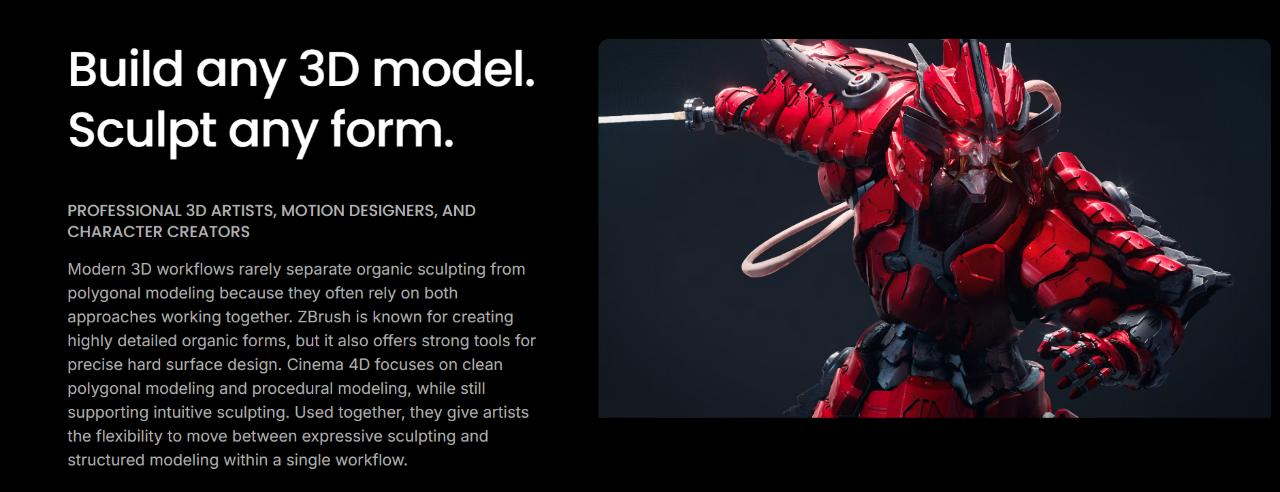
- Polygonal, Procedural & Sculpting Modeling Tools: Create hard-surface models, parametric splines, volume-based meshes, and sculpted organic assets with non-destructive modifiers.
- MoGraph Cloner, Effectors & Fields: Build complex procedural animations, dynamic typography, and audio- or falloff-driven motion systems without tedious keyframing.
- Unified Simulation System: Simulate cloth, ropes, soft bodies, rigid bodies, and pyro smoke/fire effects on GPU or CPU with shared forces and colliders.
- Redshift Photorealistic Rendering: Render physically based materials, caustics, global illumination, and motion blur using Redshift GPU/CPU acceleration.
- Character Rigging & Keyframe Animation: Animate characters and mechanical rigs with inverse kinematics (IK), pose morphs, motion clips, and a detailed F-Curve timeline.
- Broad File Exchange & After Effects Cineware Bridge: Exchange `.FBX`, `.OBJ`, `.USD`, `.ABC`, `.STEP`, and `.GLTF` files, and link `.c4d` scenes directly into Adobe After Effects.
- Official Links: Free Trial, Free / Education & Pricing
To keep your workstation compliant and avoid unofficial installers, always download and license Cinema 4D through Maxon's official portals:
- Official Product Overview: https://www.maxon.net/en/cinema-4d
- Official Free Trial (14-Day Evaluation via Maxon App): https://www.maxon.net/en/try
- Free / Education (Students & Educators): https://www.maxon.net/en/educational-licenses
- Pricing & Subscription Plans: https://www.maxon.net/en/buy
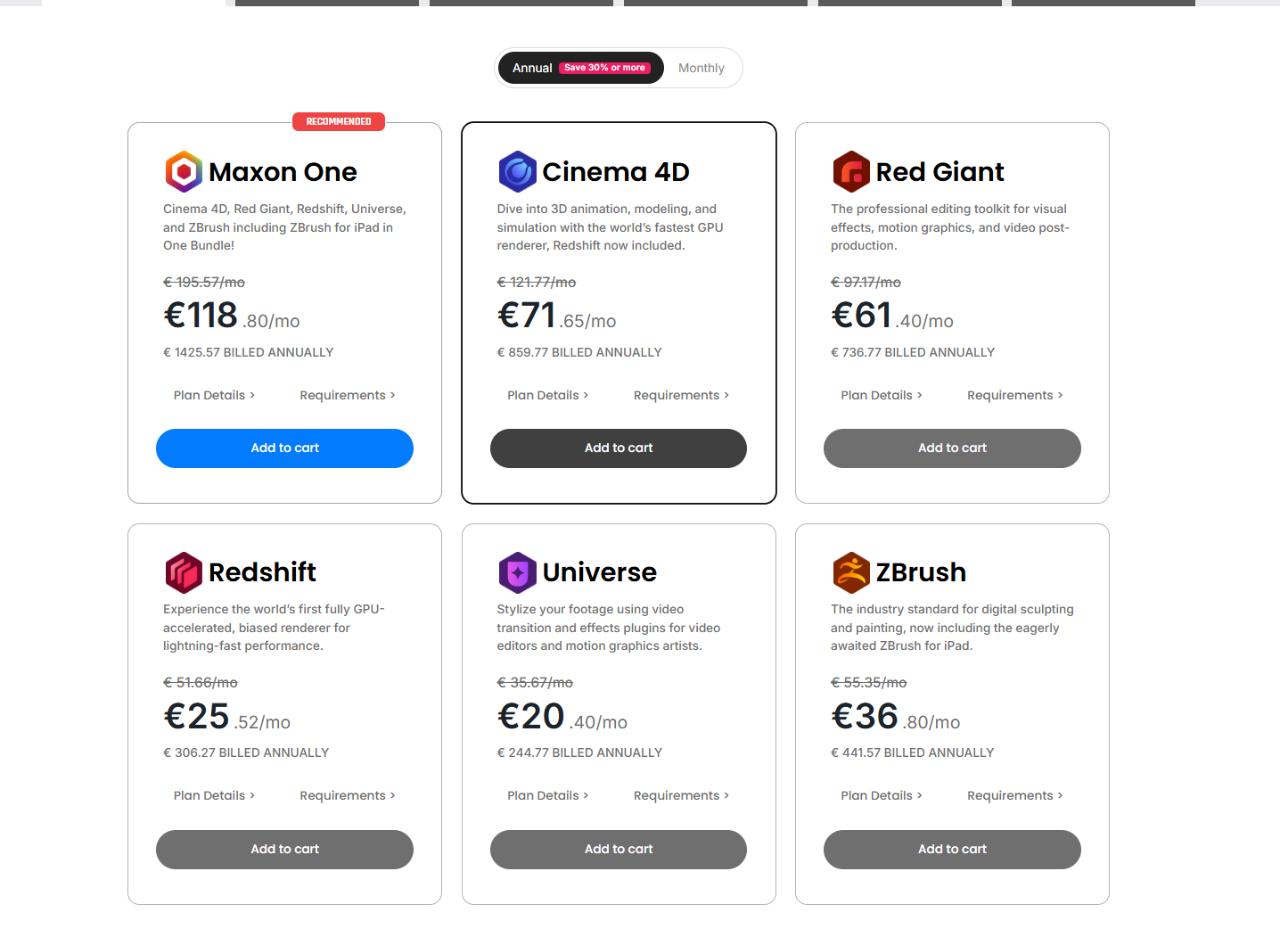
4. Step-by-Step Installation Guide
- Verify Operating System & Hardware: Confirm your computer runs a supported 64-bit Windows (Windows 10/11) or macOS version with a multi-core 64-bit processor (or Apple Silicon), at least 16 GB RAM (32 GB+ recommended for complex simulations and Redshift rendering), a dedicated GPU with 8 GB+ VRAM, and free SSD storage.
- Download the Official Maxon App: Visit https://www.maxon.net/en/try (or https://www.maxon.net/en/cinema-4d), sign in or create a free MyMaxon account, and download the official Maxon App installer.
- Install Maxon App & Cinema 4D: Run the Maxon App installer, sign in with your MyMaxon credentials, select Cinema 4D from the product list, and click Install.
- Activate Trial or License: Inside the Maxon App, start your 14-day free trial or assign your active commercial or educational Maxon license, then launch Cinema 4D.
5. How to Use Maxon Cinema 4D: Beginner Workflow
- Create a New Scene & Set Project Units: Launch Cinema 4D, open a new scene (`Ctrl+N` / `Cmd+N`), check your project scale/units (`Ctrl+D` / `Cmd+D`), and save your `.c4d` file.
- Add Parametric Objects & Generators: Insert primitive shapes, splines, or imported 3D/CAD models from the top object palette and refine geometry using Subdivision Surface or Extrude generators.
- Build Procedural Motion with MoGraph: Add a `MoGraph > Cloner` object, place your 3D mesh inside it, and attach an `Effector` (such as Plain or Random) with a Field to animate scale, position, or rotation.
- Apply Redshift Materials & Lighting: Open the Material Manager to create Redshift PBR materials, add a Redshift Area Light or Dome Light with an HDRI map, and preview lighting in the Render View.
- Render & Export Final Output: Open `Render Settings` (`Ctrl+B` / `Cmd+B`), choose your resolution, frame range, and output format (`.PNG`, `.EXR`, or `.MP4`), and render to the Picture Viewer.
6. Frequently Asked Questions (FAQ)
- Does Maxon Cinema 4D run on both Windows and macOS?Yes. Cinema 4D supports 64-bit Windows (including Windows on Arm) and macOS workstations.
- Does Cinema 4D include Redshift rendering?Yes. Individual and Teams Cinema 4D subscriptions—as well as the 14-day free trial—include Redshift rendering.
- Is there an educational license for students and teachers?Yes. Eligible students and educators can apply for discounted annual Maxon One educational licenses through https://www.maxon.net/en/educational-licenses.