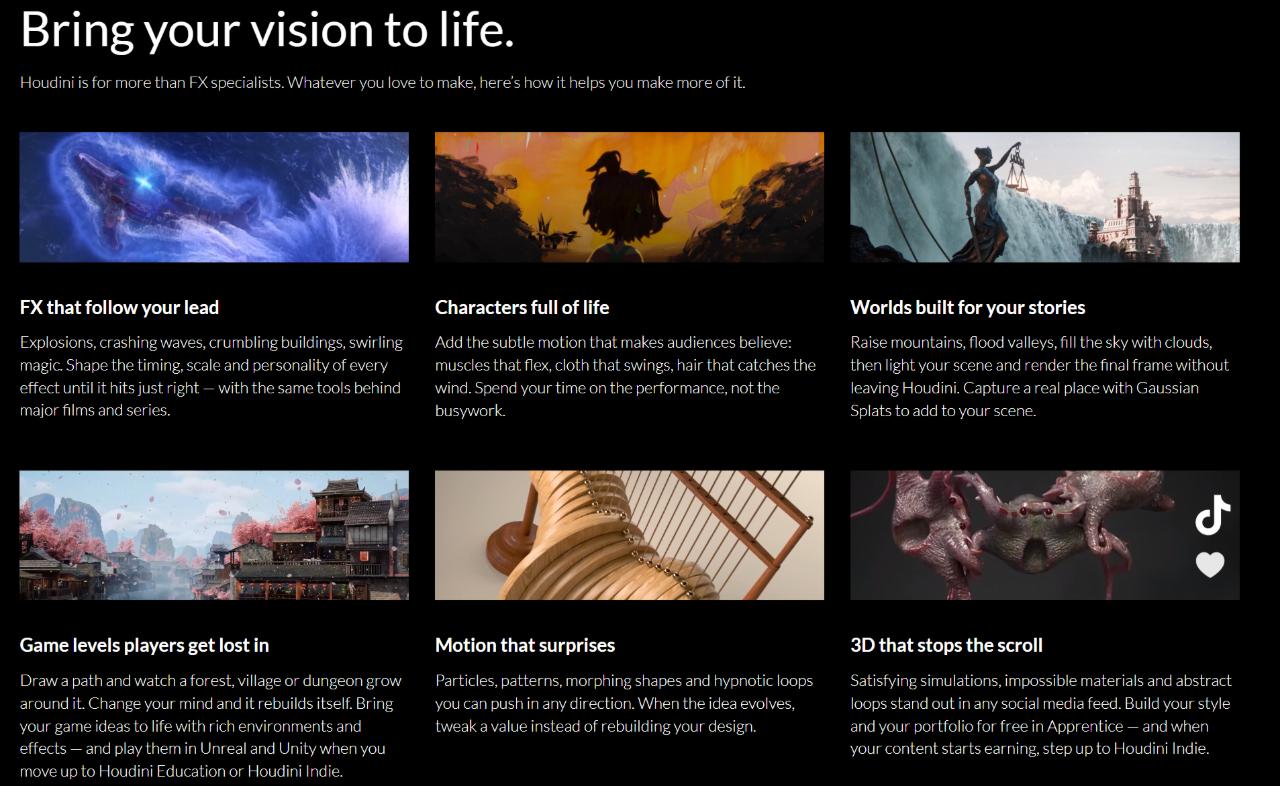
SideFX Houdini is a procedural 3D modeling, animation, simulation, and visual effects (VFX) software application developed by SideFX. Widely used across film/TV VFX studios, game development teams, motion designers, and technical artists, Houdini uses a node-based workflow where every modeling, layout, simulation, and lookdev step remains non-destructive and editable at any point in production.
1. In-Depth Review: Why 3D & VFX Artists Use SideFX Houdini
- Non-Destructive Node-Based Proceduralism: Lets artists build parametric geometry networks, procedural terrains/environments, and reusable Houdini Digital Assets (HDAs) so director notes or layout updates propagate without rebuilding scenes from scratch.
- Production-Proven Simulations & Lookdev: Combines high-end Pyro (fire/smoke), FLIP (fluids), Vellum (cloth/soft bodies), RBD (destruction), and crowd solvers with Solaris (USD-based lookdev/layout) and Karma rendering.
- Strong Game Engine & Pipeline Integration: Delivers procedural tools into Unreal Engine, Unity, Maya, and 3ds Max via Houdini Engine while supporting industry-standard formats like USD, Alembic, FBX, and VDB.
2. Key Features & Capabilities
- Procedural Modeling & Heightfield Terrains: Construct complex architectural, hard-surface, and environment assets using node networks, VDB volumes, and terrain heightfields.
- Dynamic FX & Physics Simulations: Simulate smoke/fire, liquids, rigid-body destruction, cloth/hair/soft bodies, and crowds with fine solver control.
- Solaris & Karma Lookdev / Rendering: Assemble USD scenes, light environments, and render using Karma CPU/XPU workflows.
- Houdini Digital Assets (HDAs) & PDG: Package custom node tools for teams or game engines and automate task graphs/variations with PDG (TOPs).
- Character Rigging & Animation: Build rigs, deformers, and motion workflows integrated with procedural geometry and FX.
- Open Pipeline Exchange: Exchange USD, Alembic (`.abc`), FBX, OBJ, and OpenVDB data across 3D and compositing applications.
- Official Links: Free Trial, Free / Education & Pricing
To keep your workstation compliant and avoid unofficial binaries, always download and license Houdini through SideFX's official portals:
- Official Product Overview: https://www.sidefx.com/get/try-houdini/
- Official Free Learning / Apprentice Download: https://www.sidefx.com/get/try-houdini/
- Free / Education (Houdini Apprentice Free & Education Plans): https://www.sidefx.com/learn-main-menu/academic-programs/students/
- Pricing & Licensing Plans (Apprentice, Education, Indie, Core & FX): https://www.sidefx.com/get/try-houdini/
4. Step-by-Step Installation Guide
- Verify Operating System & Hardware: Confirm your workstation runs a supported 64-bit operating system (Windows 11 64-bit, macOS on Apple Silicon, or supported 64-bit Linux) with an AVX/AVX2-capable 64-bit CPU, at least 16 GB RAM (32 GB–64 GB+ recommended for simulations), a dedicated OpenGL 4.0 / OpenCL 1.2 GPU with 12 GB+ VRAM, and free SSD storage space.
- Download the Official Houdini Installer: Visit https://www.sidefx.com/get/try-houdini/, sign in or create a free SideFX account, and download the official Houdini installer for your operating system.
- Run the Setup Wizard: Launch the downloaded installer (running as administrator on Windows), accept the license agreement, select Houdini and optional components, and complete installation.
- Launch & Activate License: Open Houdini and activate your free Houdini Apprentice license or sign in to assign your active Education, Indie, Core, or FX license.
5. How to Use SideFX Houdini: Beginner Workflow
- Create a New Scene & Set Project Scale: Launch Houdini, start a new scene (`File > New`), check scene scale/units and frame range, and save your project file.
- Build a Geometry Network in Nodes: Create a Geometry object, dive into the node network (`SOPs`), place primitive or imported geometry nodes, and chain modifiers such as `Transform`, `PolyExtrude`, or `Mountain` to shape the model procedurally.
- Adjust Parameters & Inspect Geometry: Select any node in the network to tweak its parameters in the Parameter pane and inspect attributes or geometry spreadsheets in the viewport.
- Add Lighting, Materials & Solaris/Karma Lookdev: Set up lights, shaders, and camera framing, and preview lighting/rendering in the viewport or Solaris/Karma.
- Save & Export Assets or Renders: Save your scene file and export geometry/caches (`.fbx`, `.abc`, `.usd`, `.vdb`) or rendered image sequences/video as needed.
6. Frequently Asked Questions (FAQ)
- Is there a free version of SideFX Houdini for learning?Yes. SideFX offers Houdini Apprentice free for personal, non-commercial learning and experimentation at https://www.sidefx.com/get/try-houdini/.
- Does SideFX Houdini run on Windows, macOS, and Linux?Yes. Houdini supports 64-bit Windows, macOS (Apple Silicon), and supported 64-bit Linux distributions.
- What is the difference between Houdini Apprentice, Indie, Core, and FX?Houdini Apprentice is free for non-commercial use (with watermarked renders up to 1920×1080 and `.hipnc` files); Houdini Indie targets solo artists/small studios under revenue/funding caps; Houdini Core covers modeling, layout, animation, and lookdev/rendering; and Houdini FX adds the full simulation suite.