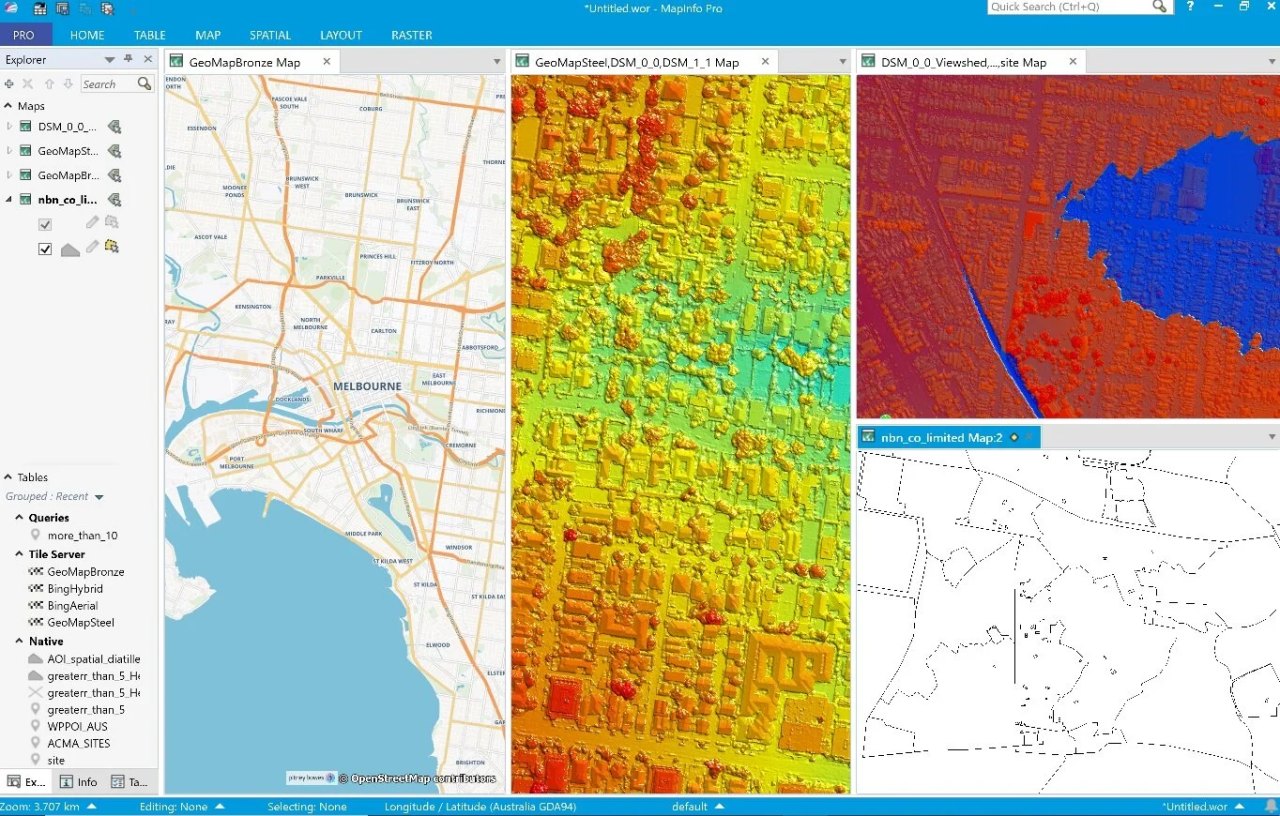
Precisely MapInfo Pro (x64) is a desktop Geographic Information System (GIS) and location intelligence software application developed by Precisely. Used by GIS analysts, telecommunications engineers, retail planners, insurance underwriters, and government mapping teams, MapInfo Pro combines intuitive map visualization, relational table querying, geocoding, and multi-format spatial data management in a Windows environment.
1. In-Depth Review: Why GIS Analysts & Planners Use MapInfo Pro
- Strong Tabular & Spatial Query Workflow: Excels at combining attribute databases, SQL queries, thematic mapping, and spatial overlays so analysts can spot patterns across demographic, network, or territory datasets quickly.
- Broad CAD, Raster, Grid & Database Connectivity: Reads and works with industry spatial and tabular formats—including MapInfo TAB/NativeX, Esri Shapefile, GeoPackage, GeoTIFF, grids, CAD drawings, and spatial databases.
- Practical Desktop-to-Enterprise Location Ecosystem: Connects desktop mapping workflows with Precisely location intelligence, routing, geocoding, and spatial data services for broader organizational analysis.
2. Key Features & Capabilities
- Multi-Layer 2D Map & Layout Composition: Build layered thematic maps with graduated symbols, ranges, dot density, labels, legends, scale bars, and print-ready layouts.
- SQL Select & Spatial Query Tools: Filter records, join tables, run spatial selections (such as containment, intersection, and proximity), and build derived columns or expressions.
- Raster, Grid & Elevation Visualization: Display imagery, elevation grids, and thematic surfaces alongside vector layers with transparency and styling controls.
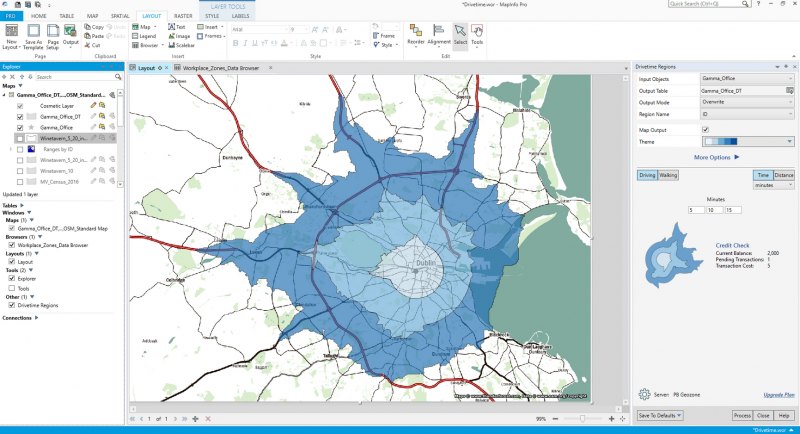
- Geocoding & Territory / Trade Area Analysis: Match addresses to locations, analyze service coverage or trade areas, and evaluate spatial distribution for business and infrastructure planning.
- Data Format Conversion & Table Management: Open, edit, structure, and convert spatial tables across native MapInfo formats and common GIS/CAD exchange formats.
- Add-Ins, MapBasic & Automation Support: Extend workflows and automate repetitive mapping or table tasks using add-ins and MapBasic scripting.
- Enterprise Spatial Database Integration: Connect to spatial databases and web services to query and maintain shared organizational datasets.
3. How to Register & Access an Official Trial or License
To keep your workstation compliant and avoid unofficial binaries, always access Precisely MapInfo Pro through Precisely's official portals:
- Visit the Official Precisely MapInfo Pro Page: Go to https://www.precisely.com/product/precisely-mapinfo-pro to review features, capabilities, and product editions.
 Official Source & Interface Preview: www.precisely.com
- Explore Precisely's Main Portal & Support Resources: Visit https://www.precisely.com for company and product solutions, and access https://support.precisely.com for documentation, downloads, and licensing support.
 Official Source & Interface Preview: support.precisely.com
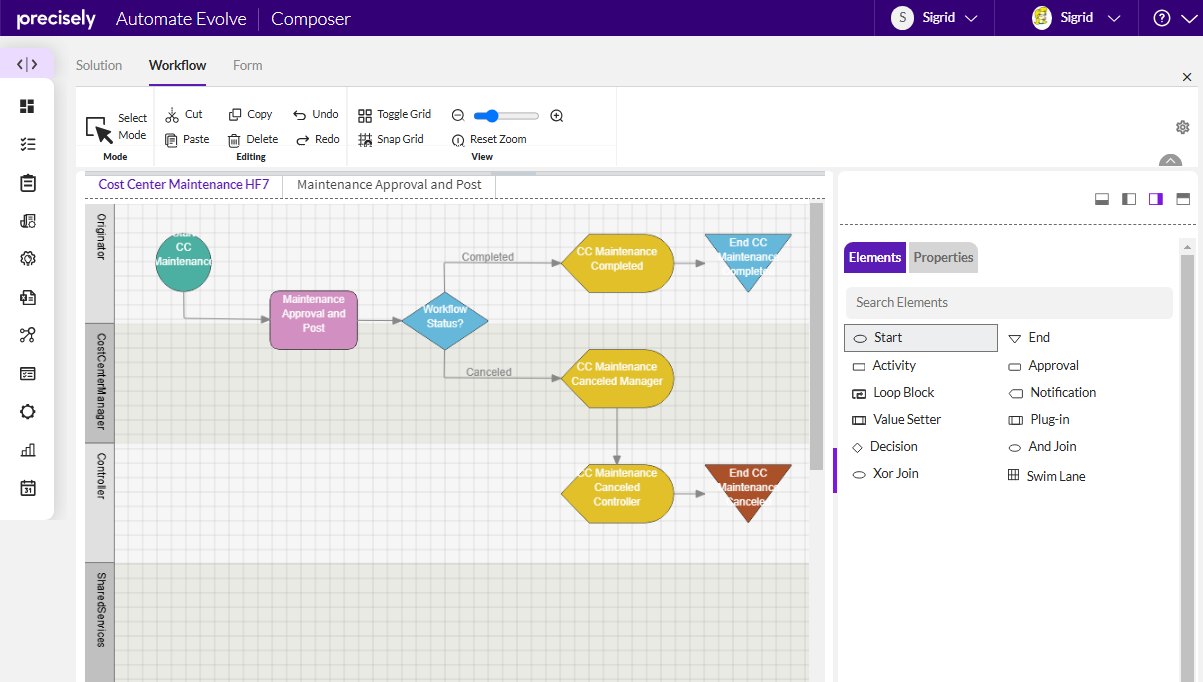 Official Source & Interface Preview: www.precisely.com
- Choose Your Official Licensing Path:
- Official Trial / Evaluation Request: Visit https://www.precisely.com/product/precisely-mapinfo-pro to request a free trial or evaluation access through Precisely's official trial/contact flow.
- Commercial Subscription or License: Organizations and analysts can review purchasing and licensing options directly through https://www.precisely.com/product/precisely-mapinfo-pro or a Precisely representative.
Official Source & Interface Preview: www.precisely.com
4. Step-by-Step Installation Guide
- Verify Operating System & Hardware: Confirm your PC runs a supported 64-bit version of Windows (such as Windows 10 or Windows 11) with a modern multi-core 64-bit processor, sufficient RAM (8 GB minimum, 16 GB+ recommended for larger datasets and rasters), a compatible graphics card, and free disk space.
- Download the Official Installer: Sign in or access your trial/license download link through Precisely's official portal and download the 64-bit MapInfo Pro installer package.
- Run the Setup Wizard: Launch the installer (running as administrator if required), accept the license terms, choose your installation folder and components, and complete setup.
- Activate Your Trial or License: Open MapInfo Pro and complete sign-in or license activation using your Precisely credentials or license details.
5. How to Use MapInfo Pro: Beginner Workflow
- Open or Create a Table / Workspace: Launch MapInfo Pro, open an existing GIS table or spatial file (`File > Open`), and organize layers inside a Map window (`Home > New Map` or `Map` tab options).
- Add & Arrange Map Layers: Load additional vector, raster, or tabular layers into your map, adjust layer draw order in the Layer Control panel, and set visibility scales.
- Style Layers with Thematic Mapping: Select a layer in Layer Control and apply styling or create a thematic map (such as Ranged or Individual Value themes) to visualize attributes clearly.
- Query Data & Inspect Attributes: Open the Browser window to view attribute rows and use `SQL Select` or spatial selection tools to isolate features meeting specific criteria.
- Create a Layout & Export Output: Assemble your map, title, legend, and scale bar on a Layout window, then export or print your map as an image or PDF and save your workspace (`.wor`) for later editing.
6. Frequently Asked Questions (FAQ)
- Does Precisely MapInfo Pro run on Windows?Yes. MapInfo Pro is a 64-bit Windows desktop GIS application designed for Windows workstations.
- Can MapInfo Pro open Esri Shapefiles and other common GIS formats?Yes. MapInfo Pro supports reading and working with common GIS, tabular, grid, and CAD formats alongside its native MapInfo formats.
- How do I get a trial of Precisely MapInfo Pro?You can request an official trial through Precisely's MapInfo Pro product page at https://www.precisely.com/product/precisely-mapinfo-pro.