Adobe Dreamweaver (developed by Adobe Inc. as part of Adobe Creative Cloud) is a hybrid visual and source-code web development IDE for Windows and macOS. Built for web designers, front-end developers, and Creative Cloud users building HTML, CSS, JavaScript, and PHP websites, Dreamweaver pairs a fast multi-language code editor with a real-time Live View preview, Bootstrap responsive grid templates, built-in Git version control, and integrated FTP/SFTP site publishing.
1. In-Depth Review: Why Web Designers & Creative Cloud Teams Use Dreamweaver
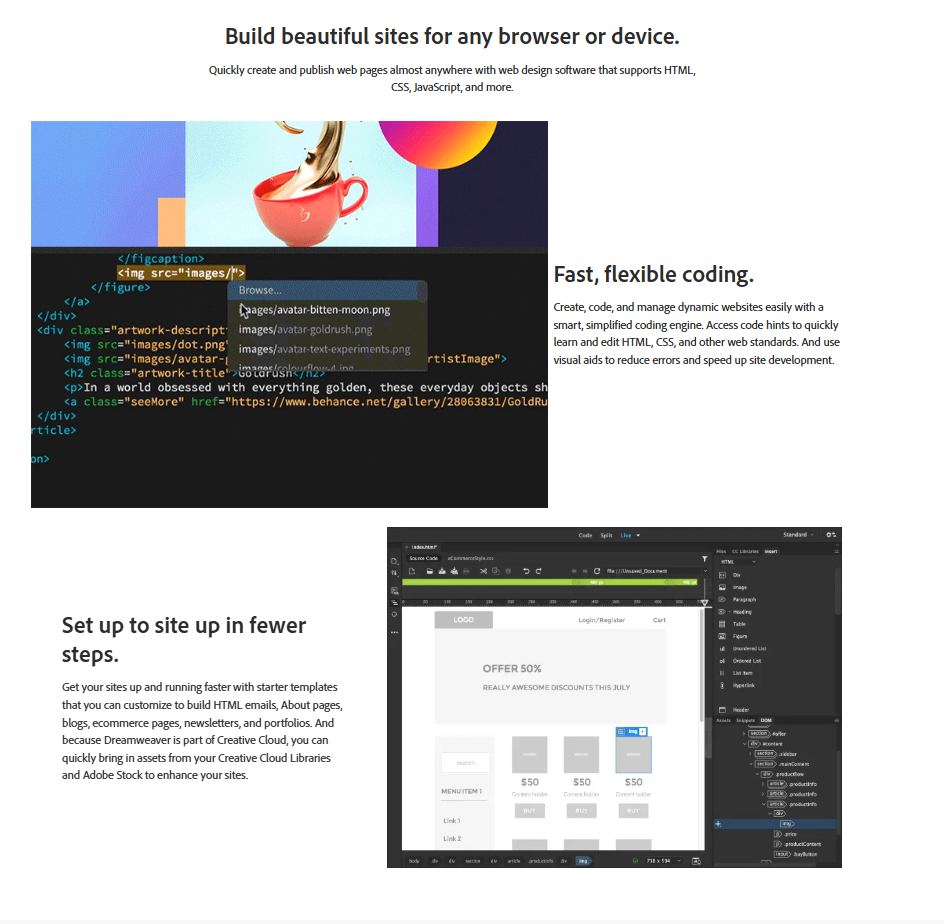
- Split Code & Real-Time Live View Workspace: Edits HTML, CSS, JavaScript, and PHP with syntax highlighting, Emmet abbreviations, and code hints while updating a live visual preview simultaneously.
- Built-In Bootstrap Starter Templates & Responsive Breakpoints: Accelerates responsive website creation with pre-built Bootstrap layouts and visual viewport size sliders for mobile, tablet, and desktop testing.
- Integrated SFTP Server Sync & Git Support: Connects directly to local development servers (such as XAMPP/WAMP/MAMP) or remote web hosts via FTP/SFTP while managing commits and branches through built-in Git tools.
2. Key Features & Capabilities
- Intelligent Code Editor with Emmet & Live Hints: Write clean HTML5, CSS3, JavaScript, and PHP faster with auto-completion, syntax checking, and multi-cursor editing.
- Split View & Live Visual Editing: Inspect DOM hierarchy, edit text/CSS properties directly in Live View, and see immediate updates in source code.
- Responsive Design & Bootstrap Integration: Build mobile-first layouts using Bootstrap templates and test breakpoints across custom screen resolutions.
- Built-In FTP/SFTP File Manager & Site Sync: Upload, download, and synchronize local project folders with live web servers cleanly.
- Integrated Git Version Control Panel: Track file changes, stage commits, push/pull branches, and view diffs inside the IDE.
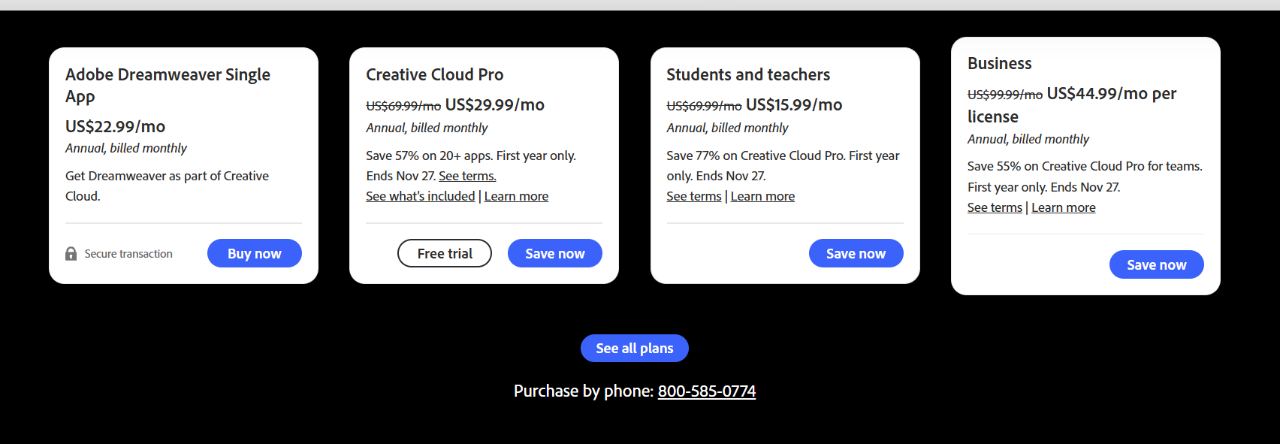
- Included in Creative Cloud Standard & Pro Plans: Available via a 7-day official free trial from Adobe as a Single App, inside Creative Cloud Pro, or with Student/Teacher discounts.
- Official Links: Free Trial, Free / Education & Pricing
Always download Adobe Dreamweaver installers and start your official trial directly from Adobe portals:
- Official Adobe Dreamweaver Product Page: https://www.adobe.com/products/dreamweaver.html
- Official Adobe Dreamweaver 7-Day Free Trial: https://www.adobe.com/products/dreamweaver/free-trial-download.html
- Official Adobe Creative Cloud Plans & Pricing: https://www.adobe.com/creativecloud/plans.html
- Official Adobe Dreamweaver User Guide & Tutorials: https://helpx.adobe.com/dreamweaver/user-guide.html
4. Step-by-Step Installation Guide
- Check Operating System & Hardware Requirements: Confirm your Windows 10/11 (64-bit) or macOS computer has at least 4 GB RAM (8 GB+ recommended) and an internet connection for Creative Cloud activation.
- Start Your Official Trial or Sign In to Adobe: Visit https://www.adobe.com/products/dreamweaver.html, click `Free trial` or `Buy now`, and sign in with your Adobe ID.
- Download & Run the Creative Cloud Desktop App: Download the official Creative Cloud installer and follow the setup prompts on Windows or macOS.
- Install & Launch Adobe Dreamweaver: Click `Install` next to `Dreamweaver` inside the Creative Cloud desktop app, wait for installation to finish, and click `Open`.
5. How to Use Adobe Dreamweaver: Beginner Workflow
- Define a New Site & Local Root Folder: Launch Adobe Dreamweaver, go to `Site > New Site`, enter a `Site Name`, browse to your local project folder (`Local Site Folder`), and click `Save`.
- Create an HTML or PHP Page (or Starter Template): Click `File > New`, choose `HTML` or `PHP` (or pick a responsive `Starter Template`), set document title and doctype (`HTML5`), and click `Create`.
- Edit in Split View (Code + Live Preview): Switch to `Split` view so your HTML/CSS code appears on one side and `Live` rendering updates in real time on the other.
- Configure Testing Server or Remote SFTP Connection: Open `Site > Manage Sites > Edit > Servers`, click `+` to add a local testing server (such as `localhost` / XAMPP) or remote `SFTP` host, and click `Test`.
- Preview in Browser & Publish Files: Press `F12` (or click the Real-time Preview icon) to test in Chrome/Edge/Safari, then use the `Files` panel (`Put File(s)`) to upload updated pages to your web server.
6. Frequently Asked Questions (FAQ)
- Does Adobe Dreamweaver offer a free trial?Yes. Adobe provides an official 7-day free trial of the full version of Adobe Dreamweaver for Windows and macOS through Adobe.com and the Creative Cloud desktop app.
- Can Adobe Dreamweaver edit PHP, JavaScript, and CSS files in addition to HTML?Yes. Dreamweaver supports HTML, CSS, JavaScript, PHP, XML, JSON, LESS, and SASS with syntax highlighting, code hinting, and local testing server integration.
- Is Adobe Dreamweaver included in Creative Cloud Pro subscriptions?Yes. Adobe Dreamweaver is included in Creative Cloud Standard and Creative Cloud Pro plans, and is also available as an individual Single App subscription.