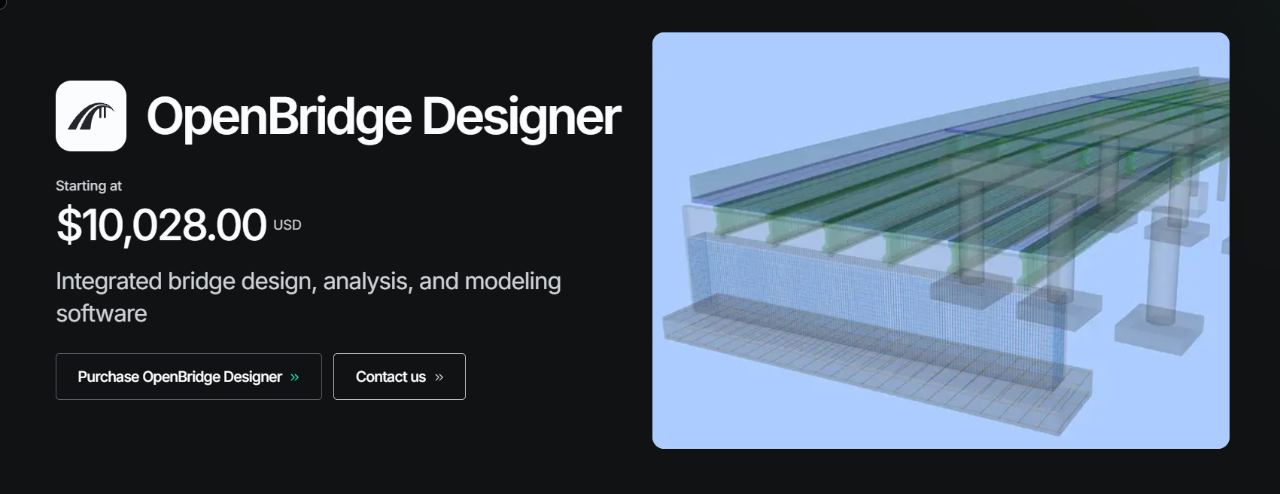
Bentley OpenBridge Designer (developed by Bentley Systems, Incorporated for 64-bit Windows) is a specialized 3D bridge modeling, BIM, and structural engineering application built for bridge engineers, highway/rail civil designers, and infrastructure teams. Connecting corridor alignments, terrain models, and structural engineering workflows in one environment, OpenBridge Designer lets teams model concrete and steel bridges, piers, abutments, bearings, and reinforcement while generating automated drawings, quantities, and engineering deliverables.
1. In-Depth Review: Why Bridge & Infrastructure Engineers Choose OpenBridge Designer
- Alignment-Driven Parametric 3D Bridge Modeling: Links bridge superstructures and substructures directly to horizontal/vertical road or rail alignments and terrain surfaces so girders, piers, and abutments follow skew, grade, and superelevation changes accurately.
- Integrated BIM & Structural Engineering Workflows: Bridges CAD/BIM geometry with structural analysis and bridge design tasks—reducing repetitive manual rework between civil alignment teams and structural bridge engineers.
- Automated Bridge Drawings, Schedules & Open Standards Support: Generates plan, elevation, framing, and cross-section sheets alongside `IFC`, `DGN`, `DWG`, and `LandXML` exchanges for multidisciplinary infrastructure delivery.
2. Key Features & Capabilities
- Parametric Bridge Superstructures & Substructures: Model prestressed/post-tensioned concrete girders, steel plate girders, box girders, piers, pier caps, piles, and abutments.
- Alignment & Terrain Integration: Place bridge components along civil alignments while tying foundations and embankments to active terrain surfaces.
- Reinforcement, Bearings & Bridge Details: Add structural details, support layouts, and parametric assemblies for constructability and quantity takeoffs.
- Drawing Production & Quantity Reporting: Produce coordinated engineering sheets, reinforcement/material schedules, and volume/area quantity reports.
- Interoperability (`DGN`, `DWG`, `IFC`, `LandXML`): Exchange bridge models and alignment data with civil corridor and structural analysis tools.
- Official Free Trial, Student Access & Subscriptions: Available via an official Bentley free trial, Bentley Education access, and commercial practitioner/enterprise subscriptions.
- Official Links: Free Trial, Free / Education & Documentation
Always download Bentley OpenBridge Designer installers and start your official trial directly from Bentley Systems portals:
- Official Bentley OpenBridge Designer Product Page: https://www.bentley.com/software/openbridge-designer/
- Official Bentley OpenBridge Designer Free Trial Portal: https://www.bentley.com/software/openbridge-designer/free-trial/
- Official Bentley Education Portal (Student & Educator Access): https://education.bentley.com/
- Official Bentley Software Documentation Portal: https://docs.bentley.com/
4. Step-by-Step Installation Guide
- Check Windows & Hardware Requirements: Confirm your workstation runs 64-bit Windows 10/11 (or Windows Server) with at least 16 GB RAM (32 GB+ recommended for multi-span bridges and corridor models) and 15 GB–20 GB+ free SSD space.
- Start Your Official Trial or Sign In to Bentley Account: Visit https://www.bentley.com/software/openbridge-designer/free-trial/, sign in with your Bentley account (or create one), and download the installer package.
- Run the Setup Wizard & Select Standards: Launch the installer as Administrator, choose your installation directory and regional/imperial standards, and let it install required components including `CONNECTION Client`.
- Sign In via CONNECTION Client & Open Workspace: Launch `OpenBridge Designer`, sign in with your Bentley account in `CONNECTION Client`, and choose or configure a `WorkSpace` and `WorkSet`.

5. How to Use Bentley OpenBridge Designer: Beginner Workflow
- Prepare Alignment, Terrain & Project Setup: Open a `WorkSpace`/`WorkSet`, create or open a bridge model file, and reference your civil horizontal/vertical alignment and terrain surface.
- Define Bridge Framing, Spans & Skew: Set bridge begin/end stations, span lengths, skew angles, and girder/deck layout parameters along the alignment.
- Model Superstructure & Substructure Components: Place girders, deck slab, barriers/parapets, abutments, piers, and foundation piles driven by the alignment geometry.
- Check Clearances, Details & Quantities: Inspect vertical/horizontal clearances, structural connections, and generate material/quantity reports for your design review.
- Generate Drawings & Export Deliverables: Create plan, elevation, and section sheets and export `DGN`, `DWG`, `IFC`, or `PDF` deliverables for project coordination.
6. Frequently Asked Questions (FAQ)
- How does Bentley OpenBridge Designer fit with OpenRoads Designer or OpenRail Designer?Civil alignment and corridor teams model road or rail geometry and terrain in OpenRoads Designer or OpenRail Designer, while OpenBridge Designer models the bridge structures along those alignments in a connected civil-structural BIM workflow.
- Can OpenBridge Designer export `IFC` and `DWG`/`DGN` files?Yes. It supports `DGN` and `DWG` workflows as well as open `IFC` and `LandXML` exchanges for BIM and civil coordination.
- Is Bentley OpenBridge Designer available on macOS or Linux?No. Bentley OpenBridge Designer desktop is built for 64-bit Windows.