Bentley OpenRail Designer (developed by Bentley Systems, Incorporated for 64-bit Windows, built on the MicroStation DGN/DWG engine) is a comprehensive 3D rail engineering and transportation infrastructure design application. Built for railway engineers, track alignment designers, transit planners, and civil infrastructure consultants, OpenRail Designer unifies survey data reduction, terrain surface modeling, horizontal/vertical track geometry, cant/superelevation, parametric turnouts and crossings, 3D rail corridors, overhead line equipment layout, and automated plan/profile/cross-section production inside a single dynamic engineering environment.
1. In-Depth Review: Why Rail & Transit Infrastructure Teams Use OpenRail Designer
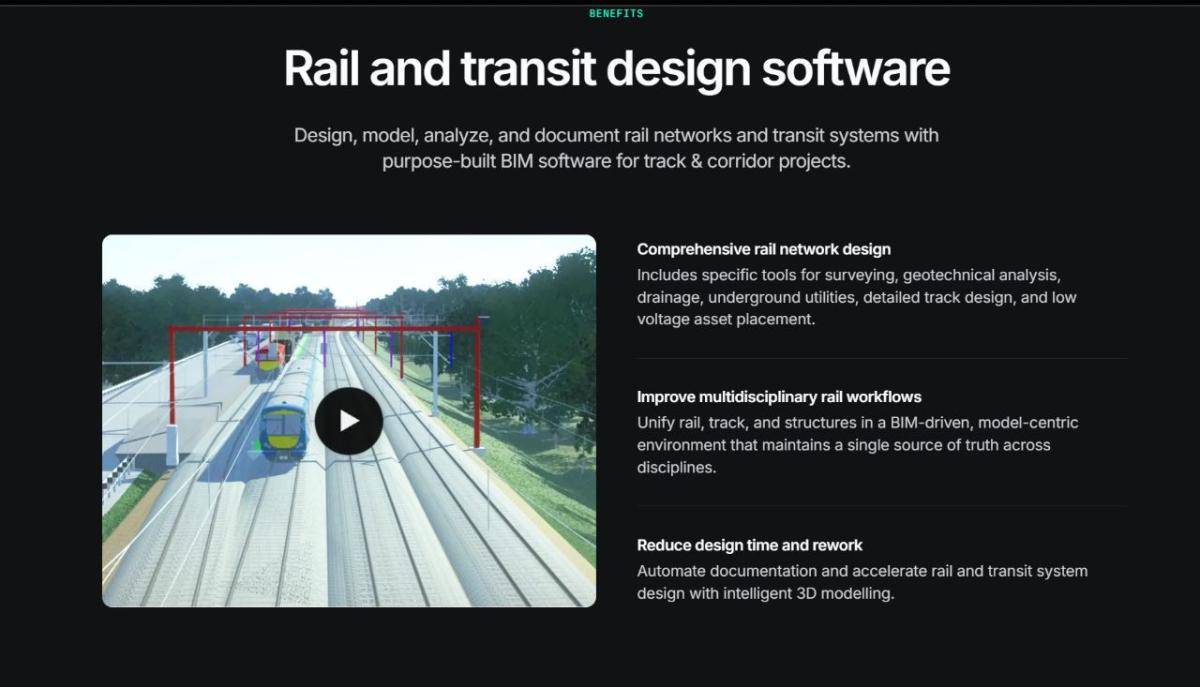
- Specialized Rail Track Geometry, Cant & Parametric Turnout Engineering: Combines horizontal/vertical track alignments with rail-specific speed tables, cant (superelevation) transitions, spirals, and intelligent parametric turnouts/crossovers that update dynamically when track geometry shifts.
- Unified Survey-to-Construction Rail BIM Environment: Integrates field survey data, LiDAR point clouds, 3D reality meshes, terrain surfaces (`DTM`), subsurface drainage/utilities, and 3D rail corridors in one native `.dgn`/`.dwg` platform without fragile file translations.
- Automated Multi-Discipline Plan, Profile & Cross-Section Production: Generates coordinated railway plan/profile sheets, cant diagrams, cross-sections, clearance envelopes, and earthwork/ballast quantities directly from the live 3D rail model.
2. Key Features & Capabilities
- Rail Alignment, Cant & Speed-Profile Design: Model mainlines, sidings, yards, and high-speed rail alignments with spiral transitions, vertical curves, and rail cant calculations.
- Parametric Turnouts, Crossings & Connections: Place and edit standard or custom regional turnouts and crossovers with automatic rail/sleeper geometry updates.
- 3D Parametric Rail Corridors & Trackbed Templates: Build detailed 3D corridors incorporating rails, sleepers/ties, ballast, sub-ballast, embankments, retaining walls, and drainage ditches.
- Point Cloud, Reality Mesh & Geospatial Context Integration: Reference multi-gigabyte LiDAR scans, 3D reality meshes, `ESRI Shapefiles`, `LandXML`, `IFC`, and `DWG` drawings across 600+ global geographic coordinate systems (`GCS`).
- Automated Drawing Production & Construction Deliverables: Slice plan/profile and cross-section sheets via `Named Boundaries` and export `LandXML`, `DWG`, `DGN`, `IFC`, and `PDF` deliverables.
- Official Free Trial, Student Access & Subscription Plans: Available via an official Bentley free trial, free academic access through Bentley Education, and 12-month Practitioner / Enterprise subscriptions.
- Official Links: Free Trial, Free / Education & Pricing
Always download Bentley OpenRail Designer installers and start your official trial directly from Bentley Systems portals:
- Official Bentley OpenRail Designer Product Page & Overview: https://www.bentley.com/software/openrail-designer/
- Official Bentley OpenRail Designer Free Trial Portal: https://www.bentley.com/software/openrail-designer/free-trial/
- Official Bentley Education Portal (Free Student & Educator Access): https://education.bentley.com/
- Official Bentley Software Documentation & Learning Portal: https://docs.bentley.com/
4. Step-by-Step Installation Guide
- Check Windows & Hardware Requirements: Confirm your workstation runs 64-bit Windows 11 (or Windows Server 2022/2025) with at least 16 GB RAM (32 GB+ recommended for long rail corridors and LiDAR point clouds) and 20 GB+ available SSD space.
- Start Your Official Trial or Sign In to Bentley Account: Visit https://www.bentley.com/software/openrail-designer/free-trial/, sign in with your Bentley IMS account (or register a free account), and download the installer.
- Run the Setup Wizard & Select Regional Rail WorkSpaces: Launch the installer as Administrator (which automatically installs required `.NET` and `CONNECTION Client` components), choose your installation path and regional rail standards (`Metric` / `Imperial`), and complete installation.
- Sign In via CONNECTION Client & Verify Workspace: Open `OpenRail Designer`, sign in through `Bentley CONNECTION Client` to activate your trial or subscription license, and select a rail `WorkSpace` and `WorkSet` on the Start screen.
5. How to Use Bentley OpenRail Designer: Beginner Workflow
- Create a New Rail DGN File & Set Coordinate System: Launch `OpenRail Designer`, select your rail `WorkSpace`/`WorkSet`, create a new 2D or 3D metric/imperial `.dgn` file, and assign your project `Geographic Coordinate System`.
- Attach or Create the Existing Terrain Model (`DTM`): Import survey points/breaklines or attach an existing terrain `.dgn` / `LandXML` surface and set it as the `Active Terrain Model`.
- Design Horizontal & Vertical Track Alignments: Switch to the `Rail` / `Geometry` ribbon tab, lay out your horizontal track centerline with spirals and curves, open the `Profile Model` view, and design your vertical track grade line.
- Apply Track Cant & Build the 3D Rail Corridor: Configure rail cant (`Cant` tools) along curves, switch to `Corridors > New Corridor`, and apply a rail trackbed cross-section template (rails, sleepers, ballast, ditches, cut/fill slopes) to generate the 3D corridor.
- Generate Plan/Profile/Cross-Section Sheets & Export Deliverables: Use `Drawing Production > Named Boundaries` to generate annotated rail plan, profile, cant, and cross-section sheets, calculate quantities, and export deliverables to `PDF`, `DWG`, or `LandXML`.
6. Frequently Asked Questions (FAQ)
- How does Bentley OpenRail Designer differ from Bentley OpenRoads Designer?OpenRoads Designer focuses on highway, roadway, and site civil engineering, whereas OpenRail Designer builds on the same civil BIM platform with specialized railway tools for track geometry, cant/superelevation, parametric turnouts/crossovers, and rail trackbed corridors.
- Can OpenRail Designer open and save AutoCAD `.dwg` files and `LandXML`?Yes. OpenRail Designer reads and writes native `.dgn` and `.dwg`/`.dxf` files and exchanges alignments, profiles, and terrain surfaces seamlessly via `LandXML` and `IFC`.
- Is Bentley OpenRail Designer available on macOS or Linux?No. Bentley OpenRail Designer desktop is built exclusively for 64-bit Windows operating systems.