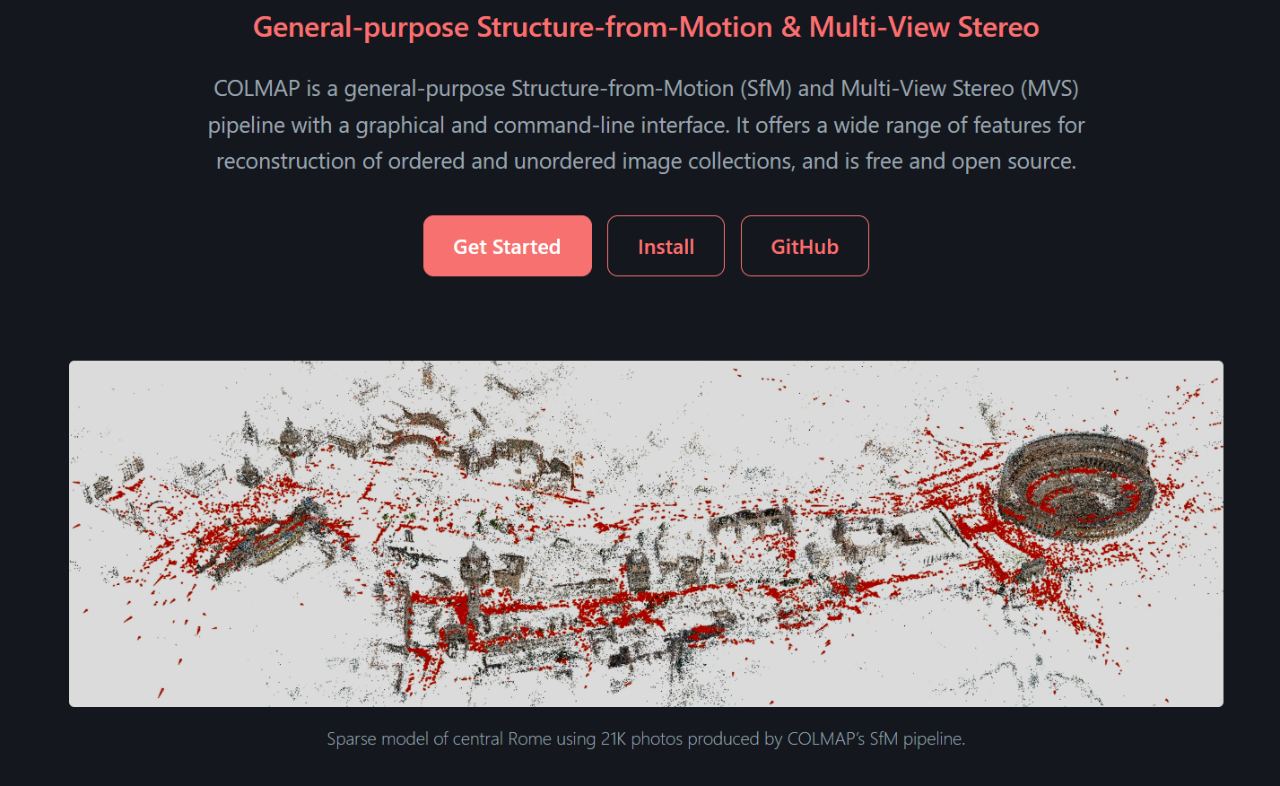
COLMAP (developed by Johannes L. Schönberger and open-source contributors for Windows, macOS, and Linux) is a widely used, general-purpose Structure-from-Motion (SfM) and Multi-View Stereo (MVS) 3D reconstruction pipeline. Built for photogrammetry engineers, computer vision researchers, cultural heritage digitizers, drone/UAV mappers, and 3D mesh developers, COLMAP recovers camera poses, sparse/dense 3D point clouds, depth maps, and surface meshes from unordered or sequential overlapping photographs—either through an interactive graphical interface or automated command-line/Python workflows.
1. In-Depth Review: Why Photogrammetry & 3D Teams Use COLMAP
- High-Accuracy Camera Calibration & SfM Pose Estimation: Estimates intrinsic camera parameters and 3D camera positions reliably across overlapping photos—making it a foundational SfM engine for custom photogrammetry pipelines and OpenMVS/MeshLab workflows.
- End-to-End Sparse-to-Dense Reconstruction with GPU Acceleration: Runs feature extraction, feature matching, incremental/global SfM mapping, stereo depth estimation, and dense point cloud/mesh fusion with CUDA GPU acceleration on NVIDIA hardware.
- Full CLI Automation & Ecosystem Compatibility: Supports scripted batch execution via command-line flags (`colmap automatic_reconstructor`) and exports standard formats (`PLY`, `NVM`, `Bundler`, `COLMAP` text/binary models) for downstream meshing, texturing, and GIS/CAD tools.
2. Key Features & Capabilities
- Feature Extraction & Matching (`SIFT`, Vocabulary Tree, Sequential, Exhaustive): Match overlapping image sets efficiently from small object turntable shoots to larger multi-image datasets.
- Structure-from-Motion (`SfM`) Mapper: Reconstruct calibrated camera trajectories and sparse 3D point clouds with bundle adjustment refinement.
- Multi-View Stereo (`MVS`) Dense Reconstruction: Compute per-view depth/normal maps and fuse dense point clouds or surface meshes (`Poisson` / `Delaunay`).
- Command-Line Interface (`CLI`) & Batch Scripting: Automate multi-dataset photogrammetry jobs on Linux servers or local workstations without GUI clicks.
- Broad Export Compatibility (`PLY`, `COLMAP`, `Bundler`, `NVM`): Feed dense point clouds and camera poses directly into OpenMVS, CloudCompare, MeshLab, or Python scripts.
- 100% Free & Open-Source (`BSD-3-Clause` License): Free for commercial, academic, and research use with no license fees or seat limits.
- Official Links: Free Download, Documentation & Source Code
Always download COLMAP releases and documentation directly from official project portals:
- Official COLMAP Website & Overview: https://colmap.github.io/
- Official COLMAP Documentation & Tutorials: https://colmap.github.io/tutorial.html
- Official COLMAP GitHub Repository & Releases: https://github.com/colmap/colmap/releases
- Official COLMAP CLI Reference Manual: https://colmap.github.io/cli.html
4. Step-by-Step Installation Guide
- Check OS & NVIDIA CUDA GPU Requirements: Confirm your workstation runs 64-bit Windows 10/11, Ubuntu/Linux, or macOS with at least 8 GB–16 GB+ RAM, available SSD space, and a CUDA-capable NVIDIA GPU (with matching NVIDIA driver/CUDA runtime) for fast dense MVS stereo matching.
- Download the Official COLMAP Release Package: Visit https://github.com/colmap/colmap/releases, download the official pre-built Windows release archive (with CUDA support if you have an NVIDIA GPU) or install via `apt` / build from source on Linux/macOS.
- Extract & Add COLMAP to System PATH (Optional): Extract the downloaded archive to a clean folder (such as `C:\COLMAP` or `/opt/colmap`), and optionally add the folder containing `COLMAP.bat` / `colmap` to your system `PATH` for CLI access.
- Launch GUI or Verify CLI: Double-click `COLMAP.bat` (or run `colmap gui` / `colmap -h` in your terminal) to verify the graphical workspace or command-line runner opens cleanly.
5. How to Use COLMAP: Beginner Workflow
- Organize Overlapping Input Photos in a Clean Folder: Place sharp, well-exposed overlapping images (with minimal motion blur) into a dedicated `images/` directory inside your project folder.
- Create a New Project & Database: Open `COLMAP GUI`, click `File > New project`, select or create a `database.db` SQLite file, and choose your `images/` folder.
- Run Feature Extraction & Feature Matching: Click `Processing > Feature extraction` (keep `Shared intrinsics` checked if shot with a fixed focal length on one camera), then run `Processing > Feature matching` (`Sequential` for ordered sequences or `Exhaustive` for smaller unordered sets).
- Run Sparse Reconstruction (`SfM`): Click `Reconstruction > Start reconstruction` to compute camera poses and generate a sparse 3D point cloud in the viewport.
- Run Dense Reconstruction (`MVS`) & Export `.ply`: Click `Reconstruction > Multi-view stereo` to undistort images, compute stereo depth maps, fuse a dense point cloud/mesh, and export the result as `.ply` for CloudCompare, MeshLab, or OpenMVS.
6. Frequently Asked Questions (FAQ)
- Is COLMAP free for commercial photogrammetry and 3D mapping projects?Yes. COLMAP is released under the permissive `BSD-3-Clause` open-source license, allowing free commercial, research, and personal use.
- Do I need an NVIDIA GPU to run COLMAP?No, feature extraction/matching and sparse SfM can run on the CPU, and MVS also has CPU fallback paths—though an NVIDIA GPU with CUDA dramatically speeds up dense depth-map stereo matching.
- How does COLMAP compare to OpenMVS or Agisoft Metashape?COLMAP excels at camera calibration, SfM pose estimation, and MVS dense point clouds/meshes with strong CLI/open-source tooling, while tools like OpenMVS specialize in mesh refinement/texturing and commercial suites like Agisoft Metashape provide integrated end-to-end GIS/orthomosaic/GCP workflows.