PgAdmin 4 (developed by the pgAdmin Development Team under the PostgreSQL Licence) is the leading open-source graphical administration, development, and monitoring tool for PostgreSQL—and a staple companion for PostGIS spatial databases. Available both as a desktop runtime for Windows, macOS, and Linux and as a browser-based web/container deployment, pgAdmin 4 lets database administrators, developers, and GIS engineers create and manage databases, schemas, tables, roles, and PostGIS layers, run SQL queries with graphical execution plans, design ER diagrams, and perform backups and restores cleanly.
1. In-Depth Review: Why PostgreSQL & PostGIS Teams Use pgAdmin 4
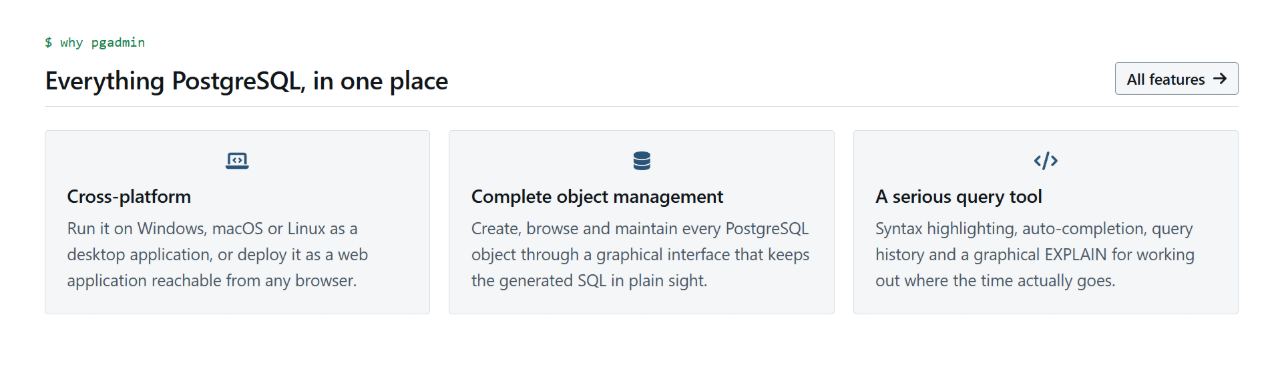
- Purpose-Built PostgreSQL & PostGIS Management: Manages PostgreSQL objects—databases, schemas, tables, views, functions, triggers, extensions (`postgis`), and roles/privileges—with generated SQL visible alongside graphical dialogs.
- Capable Query Tool, Graphical EXPLAIN & ERD: Combines syntax highlighting, autocomplete, query history, data output grids, graphical execution plans (`EXPLAIN`), and visual Entity-Relationship Diagrams (ERD).
- Runs as Desktop App, Web App or Container: Works locally on Windows, macOS, or Linux desktops or deploys on servers via Apache/WSGI, Python Wheel, or Docker (`dpage/pgadmin4`).
2. Key Features & Capabilities
- Graphical Object & Extension Management: Create and administer databases, schemas, tables, indexes, users/roles, and extensions such as `postgis` and `pgrouting`.
- SQL Query Tool & Graphical Explain: Write and execute SQL queries, inspect result sets, and analyze query performance with visual execution plans.
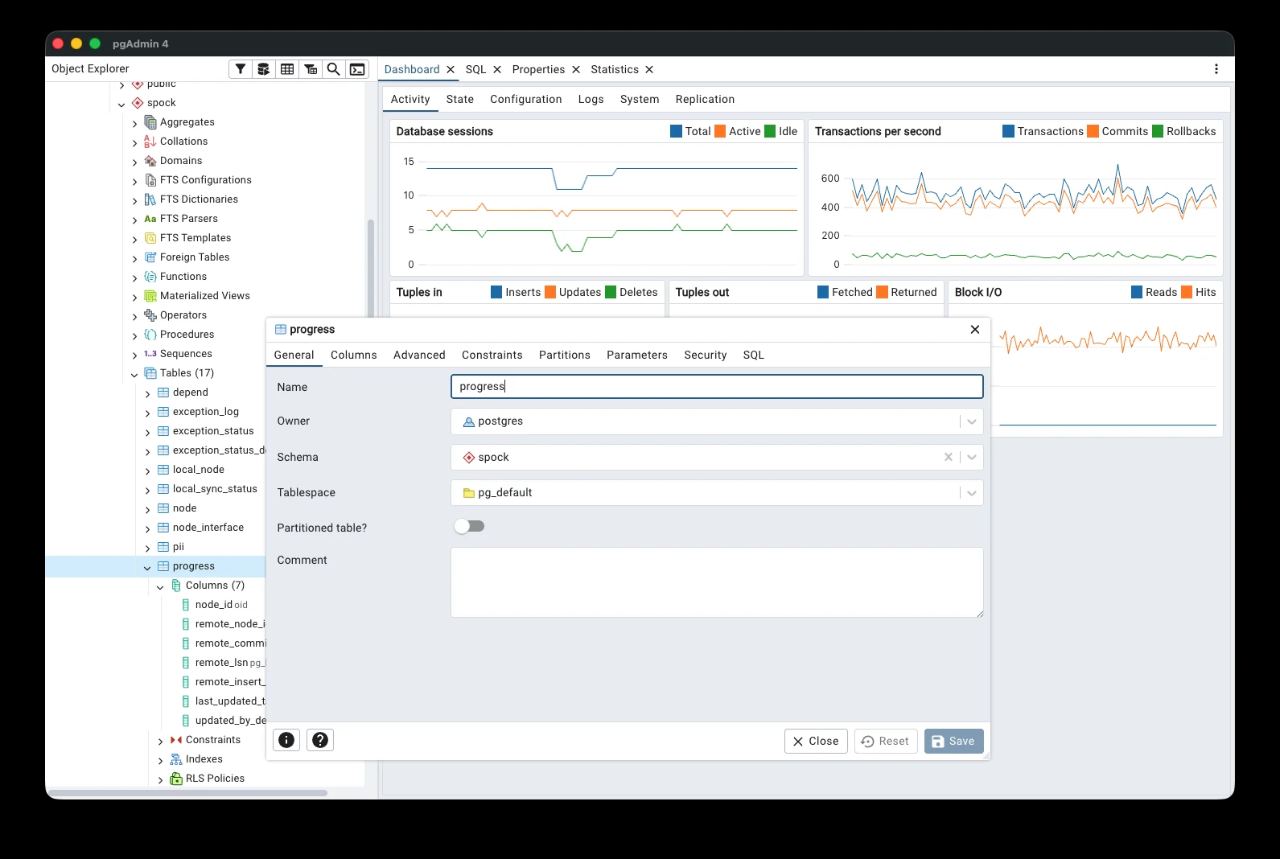
- Schema & Table Creation Dialogs: Build tables, columns, constraints, and partitions cleanly with live SQL preview.
- Backup, Restore & Maintenance Tools: Run database/table backups, restores, VACUUM/ANALYZE maintenance, and connection monitoring.
- Desktop & Web Deployment Modes: Use as a standalone desktop application or deploy as a multi-user web service or Docker container.
- Free & Open-Source (PostgreSQL Licence): Free software maintained by the pgAdmin community with source and binary releases.
- Official Links: Free Trial, Free / Education & Pricing
Always download pgAdmin 4 installers, packages, containers, and documentation directly from official pgAdmin portals:
- Official pgAdmin Website: https://www.pgadmin.org/
- Official pgAdmin 4 Download Page: https://www.pgadmin.org/download/
- Official pgAdmin 4 Windows Downloads: https://www.pgadmin.org/download/pgadmin-4-windows/
- Official pgAdmin 4 macOS Downloads: https://www.pgadmin.org/download/pgadmin-4-macos/
- Official pgAdmin 4 Documentation: https://www.pgadmin.org/docs/
4. Step-by-Step Installation Guide
- Verify Operating System & Platform Support: Confirm your computer or server runs a supported 64-bit Windows (Windows 10/11 or Server), macOS (Intel or Apple Silicon), Linux distribution, or Docker environment.
- Download the Official pgAdmin 4 Installer or Package: Visit https://www.pgadmin.org/download/ and download the signed Windows installer (`pgadmin4-9.19-x64.exe`), notarized macOS disk image/app bundle, Linux APT/RPM/container package, or Python wheel.
- Run the Installer & Launch pgAdmin 4: Complete the installation wizard on Windows/macOS (or install via package manager/container on Linux) and open pgAdmin 4.
- Set Your Master Password & Verify Dashboard: Enter a master password on first launch (if prompted in desktop mode) to protect saved server credentials and confirm the pgAdmin 4 dashboard loads cleanly.
5. How to Use pgAdmin 4: Beginner Workflow
- Register a PostgreSQL Server Connection: Right-click `Servers` in the left object browser, choose `Register > Server...`, enter a server name, and fill in connection host, port (`5432`), maintenance database, username, and password.
- Browse Databases, Schemas & Tables: Expand your server to inspect databases, `public` or custom schemas, tables, views, and installed extensions (such as `postgis`).
- Open the Query Tool & Run SQL: Select your database and open `Tools > Query Tool` (or `Alt+Shift+Q`) to write and run SQL queries or inspect table rows and PostGIS geometry columns.
- Create Objects or Manage Extensions: Right-click `Extensions` or `Tables` to enable extensions or create new tables/schemas and review the SQL generated before saving.
- Back Up or Restore Data Safely: Right-click your target database or table and select `Backup...` or `Restore...` to create or recover database backups.
6. Frequently Asked Questions (FAQ)
- Is pgAdmin 4 free to use?Yes. pgAdmin 4 is free software released under the PostgreSQL Licence.
- Does pgAdmin 4 work with PostGIS spatial databases?Yes. Once the `postgis` extension is installed in your PostgreSQL database, you can manage spatial tables, run spatial SQL queries, and inspect geometry columns alongside your tabular data.
- Can I run pgAdmin 4 in a web browser or Docker container instead of installing on desktop?Yes. pgAdmin 4 includes desktop runtime builds as well as web application, Python wheel, and Docker container options.