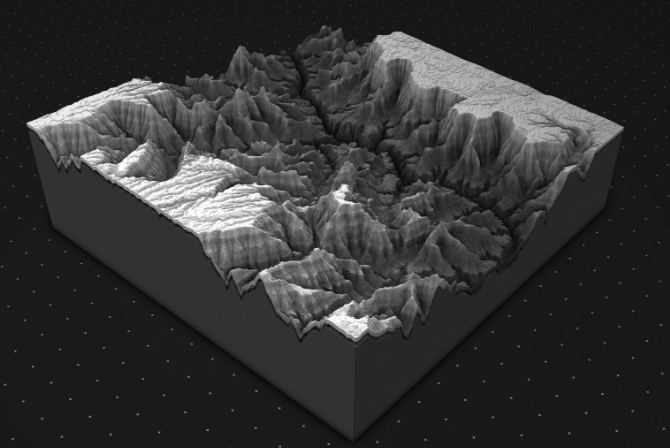
QuadSpinner Gaea (developed by QuadSpinner for 64-bit Windows) is a node-based 3D terrain design and landscape generation application built for VFX environment artists, game developers, architectural visualizers, and world-builders. Instead of relying solely on manual brush sculpting, Gaea combines procedural terrain primitives, real-world DEM/heightmap imports, physically inspired hydraulic and thermal erosion nodes, and automated mask/texture map generation to produce realistic mountains, canyons, river basins, and game-ready terrain assets.
1. In-Depth Review: Why Environment & VFX Artists Choose QuadSpinner Gaea
- Realistic Hydraulic, Thermal & Wind Erosion Nodes: Simulates water runoff, sediment transport, talus slopes, and geological strata so terrain forms look naturally weathered rather than synthetic.
- Non-Destructive Node Graph with Instant Masks: Generates flow maps, sediment masks, wear maps, snow/scree masks, and curvature data automatically from your terrain graph to drive shaders and foliage scatter in downstream tools.
- Built for Game Engines, 3D Suites & GIS Heightmaps: Exports clean `EXR`, `TIFF`, `PNG`, `RAW16` heightmaps, color/splat maps, and `FBX`/`OBJ` meshes for Unreal Engine, Unity, Houdini, Blender, Cinema 4D, and GIS workflows.
2. Key Features & Capabilities
- Procedural Terrain Primitives & Real-World Heightmap Import: Build ranges, mesas, craters, and coastlines procedurally or import external elevation data (`GeoTIFF`/`DEM`/`EXR`) to refine and erode real topography.
- Multi-Stage Erosion & Geological Simulation: Layer hydraulic erosion, thermal weathering, rivers/streams, and surface detail nodes with fine control over sediment and channel carving.
- Automated Splat & Texture Map Generation: Export masks for flow, deposition, slope, altitude, rock strata, and vegetation placement without manual painting.
- High-Resolution Build & Tile / Mesh Output: Build high-resolution terrain maps and 3D meshes (`FBX`, `OBJ`) tailored for real-time engines or offline VFX rendering.
- Real-Time Viewport & Node Graph Inspection: Preview surface shading, lighting, and node outputs interactively while adjusting parameters.
- Official Free Community / Trial Edition & Commercial Plans: Available via QuadSpinner's official free tier/trial alongside indie and studio commercial licenses.
- Official Links: Free Download, Documentation & Support
Always download QuadSpinner Gaea installers and check documentation directly from official QuadSpinner portals:
- Official QuadSpinner Gaea Product & Download Portal: https://quadspinner.com/
- Official QuadSpinner Documentation & Learning Portal: https://docs.quadspinner.com/
- Official QuadSpinner Support & Account Portal: https://quadspinner.com/support
4. Step-by-Step Installation Guide
- Check Windows & Hardware Requirements: Confirm your workstation runs 64-bit Windows 10/11 with at least 8 GB–16 GB+ RAM (32 GB+ recommended for high-resolution terrain builds) and a DirectX-compatible GPU.
- Download the Official QuadSpinner Gaea Installer: Visit https://quadspinner.com/, sign in or create a free QuadSpinner account, and download the latest Windows installer.
- Run the Setup Wizard: Launch the downloaded `.exe` installer, accept the license agreement, choose your installation folder, and complete setup.
- Launch Gaea & Sign In: Open `Gaea` from the Start menu, sign in with your QuadSpinner account to activate your free/trial or commercial license, and verify the node graph and viewport load cleanly.
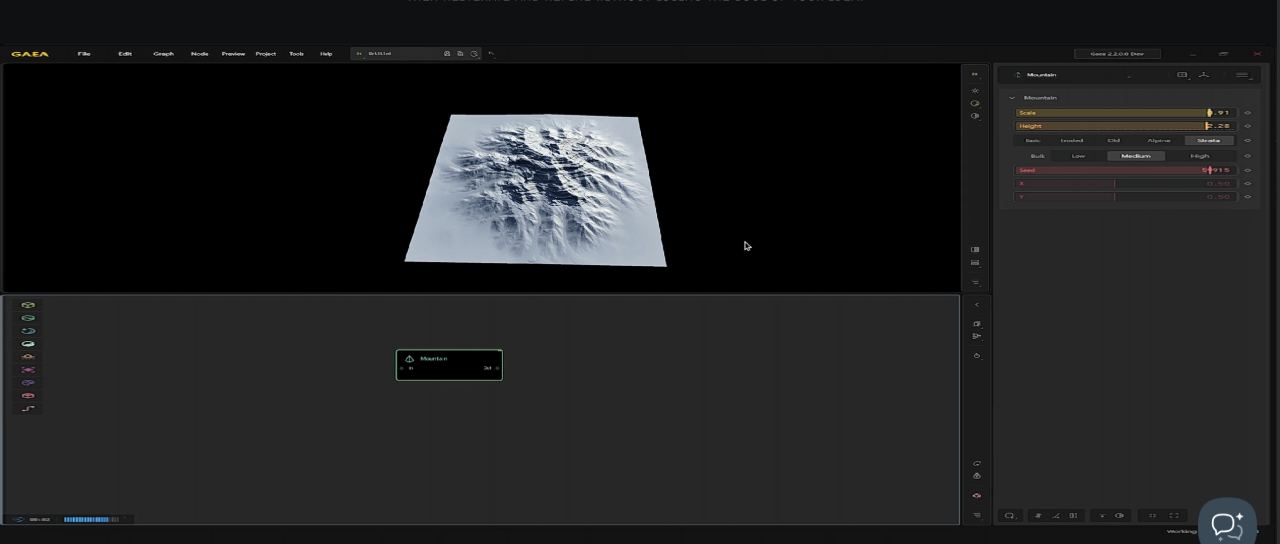
5. How to Use QuadSpinner Gaea: Beginner Workflow
- Create a New Terrain Graph & Choose Viewport Resolution: Launch `Gaea`, start a new project, and set your working viewport resolution for fast interactive iteration.
- Add a Base Terrain or Import Elevation Data: Drop in a procedural mountain/ridge/volcano primitive node—or import an existing heightmap/DEM to shape your macro land structure.
- Apply Erosion & Surface Detail Nodes: Connect `Erosion` and secondary detail/mask nodes downstream to carve gullies, ridges, and natural rock/soil transitions.
- Generate Masks & Color/Texture Outputs: Add `SplatMap` / `Combine` / output nodes to isolate flow, wear, slope, and height masks for texturing or shader blending.
- Build & Export Heightmaps or 3D Meshes: Configure your target build resolution and export `EXR`/`PNG`/`TIFF` heightmaps, masks, or `FBX`/`OBJ` meshes for Unreal Engine, Blender, Houdini, or
6. Frequently Asked Questions (FAQ)
- Can I import real-world elevation data (DEM / GeoTIFF) into QuadSpinner Gaea?Yes. You can import elevation heightmaps into Gaea to add erosion detail, masks, and surface refinement to real-world topography.
- Does QuadSpinner Gaea work with Unreal Engine, Unity, and Blender?Yes. Gaea exports standard heightmaps (`EXR`, `TIFF`, `PNG`, `RAW`), mask maps, and 3D meshes (`FBX`, `OBJ`) that integrate into Unreal Engine, Unity, Blender, Maya, and Houdini pipelines.
- Is QuadSpinner Gaea available on macOS or Linux?QuadSpinner Gaea is built for 64-bit Windows; macOS or Linux users typically run Windows via a dedicated Windows PC, dual-boot, or virtualized Windows workstation.