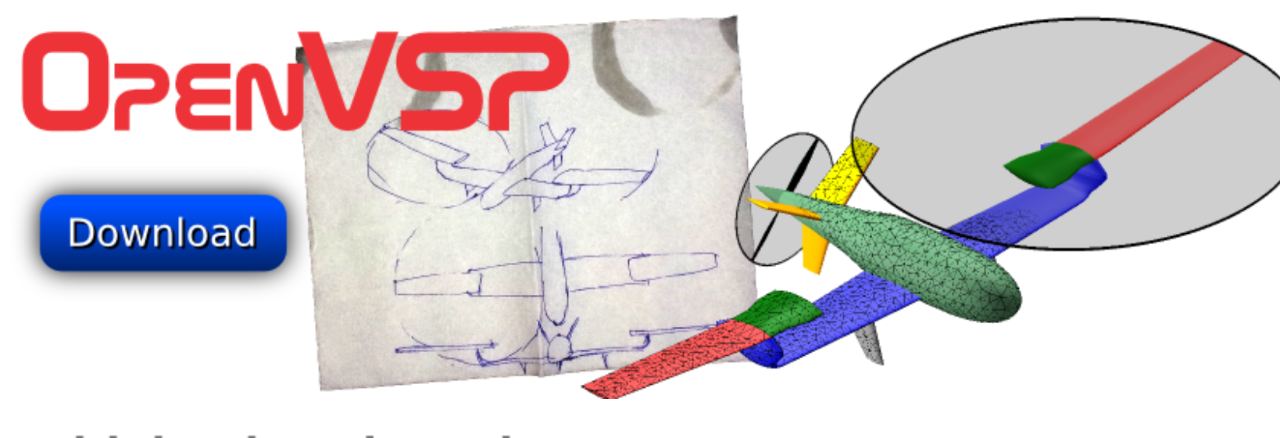
OpenVSP (Open Vehicle Sketch Pad, originally developed by NASA and maintained by the OpenVSP open-source community under the NASA Open Source Agreement) is a parametric 3D geometry modeling and aerospace engineering analysis tool for Windows, macOS, and Linux. Built for aerospace engineers, UAV/drone designers, students, and researchers, OpenVSP lets users build aircraft, rotorcraft, spacecraft, and custom vehicle configurations from parametric components (fuselages, wings, pods, ducts, propellers) and generate surface meshes, structural finite-element models, and aerodynamic analysis inputs directly from the geometry.
1. In-Depth Review: Why Aerospace & UAV Designers Use OpenVSP
- Purpose-Built Parametric Aircraft & Vehicle Components: Models wings, airfoils, fuselages, nacelles, pylons, and propulsion elements with airfoil sections, twist, dihedral, sweep, and cross-section rules tailored to flight vehicles rather than generic mechanical parts.
- Built-In Aerodynamic, Parasite Drag & Structural Analysis Tools: Includes `VSPAERO` vortex-lattice/panel aerodynamic analysis, parasite drag estimation, mass properties, and structural layout (`VSPAERO` / FEA) capabilities without leaving the modeling environment.
- Clean Export to CFD, FEA & External CAD Formats: Exports watertight surface meshes and CAD geometry (`STL`, `STEP`, `IGES`, `OBJ`, `Gmsh`, `Plot3D`, `Tri`) for downstream computational fluid dynamics, structural FEA, and detail CAD work.
2. Key Features & Capabilities
- Parametric Aircraft & Component Modeling: Create and modify multi-section wings, fuselages, bodies of revolution, borings, and custom geometric components in real time.
- Airfoil Library & Section Control: Design and import airfoil profiles (NACA 4/5/6-series, CST, custom coordinates) with spanwise blending and twist control.
- Integrated Aerodynamic & Mass/Drag Solvers: Run panel/vortex-lattice aerodynamic evaluations (`VSPAERO`), parasite drag breakdowns, and component mass/inertia calculations.
- Automated CFD & Structural Mesh Generation: Produce clean surface triangulation, wake/CFD domains, and finite-element structural representations.
- Scripting & API Automation (`VSPScript` / Python): Automate parametric sweeps, wing/tail sizing studies, and batch geometry updates via scripts.
- 100% Free & Open-Source (NASA Open Source Agreement): Free to download, modify, and use across personal, educational, research, and commercial projects.
- Official Links: Free Trial, Free / Education & Pricing
Always download OpenVSP binaries, source archives, and documentation directly from official portals:
- Official OpenVSP Website & Downloads: https://openvsp.org/
- Official OpenVSP GitHub Repository & Releases: https://github.com/OpenVSP/OpenVSP
- Official OpenVSP Wiki & Tutorials: https://openvsp.org/wiki/
- Official OpenVSP Ground School & Documentation: https://openvsp.org/wiki/doku.php?id=ground_school
4. Step-by-Step Installation Guide
- Check Operating System & Graphics Requirements: Confirm your 64-bit Windows, macOS (Intel or Apple Silicon), or Linux workstation supports OpenGL rendering and has sufficient disk space.
- Download the Official OpenVSP Release Archive: Visit https://openvsp.org/ or https://github.com/OpenVSP/OpenVSP/releases and download the pre-compiled archive for your OS (`Windows`, `macOS`, or `Linux`).
- Extract Archive to a Local Folder: Unpack the downloaded `.zip` or `.tar.gz` bundle into a dedicated directory (such as `C:\OpenVSP` or `~/OpenVSP`).
- Launch `vsp` & Verify Viewport: Run `vsp.exe` (Windows) or `vsp` (macOS/Linux) and confirm the 3D OpenGL viewport and geometry browser open cleanly.
5. How to Use OpenVSP: Beginner Workflow
- Create a New Vehicle Model: Launch `OpenVSP` and start a new model with your preferred units (`SI` meters/kg or `Imperial` feet/slugs).
- Add & Shape Fuselage and Wing Components: Use the `Geom` browser to add a `Fuselage` and `Wing` (plus horizontal/vertical stabilizers), adjusting length, span, sweep, dihedral, and airfoil sections.
- Position Components & Check Symmetry: Align wings, tails, and propulsion mounts cleanly using translation/rotation controls and `X` symmetry options.
- Run Aerodynamic or Mass/Drag Analysis: Open `Analysis > VSPAERO` or `Parasite Drag` / `Mass Properties` to evaluate aerodynamic coefficients, stability derivatives, or drag breakdowns.
- Export Geometry or Mesh for Downstream Tools: Export `STEP` or `IGES` for detail CAD refinement, or export `STL` / `OBJ` / CFD/FEA meshes for simulation.
6. Frequently Asked Questions (FAQ)
- Is OpenVSP completely free for commercial and educational use?Yes. OpenVSP is free and open-source software released under the NASA Open Source Agreement with no license fees.
- Is OpenVSP a replacement for full detail mechanical CAD like SOLIDWORKS or FreeCAD?OpenVSP is specialized for conceptual and preliminary parametric aircraft/vehicle geometry and rapid aerodynamic/mass/mesh workflows; teams often export `STEP` or `IGES` from OpenVSP into detail CAD or CFD/FEA suites for final manufacturing detailing.
- Can I automate OpenVSP parametric geometry changes using scripts?Yes. OpenVSP includes `VSPScript` and Python bindings so you can drive geometry parameters, run analyses, and export files programmatically.