ActCAD (developed by ActCAD LLC for 64-bit Windows, built on the IntelliCAD engine and Open Design Alliance DWG/DXF libraries) is a cost-effective 2D drafting and 3D modeling CAD application tailored for architects, civil/structural engineers, mechanical drafters, and land surveyors. Offering worldwide perpetual licensing with zero mandatory annual subscriptions, ActCAD provides an AutoCAD-familiar ribbon/classic interface, command aliases, Dynamic Blocks, AutoLISP/SDS/.NET customization, and built-in converters for PDF-to-DXF, raster image-to-DXF, and unit/coordinate transformations.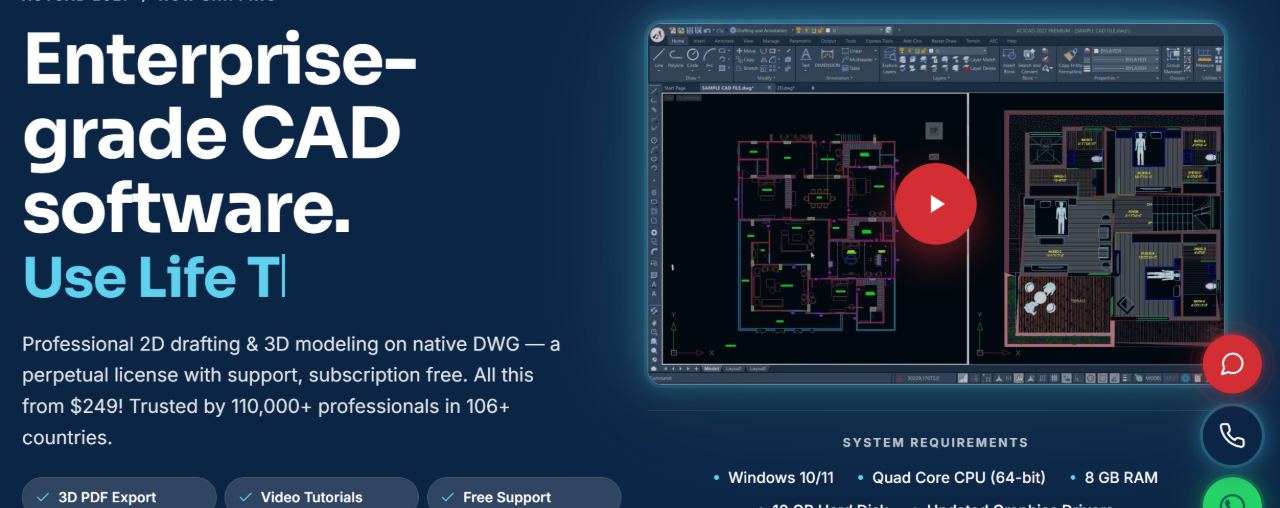
1. In-Depth Review: Why Budget-Conscious CAD & Civil Teams Choose ActCAD
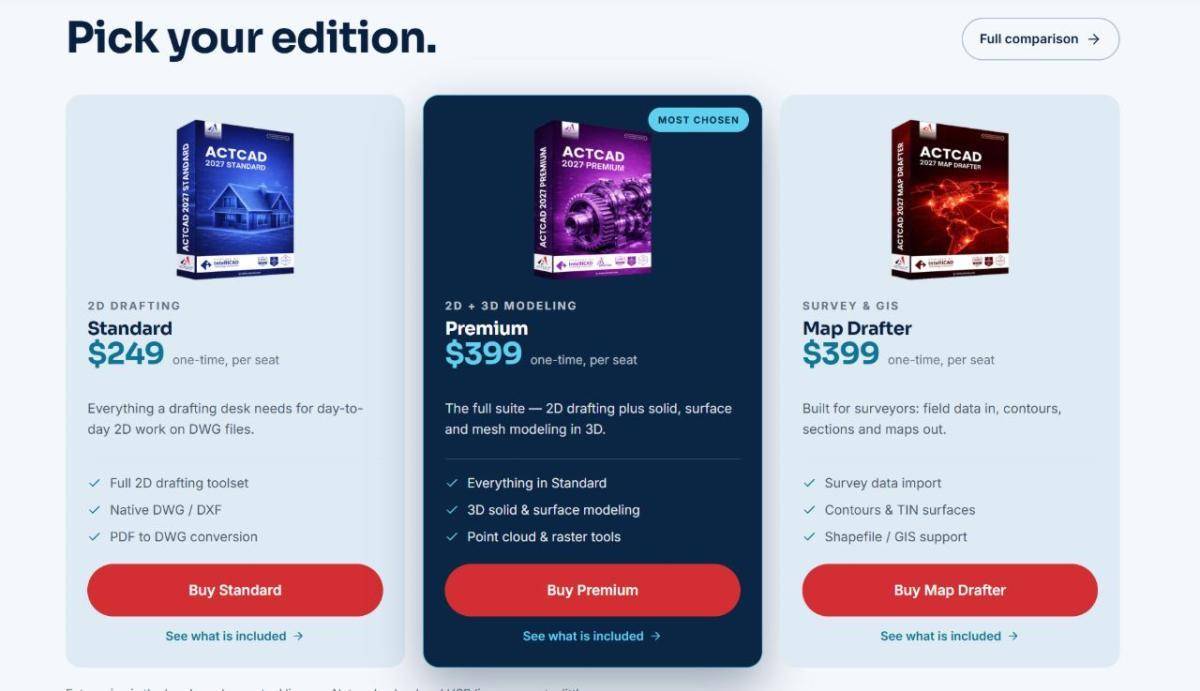
- True Global Perpetual Licensing with Zero Mandatory Renewals: Available in `ActCAD Prime` (2D/3D full feature set) and `ActCAD Standard` (2D drafting) as permanent one-time licenses—allowing engineering firms and individual drafters to own their CAD seats indefinitely.
- Built-In Converters, Batch Processors & Block Libraries Included: Ships with native `PDF to DXF` conversion, `Image to DXF` raster tracing, batch DWG/DXF version conversion, file auditing/purging utilities, and over 5,000 standard symbols across civil, architectural, mechanical, and electrical disciplines.
- Familiar AutoCAD Interface, Shortcuts & LISP/.NET API Support: Opens and saves native `.dwg` and `.dxf` files while supporting standard keyboard aliases (`L`, `PL`, `TR`, `EX`, `CO`, `RO`), `.ctb`/`.stb` plot style tables, Sheet Sets, and custom AutoLISP/DCL routines.
2. Key Features & Capabilities
- Native DWG/DXF 2D Drafting & Precision Annotation: Draft and dimension floor plans, site layouts, and engineering details with layers, annotative scales, tables, hatches, and multileaders.
- 3D Solid & Surface Modeling (`ActCAD Prime` Edition): Create and edit 3D ACIS solids, extrusions, sweeps, lofts, boolean operations, and associative 2D section/elevation views.
- Built-In PDF-to-DXF & Raster Image-to-DXF Converters: Convert vector PDF drawings into editable CAD entities and trace scanned blueprints into DXF lines without separate add-ons.
- 5,000+ Standard CAD Blocks & Express Utilities: Insert civil, architectural, structural, mechanical, and electrical symbols alongside batch print, layer state, and table export tools.
- Broad File Interoperability (`DWG`, `DXF`, `DGN`, `STEP`, `IGES`, `STL`, `3D PDF`): Exchange 2D/3D CAD data with AutoCAD, Civil 3D, MicroStation, and mechanical CAD suites.
- Official Free Trial & Flexible Perpetual Licensing: Available via an official free evaluation trial alongside standalone, USB dongle, and network floating perpetual licenses.
- Official Links: Free Trial, Free / Education & Pricing
Always download ActCAD installers and start your official trial directly from ActCAD portals:
- Official ActCAD Website & Product Overview: https://actcad.com/
- Official ActCAD Free Trial Download Portal: https://actcad.com/download.php
- Official ActCAD Editions & Perpetual Pricing: https://actcad.com/buy-now.php
- Official ActCAD User Manuals, Tutorials & Support: https://actcad.com/support.php
4. Step-by-Step Installation Guide
- Check Windows & Hardware Requirements: Confirm your workstation runs 64-bit Windows 10 or Windows 11 (Windows 7/8.1 also supported) with at least 4 GB RAM (8 GB–16 GB+ recommended) and 3 GB available disk space.
- Download the Official ActCAD Installer: Visit https://actcad.com/download.php, select `ActCAD Prime` or `ActCAD Standard` (64-bit Windows), and download the official `.exe` installer.
- Run the Setup Wizard: Launch the downloaded setup file, accept the license terms, select your installation path and preferred UI (`Ribbon` or `Classic`), and complete installation.
- Activate Your Free Trial or Perpetual License Key: Open `ActCAD`, choose the `Trial` option on the activation prompt (or enter your Perpetual License Key), and verify workspace readiness.
5. How to Use ActCAD: Beginner Workflow
- Create a New DWG Drawing & Set Units/Snaps: Launch `ActCAD`, click `New` to open a metric (`icadiso.dwt`) or imperial (`icad.dwt`) template, and configure `UNITS` and Entity Snaps (`ESNAP` / `F3`).
- Organize Layers & Plot Styles: Open `Layer Properties Manager` (`LA`) to set up structured layers (`GRID`, `WALLS`, `CONTOURS`, `DIMENSIONS`, `TEXT`) with distinct colors and lineweights.
- Draft 2D Geometry or Convert Vector PDFs: Use familiar commands (`LINE`, `PLINE`, `CIRCLE`, `OFFSET`, `TRIM`, `EXTEND`, `FILLET`)—or run `PDF2DXF` to convert vector PDF plans into editable DWG layers.
- Insert Blocks, Dimensions & Hatches: Open the built-in `Block Library` to insert engineering symbols, then annotate drawings with `DIMLINEAR`, `MTEXT`, and `HATCH`.
- Configure Layout Viewports & Export PDF: Switch to a `Layout` tab, set viewport scales (`1:100`, `1:500`), assign your `.ctb` plot style table, and export crisp PDF sheets via `PLOT` or `Batch Print`.
6. Frequently Asked Questions (FAQ)
- Is ActCAD sold as a perpetual (one-time) license?Yes. ActCAD is licensed as a permanent one-time perpetual license (available as self-licensable internet keys, USB dongles, or network floating licenses) with no forced annual subscription.
- What is the difference between ActCAD Prime and ActCAD Standard?`ActCAD Standard` covers full 2D CAD drafting, annotation, PDF/Image converters, and AutoLISP execution, whereas `ActCAD Prime` adds 3D ACIS solid modeling, 3D rendering, and advanced 3D format exchange (`STEP`/`IGES`/`SAT`).
- Can ActCAD open and save AutoCAD `.dwg` files cleanly?Yes. ActCAD uses `.dwg` and `.dxf` as its native file formats powered by Open Design Alliance libraries, supporting full round-trip compatibility with AutoCAD drawings.