ARES Commander (developed by Graebert GmbH for Windows, macOS, and Linux, alongside ARES Kudo cloud CAD and ARES Touch mobile CAD) is a professional 2D drafting and 3D modeling CAD suite built natively on the DWG standard. Designed for architects, civil/structural engineers, manufacturers, and multi-OS CAD teams, ARES Commander combines familiar AutoCAD-compatible commands, Dynamic Blocks, LISP/.NET/C++ APIs, and 3D ACIS solid modeling with native desktop installers for Windows, macOS, and Linux plus seamless cloud/mobile collaboration.
1. In-Depth Review: Why Multi-OS & Enterprise CAD Teams Choose ARES Commander
- True Native 2D/3D DWG CAD on Windows, macOS & Linux: Delivers full desktop DWG drafting and 3D solid modeling natively across Windows, macOS (Apple Silicon & Intel), and Linux distributions (Ubuntu, Debian, Fedora, RHEL) without virtualization.
- High AutoCAD Compatibility & Flexible Perpetual/Subscription Licensing: Supports native `.dwg` and `.dxf` files, Dynamic Blocks, Sheet Sets, `.ctb`/`.stb` plot styles, and AutoLISP/Visual LISP routines while offering both perpetual licenses and annual subscriptions.
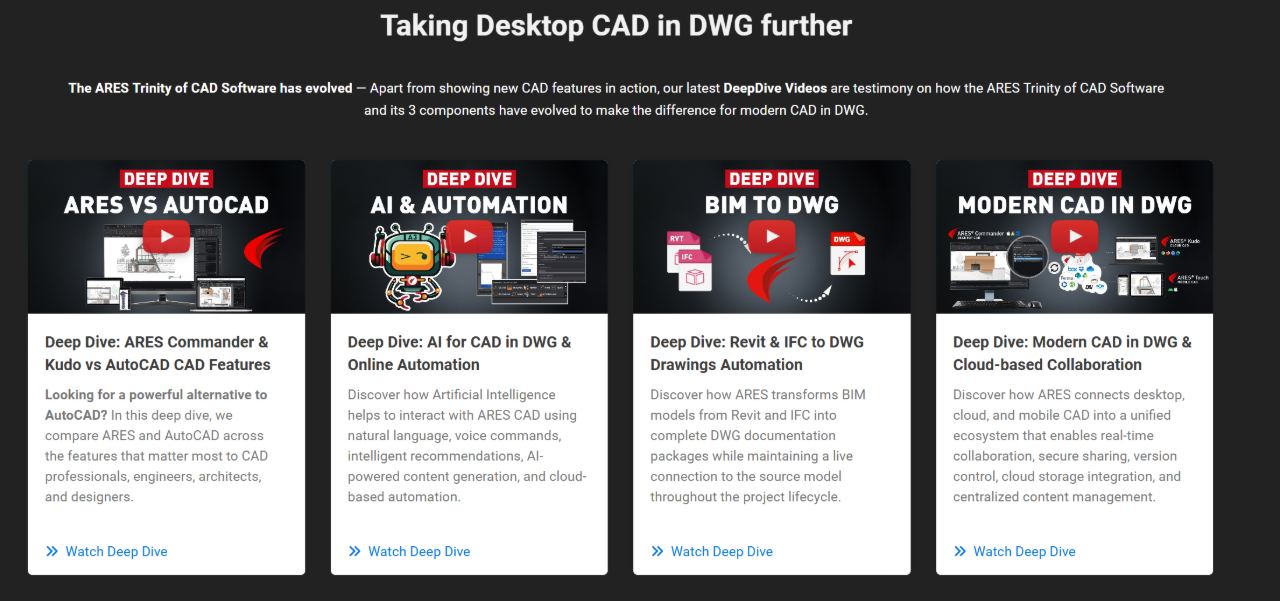
- Trinity CAD Ecosystem & BIM-to-DWG Workflows: Connects desktop CAD with `ARES Kudo` (browser-based cloud CAD) and `ARES Touch` (iOS/Android) and imports `IFC` and `Revit` (`RVT`/`RFA`) BIM geometry directly to extract 2D architectural drawings and schedules.
2. Key Features & Capabilities
- Native DWG/DXF 2D Drafting & Precision Annotation: Draft and dimension floor plans, civil layouts, and schematics with layers, annotative scales, tables, hatches, and multileaders.
- 3D Solid & Surface Modeling (`ACIS` Engine): Create and edit 3D solids, extrusions, sweeps, lofts, boolean operations, and 2D associative section/detail views.
- BIM (`IFC` & `RVT`/`RFA`) & Vector PDF Import: Import BIM models to generate DWG plans, sections, and BIM data tables, or convert vector PDF files into editable DWG lines and text.
- Broad Customization & Programming APIs: Run AutoLISP, Visual LISP, C/C++ (`CFX`/`DRX`), .NET, and DCL dialog scripts across desktop platforms.
- Integrated Cloud & Mobile Collaboration (`Trinity`): Sync drawings across Google Drive, OneDrive, Dropbox, Box, and SharePoint with real-time comments, markups, and view-only share links.
- Official 30-Day Free Trial & Flexible Licensing: Available via a 30-day full-featured free trial with Perpetual, Annual Plan, and Network Flex licensing options.
- Official Links: Free Trial, Free / Education & Pricing
Always download ARES Commander installers and start your official 30-day free trial directly from Graebert portals:
- Official ARES Commander Product Page & Overview: https://www.graebert.com/cad-software/ares-commander/
- Official ARES Commander Download & 30-Day Free Trial: https://www.graebert.com/cad-software/ares-commander/free-trial/
- Official Graebert Customer Portal & Downloads: https://customer-portal.graebert.com/
- Official ARES CAD Help & Documentation Center: https://help.graebert.com/
4. Step-by-Step Installation Guide
- Check Operating System & Hardware Requirements: Confirm your workstation runs 64-bit Windows 10/11, macOS (Apple Silicon or Intel), or 64-bit Linux (Ubuntu/Debian/Fedora/RHEL) with at least 8 GB RAM (16 GB+ recommended) and 3 GB available SSD space.
- Create a Free Graebert Account & Start Your 30-Day Trial: Visit https://www.graebert.com/cad-software/ares-commander/free-trial/, register your Graebert account, and download the installer for your OS (`.exe`, `.dmg`, `.deb`, or `.rpm`).
- Run the Installer Package: Launch the downloaded setup wizard on Windows/macOS—or install via `dpkg`/`rpm` on Linux—and complete installation.
- Sign In to Activate & Verify Workspace: Open `ARES Commander`, sign in with your Graebert account credentials to activate your 30-day trial (or license key), and select your preferred workspace (`CAD General`, `Drafting and Annotation`, or `3D Modeling`).
5. How to Use ARES Commander: Beginner Workflow
- Start a New DWG Drawing & Set Units/Snaps: Click `New` on the Start page, select a metric (`iso.dwt`) or imperial (`standard.dwt`) template, and configure `UNITS` and Entity Snaps (`ESNAP` / `F3`).
- Configure Layers & Plot Styles: Open the `Layers Manager` (`LAYER`) to organize structural grids, walls, dimensions, and annotations with clean colors and lineweights.
- Draft 2D Geometry & Modify Entities: Use familiar commands (`LINE`, `POLYLINE`, `CIRCLE`, `OFFSET`, `TRIM`, `EXTEND`, `FILLET`, `PATTERN`) alongside Ortho (`F8`) and Polar Guides (`F10`).
- Add Dimensions, Text & Dynamic Blocks: Annotate plans with `LINEAR` dimensions, `NOTE` (`MTEXT`), `HATCH`, and Dynamic Blocks, or import a vector PDF/BIM reference.
- Set Up Sheet Layouts & Export PDF: Switch to a `Sheet` tab, configure viewport scales (`1:100` or `1:50`), assign your `.ctb` print style table, and run `PRINT` (`PDF` built-in printer) to export crisp vector sheets.
6. Frequently Asked Questions (FAQ)
- Does ARES Commander run natively on macOS and Linux as well as Windows?Yes. ARES Commander provides native 64-bit installers for Windows, macOS (including Apple Silicon), and Linux (`.deb` and `.rpm`) with consistent DWG functionality across all three operating systems.
- Can ARES Commander open and edit AutoCAD `.dwg` files and Dynamic Blocks?Yes. ARES Commander uses `.dwg` as its native file format and supports reading, editing, and creating Dynamic Blocks, Sheet Sets, `.ctb`/`.stb` plot styles, and AutoLISP routines.
- Is ARES Commander available with a perpetual (one-time) license?Yes. Graebert offers both perpetual licenses and annual subscriptions for ARES Commander, along with a 30-day free trial.