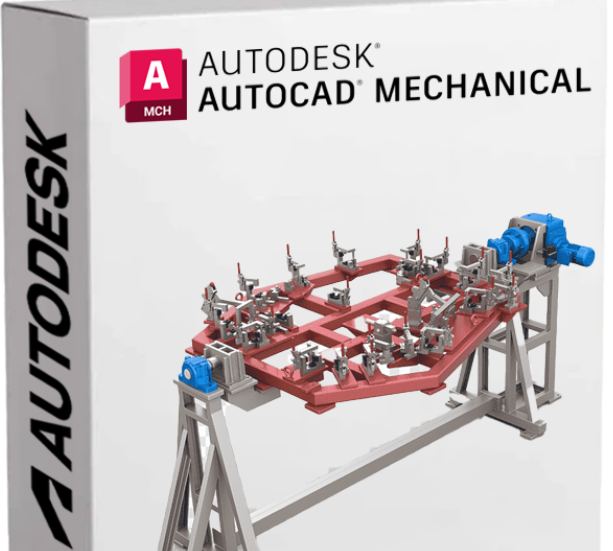
Autodesk AutoCAD Mechanical (developed by Autodesk, Inc. for 64-bit Windows, included as a specialized toolset within an AutoCAD subscription) is a mechanical engineering and manufacturing CAD application built on the native DWG platform. Designed for mechanical drafters, machine designers, tooling engineers, and manufacturing teams, AutoCAD Mechanical streamlines 2D mechanical design with over 700,000 standard parts (bolts, nuts, washers, bearings, pins, structural steel shapes), automated Bill of Materials (BOM) and balloon callouts, mechanical layer management, and engineering calculators.
1. In-Depth Review: Why Mechanical & Manufacturing Teams Use AutoCAD Mechanical
- 700,000+ Standard Parts & Mechanical Generators Included: Eliminates repetitive redrawing of fasteners, bearings, shafts, gears, springs, and steel profiles with built-in libraries compliant with ISO, DIN, ANSI, JIS, BSI, CSN, and GB standards.
- Associative Balloons, Parts Lists & Automated BOMs: Links assembly geometry directly to structured Bills of Materials and item balloons—updating quantities, part numbers, and callouts automatically whenever parts are added, copied, or deleted.
- Smart Mechanical Dimensioning, Symbology & Hidden-Line Automation: Automates surface texture, welding, geometric tolerance (`GD&T`), and hole-chart annotations while automatically managing hidden/background lines (`AM2DHIDE`) when parts overlap.

2. Key Features & Capabilities
- Standard Parts & Feature Libraries (700,000+ Components): Insert metric and imperial screws, nuts, washers, circlips, bearings, keyways, and structural shapes directly into `.dwg` assemblies.
- Automated BOM, Parts List & Balloon Generation: Create associative multi-level Bills of Materials and numbered assembly balloons that export directly to Excel or CSV.
- Machinery Generators & Engineering Calculators: Design shafts, springs, belts/chains, and bolted connections with built-in stress, deflection, and bearing life calculations.
- Mechanical Layer Management & Power Commands: Automatically place centerlines, hatching, dimensions, and hidden lines on standardized layers with `Power Dimensioning`, `Power Snap`, and `Power Edit`.
- Full AutoCAD Core + Inventor Interoperability: Includes complete 2D/3D AutoCAD commands, AutoLISP, Markup Assist, and associative 2D drawing views of Autodesk Inventor 3D models.
- Official Free Trial, Student Access & Subscription Plans: Available via an official Autodesk free trial, free Education access for eligible students/educators, and AutoCAD / Product Design & Manufacturing Collection subscriptions.
- Official Links: Free Trial, Free / Education & Pricing
Always download AutoCAD Mechanical installers and start your official trial directly from Autodesk portals:
- Official Autodesk AutoCAD Mechanical Product Page: https://www.autodesk.com/products/autocad/included-toolsets/autocad-mechanical
- Official Autodesk AutoCAD Free Trial Download (Includes Mechanical Toolset): https://www.autodesk.com/products/autocad/free-trial
- Official Autodesk Education Community (Free Student/Educator Access): https://www.autodesk.com/education/edu-software/overview
- Official Autodesk AutoCAD Pricing & Subscription Plans: https://www.autodesk.com/products/autocad/pricing
4. Step-by-Step Installation Guide
- Check Windows & Hardware Requirements: Confirm your workstation runs 64-bit Windows 10 or Windows 11 with at least 8 GB RAM (16 GB–32 GB+ recommended) and 15 GB+ available SSD space for standard part content libraries.
- Start Your Official Trial or Sign In to Autodesk Account: Visit https://www.autodesk.com/products/autocad/free-trial (or sign in to `manage.autodesk.com`), select `AutoCAD Mechanical`, and download the Windows installer.
- Run the Setup Wizard & Select Standard Libraries: Launch the installer, choose your installation path and preferred drafting standards (`ISO`, `DIN`, `ANSI`, `JIS`), and complete installation.
- Launch & Verify Workspace: Open `AutoCAD Mechanical`, sign in with your Autodesk ID to activate your trial or subscription, and confirm the `Mechanical` ribbon tabs (`Content`, `Annotate`, `Structure`) load cleanly.
5. How to Use AutoCAD Mechanical: Beginner Workflow
- Start a New Mechanical Drawing from a Standard Template: Launch `AutoCAD Mechanical` and open `am_iso.dwt` (metric ISO) or `am_ansi.dwt` (imperial ANSI) so mechanical layers, text heights, and symbols are pre-configured.
- Draft Part Profiles with Centerlines & Power Commands: Use `AMCENTERLINE` (`Symmetrical` or `Cross`) and standard drawing tools (`LINE`, `CIRCLE`, `RECTANG`, `FILLET`, `CHAMFER`) to construct front and section views.
- Insert Standard Fasteners & Holes from the Content Library: Switch to the `Content` tab, open `Standard Parts` (or `Screwed Connection`), pick an ISO/DIN bolt, washer, and nut size, and place the assembly in one step.
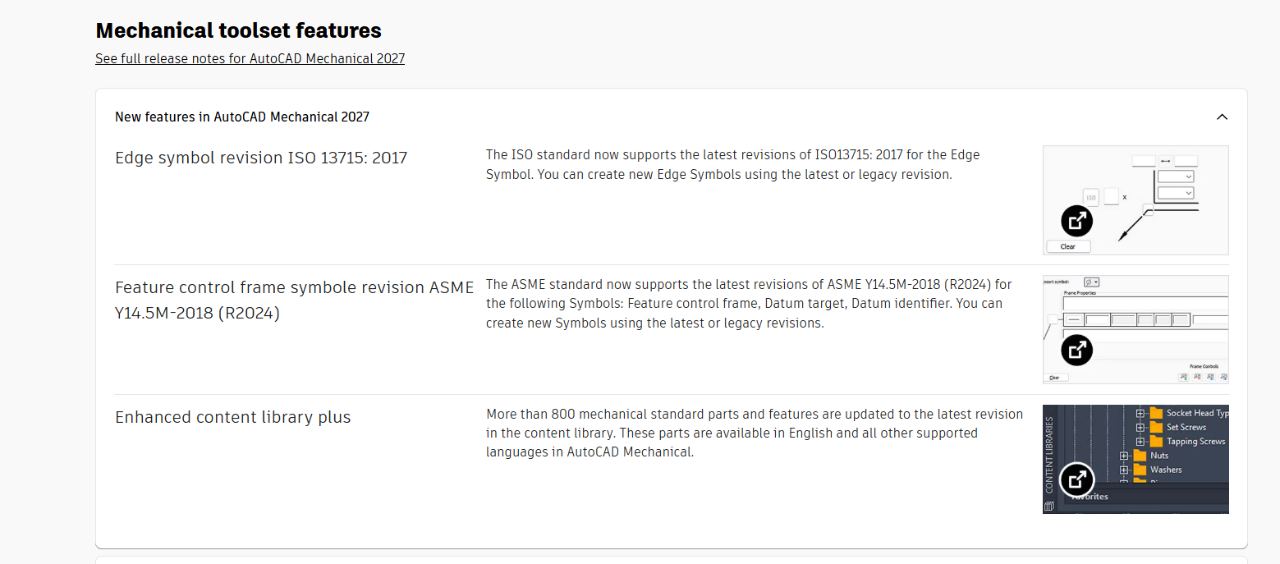
- Add Power Dimensions, GD&T & Welding Symbols: Switch to the `Annotate` tab and apply `Power Dimension` (`AMPOWERDIM`), `Surface Texture`, `Feature Control Frame` (`GD&T`), and `Hole Charts`.
- Generate Balloons, Parts List (BOM) & Export PDF: Click `Balloon` and `Parts List` on the `Annotate` tab to auto-generate your assembly BOM table, arrange viewports on a `Layout` sheet, and plot crisp vector PDFs via `PLOT`.
6. Frequently Asked Questions (FAQ)
- Is AutoCAD Mechanical included with a standard AutoCAD subscription?Yes. Autodesk includes the AutoCAD Mechanical toolset (along with Architecture, Electrical, Map 3D, MEP, Plant 3D, and Raster Design) at no extra cost inside a standard AutoCAD subscription.
- Is AutoCAD Mechanical available on macOS?No. The AutoCAD Mechanical specialized toolset is built exclusively for 64-bit Windows, although standard AutoCAD for Mac can open and view `.dwg` drawings created in AutoCAD Mechanical.
- How does AutoCAD Mechanical differ from Autodesk Inventor