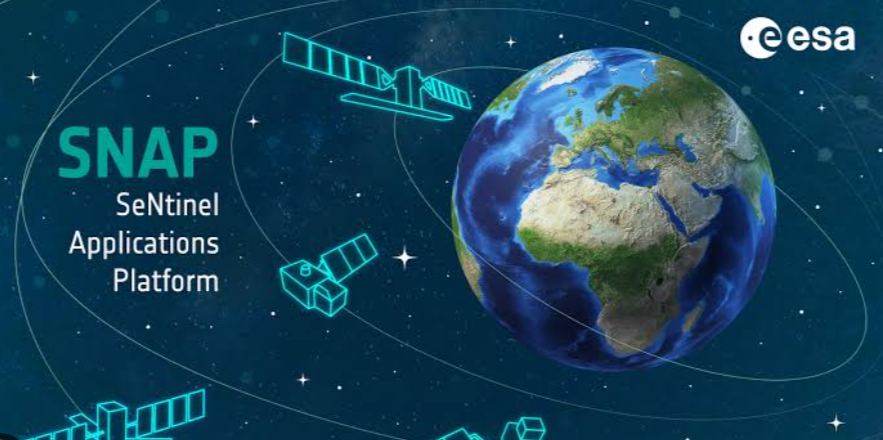
ESA SNAP (Sentinel Application Platform, developed under the GNU GPL v3 license for the European Space Agency's Science and Exploitation Platform) is a free, open-source common architecture for viewing, analyzing, and processing Earth observation data. Built on the NetBeans Rich Client Platform with dedicated toolboxes for Sentinel-1 (SAR), Sentinel-2 (MSI), and Sentinel-3 (OLCI/SLSTR)—plus support for Landsat, MODIS, and third-party sensor formats—SNAP helps remote sensing analysts calibrate imagery, derive biophysical indices, and run batch processing graphs across Windows, macOS, and Linux.
1. In-Depth Review: Why Remote Sensing Analysts Use ESA SNAP
- Dedicated Sentinel-1 SAR, Sentinel-2 MSI & Sentinel-3 Toolboxes: Provides specialized radar and optical workflows—including radiometric calibration, terrain correction, interferometry/coherence checks, band math, and optical resampling—in one unified desktop workbench.
- Graph Processing Tool (GPT) & `snappy` / `esa_snappy` Automation: Enables repeatable batch chains via XML graphs from the command line or Python scripting for multi-scene regional processing.
- Multi-Mission Format & GeoTIFF / BEAM-DIMAP Interoperability: Opens Sentinel products, GeoTIFFs, and supported third-party satellite datasets with full metadata inspection and export options.
2. Key Features & Capabilities
- Sentinel-1 Radar (SAR) Processing: Perform calibration, speckle filtering, range-Doppler terrain correction, multilooking, and backscattering analysis.
- Sentinel-2 & Optical Imagery Workflows: Resample spectral bands, compute vegetation/water/burn indices via Band Maths, and export analysis-ready rasters.
- Graph Builder & Batch Graph Processing Tool (GPT): Design visual processing graphs in the GUI and execute them in batch mode across folders of satellite scenes.
- Scientific Visualization & Pixel/Spectrum Inspection: Inspect pixel values, tie-point grids, flags, histograms, and spectral profiles interactively.
- Python Scripting Integration: Automate SNAP operations through Python integration (`esa_snappy` / `snappy`) and command-line GPT execution.
- Open-Source GNU GPLv3 Licensing: Free to download, modify, and use across research, education, and operational workflows.
- Official Links: Free Trial, Free / Education & Pricing
Always download ESA SNAP installers, toolboxes, and documentation directly from official ESA STEP portals:
- Official ESA STEP SNAP Portal: https://step.esa.int/main/download/snap-download/
- Official ESA STEP Overview & News: https://step.esa.int/main/
- Official SNAP Documentation & Tutorials (STEP): https://step.esa.int/main/doc/
- Official SNAP GitHub Repository: https://github.com/senbox-org/snap-engine
4. Step-by-Step Installation Guide
- Verify Operating System & Hardware: Confirm your computer runs a supported 64-bit Windows, Linux, or macOS environment with sufficient RAM (8 GB minimum; 16 GB–32 GB+ recommended for Sentinel-1 SAR and Sentinel-2 scenes).
- Download the Official SNAP Installer: Visit https://step.esa.int/main/download/snap-download/ and download the installer matching your operating system and architecture.
- Run the Installer & Select Toolboxes: Launch the installer, follow the setup wizard, and select the Sentinel toolboxes you need (Sentinel-1, Sentinel-2, Sentinel-3) plus optional Python configuration if using Python bindings.
- Launch SNAP Desktop: Open SNAP from your Start menu, Applications folder, or desktop shortcut and verify the `Product Explorer` panel loads cleanly.
5. How to Use ESA SNAP: Beginner Workflow
- Open a Sentinel or Raster Product: Click `File > Open Product` (or drag a `.zip` / `.SAFE` / `.tif` product into SNAP) and expand the product tree inside the `Product Explorer` panel.
- Inspect Bands, Metadata & Quickviews: Double-click a band (such as a reflectance or amplitude band) to open it in the viewer, and check `Metadata` or `Pixel Info` for acquisition details and values.
- Run Preprocessing or Band Maths: Use `Raster > Band Maths` (or `Radar` / `Optical` menu tools) to compute indices like NDVI or apply calibration/terrain steps to your product.
- Build or Run a Graph for Batch Work: Open `Tools > GraphBuilder` to chain multiple operators together, save the `.xml` graph, or run it via `gpt` on additional scenes.
- Export to GeoTIFF for QGIS or GIS Analysis: Select your target band or product and use `File > Export > GeoTIFF` so you can continue spatial analysis or cartography in QGIS or ArcGIS Pro.
6. Frequently Asked Questions (FAQ)
- Is ESA SNAP completely free to use?Yes. ESA SNAP is free and open-source software licensed under GNU GPLv3 with no license cost.
- Can I export SNAP results to GeoTIFF for use in QGIS?Yes. You can export processed bands or subsets as GeoTIFF (`.tif`) files and open them directly in QGIS, SAGA GIS, or other GIS applications.
- Why do Sentinel-2 or Sentinel-1 workflows use lots of memory?Multi-band optical tiles and full-swath radar products contain large grids and complex numbers, so keeping `Product Explorer` focused on active bands and having 16 GB+ RAM helps avoid slowdowns.