NanoCAD (developed by Nanosoft) is a professional Windows-based 2D and 3D CAD platform built natively around the industry-standard DWG file format. Featuring a classic Ribbon/Classic CAD user interface, over 450 familiar command-line drafting commands, LISP/.NET/C++ open API automation, and specialized add-on modules for 3D solid modeling, point clouds, raster vectorization, and topoplan surveying, nanoCAD offers both a 30-day full-featured trial of nanoCAD 26 and a legacy nanoCAD Free (v5) edition for basic 2D DWG drafting.
1. In-Depth Review: Why CAD Drafters & Civil Engineers Use nanoCAD
- Native DWG Compatibility & Zero-Retraining Interface: Opens, edits, and saves native `.dwg` drawings with familiar AutoCAD-style command aliases, layers, blocks, Xrefs, dynamic input, and paper-space layouts.
- Modular 2D/3D Engineering Expansion: Scales from core 2D drafting to 3D direct/parametric modeling, 3D laser scan point clouds, raster-to-vector conversion, and civil/topoplan workflows.
- Flexible Licensing with 30-Day Trial & nanoCAD Free Option: Offers a full 30-day trial of nanoCAD 26 (including modules) alongside a free-to-register legacy nanoCAD Free edition for lightweight 2D work.
2. Key Features & Capabilities
- Complete 2D Drafting & Annotation Toolset: Create and modify lines, polylines, arcs, splines, hatches, tables, multiline text, and associative dimensions using polar/Cartesian coordinates and object snaps.
- Native DWG Audit, Recover & Batch Plot: Repair damaged DWG files with Audit/Recover/Purge utilities and publish multi-sheet engineering sets with Batch Plot.
- 3D Solid Modeling & Point Cloud Support: Model 3D parts and visualize large point cloud datasets when paired with nanoCAD 3D and 3DScan modules.
- Open CAD API & Script Automation: Customize workflows and build internal CAD utilities using LISP, JavaScript/VBScript, .NET, and C++ APIs.
- Dynamic Input, Layers & External References: Manage complex multi-discipline drawings with layer states, reusable blocks, DWG Xrefs, and clipped raster underlays.
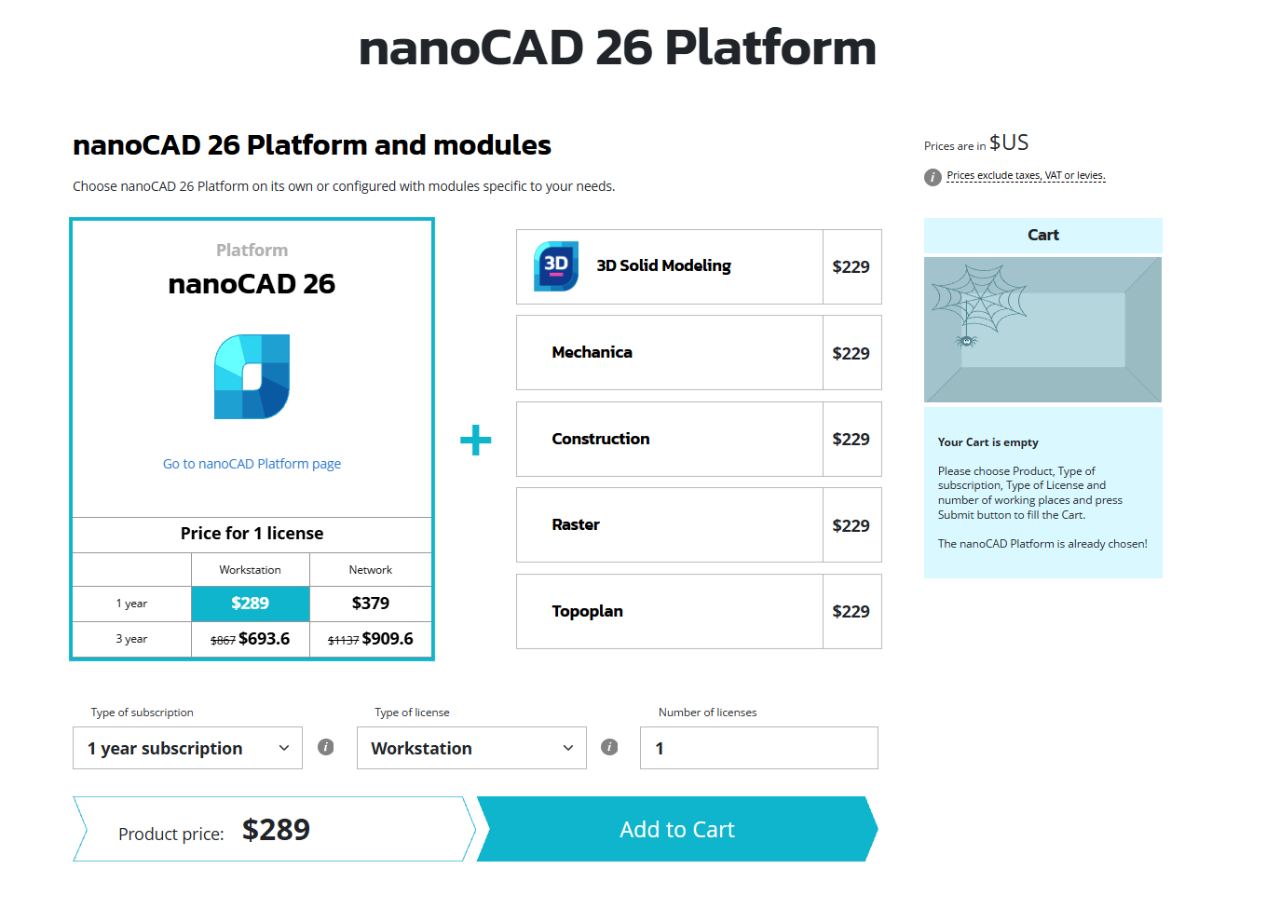
- Annual & Perpetual Licensing Tiers: Available in affordable annual subscriptions, permanent licenses, educational licenses, and a 30-day free trial.
- Official Links: Free Trial, Free / Education & Pricing
Always download nanoCAD installers, generate trial serial numbers, and check system requirements directly from official nanoCAD portals:
- Official nanoCAD Website: https://nanocad.com/
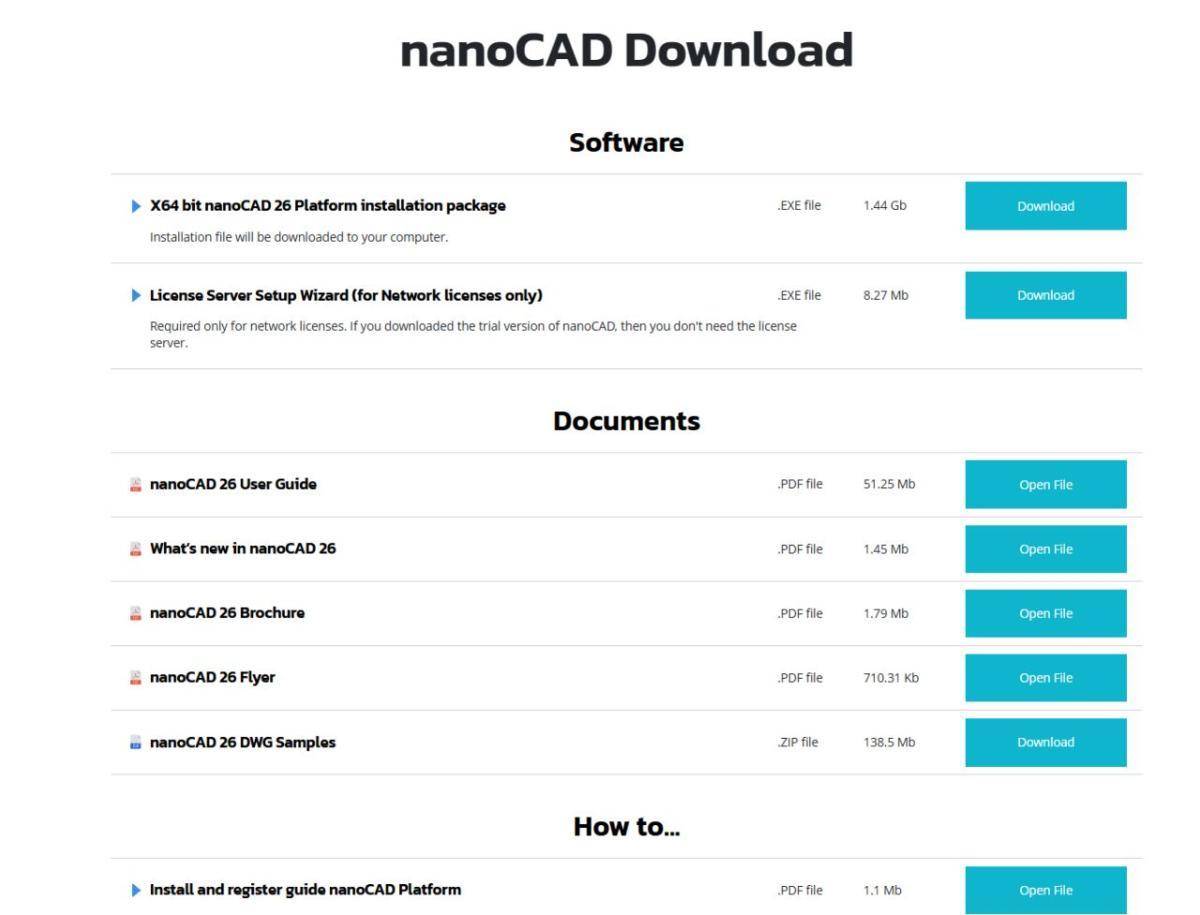
- Official nanoCAD 26 Free 30-Day Trial Download: https://nanocad.com/products/nanocad-platform/download/
- Official nanoCAD Free (Legacy 2D Edition) Page: https://nanocad.com/products/nanocad-free/
- Official nanoCAD System Requirements & Support: https://nanocad.com/support/system-requirements/
4. Step-by-Step Installation Guide
- Verify Windows System Requirements: Confirm your PC runs 64-bit Windows 10 or Windows 11 with at least 4 GB RAM (16 GB+ recommended) and 7 GB+ free SSD space.
- Create an Account & Request Your 30-Day Trial: Visit https://nanocad.com/products/nanocad-platform/download/, sign in or register a free nanoCAD account to generate your trial serial number, and download the Windows installer.
- Run the Installation Wizard: Launch the `.exe` installer, choose your language, select the nanoCAD 26 modules you want to test, and complete the installation.
- Activate via the Registration Wizard: Open the nanoCAD Registration Wizard when prompted, paste your trial serial number, confirm your registered email address, and activate your license online.

5. How to Use nanoCAD 26: Beginner Workflow
- Start a New Drawing & Verify Units: Launch nanoCAD 26, click `New` (or `Ctrl+N`), and set your drawing units and coordinate precision via `Format > Units`.
- Organize Layers & Linetypes: Open the `Layers` panel to create separate layers for geometry, centerlines, hatches, and dimensions with distinct colors and lineweights.
- Draft 2D Geometry Using Command Line & Snaps: Type familiar CAD commands (`LINE`, `PLINE`, `CIRCLE`, `OFFSET`, `TRIM`, `FILLET`) in the command bar and enable Object Snap (`OSNAP`) for exact intersections.
- Add Dimensions, Tables & Annotations: Dimension key distances and angles, insert notes or BOM tables, and prepare scaled viewports inside Paper Space layouts.
- Save as Native DWG or Export PDF: Press `Ctrl+S` to save directly in `.dwg` format for seamless exchange with AutoCAD, BricsCAD, or Civil 3D, or plot to PDF.
6. Frequently Asked Questions (FAQ)
- Does nanoCAD 26 offer a free trial?Yes. You can download a free 30-day trial of nanoCAD 26 (with modules included) directly from https://nanocad.com/products/nanocad-platform/download/ after registering an account.
- Is there a completely free version of nanoCAD?Yes. Nanosoft offers nanoCAD Free (based on legacy version 5) with free registration and yearly renewal for basic 2D DWG drafting, alongside the modern commercial nanoCAD 26 platform.
- Can nanoCAD open and save AutoCAD DWG files natively?Yes. DWG is nanoCAD's native file format, allowing you to open, edit, audit, and save `.dwg` drawings directly without format conversion.