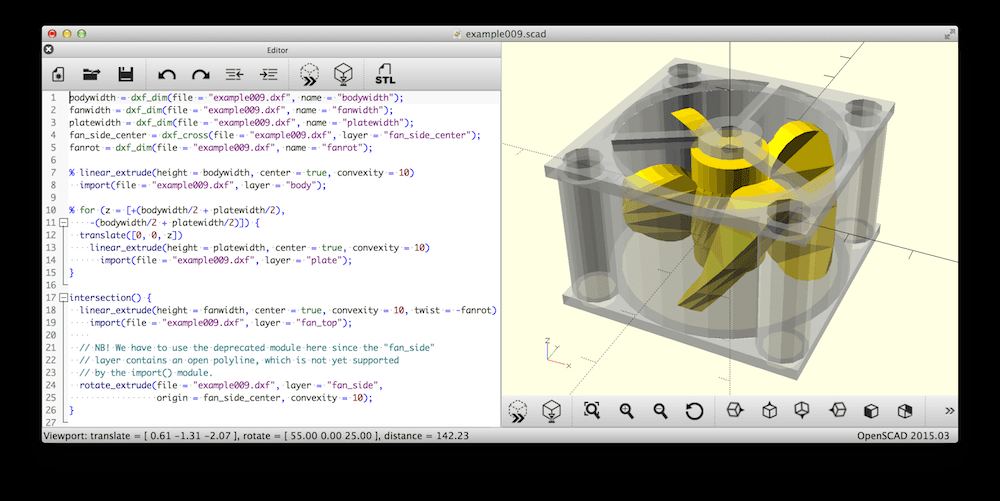
OpenSCAD (licensed under the GNU General Public License v2+) is a free, open-source, script-based solid 3D CAD modeler built for engineers, makers, researchers, and 3D printing specialists. Instead of relying on interactive mouse-driven sculpting or sketching, OpenSCAD defines 3D geometry through readable parametric code—making mechanical parts, custom enclosures, gears, and precision assemblies completely reproducible, version-controllable in Git, and infinitely customizable.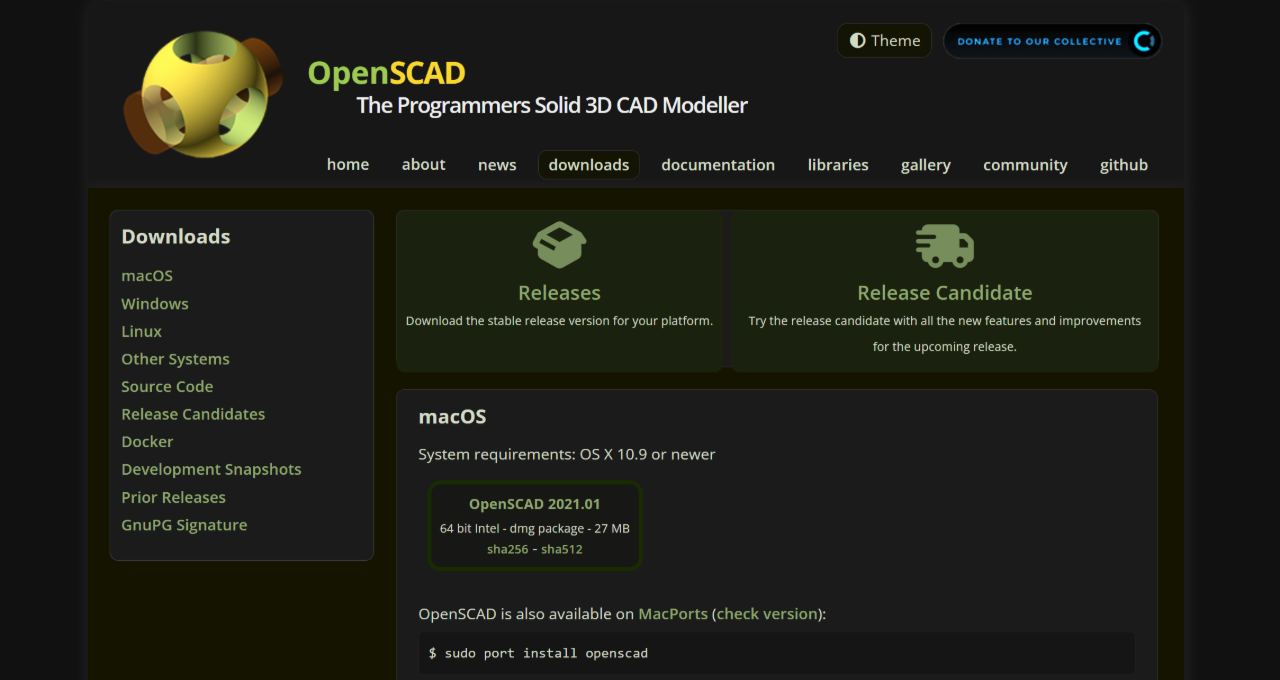
1. In-Depth Review: Why Engineers & Makers Use OpenSCAD
- True Parametric Code-Driven CAD: Every dimension, tolerance, fillet radius, and hole pattern is driven by variables, mathematical functions, loops, and reusable modules, allowing instant part resizing without broken constraints.
- Constructive Solid Geometry (CSG) & 2D-to-3D Extrusion: Combines 3D primitives (`cube`, `sphere`, `cylinder`, `polyhedron`) and 2D profiles (`square`, `circle`, `polygon`, `import` DXF/SVG) using `union()`, `difference()`, and `intersection()`, plus `linear_extrude()` and `rotate_extrude()`.
- Built-In Customizer, Fast Manifold Engine & CLI Batch Export: Includes a visual Customizer panel for adjusting parameters via sliders/dropdowns, optional high-speed Manifold boolean rendering in modern builds, and command-line batch rendering to STL, 3MF, DXF, and SVG.
2. Key Features & Capabilities
- Parametric Scripting Language & Reusable Libraries: Write modular `.scad` scripts and leverage community libraries such as BOSL2, MCAD, and NopSCADlib for threads, gears, bearings, and fasteners.
- Interactive 3D Preview & Exact Mesh Rendering: Switch between fast OpenCSG real-time preview (`F5`) and exact manifold/CGAL solid mesh generation (`F6`) with jump-to-code inspection from the 3D viewport.
- Built-In Parameter Customizer UI: Expose script variables as interactive sliders, checkboxes, and dropdown menus so non-programmers can configure custom part sizes effortlessly.
- 2D & 3D CAD File Interoperability: Import and export `.STL`, `.3MF`, `.AMF`, `.OFF`, `.DXF`, `.SVG`, `.CSG`, and single-page `.PDF` files for 3D printing, laser cutting, and CNC machining.
- Command-Line Interface (`openscad` CLI): Automate headless STL/3MF generation, multi-angle PNG renders, and parametric batch builds inside CI/CD or Python pipelines.
- Cross-Platform & Lightweight Footprint: Runs natively on Windows (64-bit), macOS (Intel & Apple Silicon), and Linux (AppImage, Snap, Flatpak, and distribution packages) in under 50 MB.
- Official Links: Free Trial, Free / Education & Pricing
Always download OpenSCAD installers, development snapshots, and official manuals directly from OpenSCAD's official portals:
- Official OpenSCAD Website: https://openscad.org/
- Official OpenSCAD Downloads (Windows, macOS & Linux): https://openscad.org/downloads.html
- Official OpenSCAD Documentation & Cheat Sheet: https://openscad.org/documentation.html
- Official GitHub Repository & Release Candidates: https://github.com/openscad/openscad/releases
4. Step-by-Step Installation Guide
- Verify Operating System & Hardware: Confirm your computer runs Windows 10/11 (64-bit), macOS 12 Monterey or newer (universal Intel & Apple Silicon support), or 64-bit Linux (x86_64 or ARM64) with OpenGL graphics support.
- Download the Official Installer or Release Candidate: Visit https://openscad.org/downloads.html and download either the stable installer or the latest 2026 Release Candidate / Development Snapshot (`OpenSCAD-*-x86-64-Installer.exe` on Windows, `.dmg` on macOS, or `.AppImage` / Flatpak on Linux).
- Run the Setup Wizard: Launch the downloaded `.exe` installer on Windows (or drag `OpenSCAD.app` into `/Applications` on macOS) and complete the quick installation.
- Launch & Enable Optional Performance Features: Open OpenSCAD, open `Edit > Preferences > Features` (in recent snapshot/RC builds) if you wish to enable the fast `manifold` geometry backend, and test a built-in example from `File > Examples`.
5. How to Use OpenSCAD: Beginner Workflow
- Create a New `.scad` Script: Open OpenSCAD, click `New`, and define key dimensions as variables at the top of the editor (for example, `width = 40; height = 20; hole_r = 5;`).
- Build Base Geometry & Boolean Cutouts: Combine shapes using CSG operations—such as `difference() { cube([width, width, height], center=true); cylinder(h=height+2, r=hole_r, center=true, $fn=64); }`.
- Preview Quickly (`F5`) & Tweak Parameters: Press `F5` (or click `Preview`) to inspect your model in real time, rotating and zooming in the 3D viewport while adjusting variable values.
- Compute Exact Solid Render (`F6`): Press `F6` (or click `Render`) to generate a clean, manifold solid mesh and check the console for zero non-manifold warnings.
- Export for 3D Printing or Laser Cutting: Press `F7` (`File > Export > Export as STL` or `Export as 3MF` for 3D printing, or `Export as DXF/SVG` for 2D laser cutting).
6. Frequently Asked Questions (FAQ)
- Is OpenSCAD completely free for commercial engineering and 3D printing?Yes. OpenSCAD is 100% free and open-source software licensed under the GNU General Public License (GPLv2+), allowing unrestricted personal, educational, and commercial product design.
- Should I download the 2021.01 release or the newer 2026 Release Candidate / Development Snapshots?The OpenSCAD team actively maintains 2026 Release Candidates and Development Snapshots on the official downloads page that include major speed upgrades (such as the Manifold backend), improved GUI tools, and native Apple Silicon macOS builds.
- Can OpenSCAD import 2D vector drawings for 3D extrusion?Yes. OpenSCAD imports `.SVG` and `.DXF` files using `import()` and extrudes them into 3D solids via `linear_extrude()` or `rotate_extrude()`.