Orfeo ToolBox (OTB 9.1, initiated by CNES and maintained as an Open Source Geospatial Foundation / OSGeo project under the Apache 2.0 License) is an open-source C++ library and suite of command-line, Python, and QGIS-integrated remote sensing applications. Built on top of ITK and GDAL, OTB is designed to process high-resolution optical, multispectral, hyperspectral, and Synthetic Aperture Radar (SAR) satellite imagery at terabyte scale from standard laptops to high-performance computing clusters.
1. In-Depth Review: Why Remote Sensing & Earth Observation Teams Use Orfeo ToolBox
- Streaming & Multi-Threaded Pipeline for Terabyte-Scale Imagery: Processes massive satellite scenes in memory-controlled chunks across multiple CPU threads, preventing out-of-memory crashes on large GeoTIFF or Pleiades/Sentinel datasets.
- Rich Scientific Algorithms for Optical, Hyperspectral & SAR Data: Covers radiometric calibration, orthorectification, pansharpening, Large-Scale Mean-Shift (LSMS) object-based segmentation, machine-learning classification, change detection, and SAR speckle/polarimetric processing.
- Modular OTB 9 Architecture with QGIS Processing & Python Bindings: Ships as portable standalone archives for Windows and Linux (plus official Docker images for Linux and Apple Silicon macOS) and connects directly into QGIS via the official OTB Processing plugin.
2. Key Features & Capabilities
- Radiometric & Geometric Pre-Processing: Perform Top-of-Atmosphere (TOA) / Top-of-Canopy (TOC) radiometric calibration, sensor-to-sensor registration, GCP-assisted orthorectification, and stereo-rectification.
- Pansharpening, Band Math & Mosaicking: Fuse high-resolution panchromatic bands with multispectral imagery, compute custom radiometric indices (vegetation, water, soil), and generate seamless image mosaics.
- Object-Based Image Analysis (OBIA) & Large-Scale Segmentation: Segment very large satellite scenes into labeled vector polygons using Watershed, Connected-Components, and Large-Scale Mean-Shift (LSMS) workflows.
- Supervised & Unsupervised Machine Learning Classification: Train and run pixel or object classifiers using Random Forest, Support Vector Machines (SVM), Artificial Neural Networks, and K-Means clustering with confusion matrix validation.
- SAR & Hyperspectral Processing Tools: Apply Frost/Lee speckle reduction, polarimetric analysis, PCA/ICA dimensionality reduction, and hyperspectral unmixing.
- CLI, Python API & QGIS Processing Integration: Execute over 100 ready-to-use `otbcli_*` command-line tools, script workflows in Python (`otbApplication`), or launch algorithms visually inside QGIS.
- Official Links: Free Trial, Free / Education & Pricing
Always download Orfeo ToolBox standalone packages, Docker tags, and documentation directly from the official project portals:
- Official Orfeo ToolBox Website: https://www.orfeo-toolbox.org/
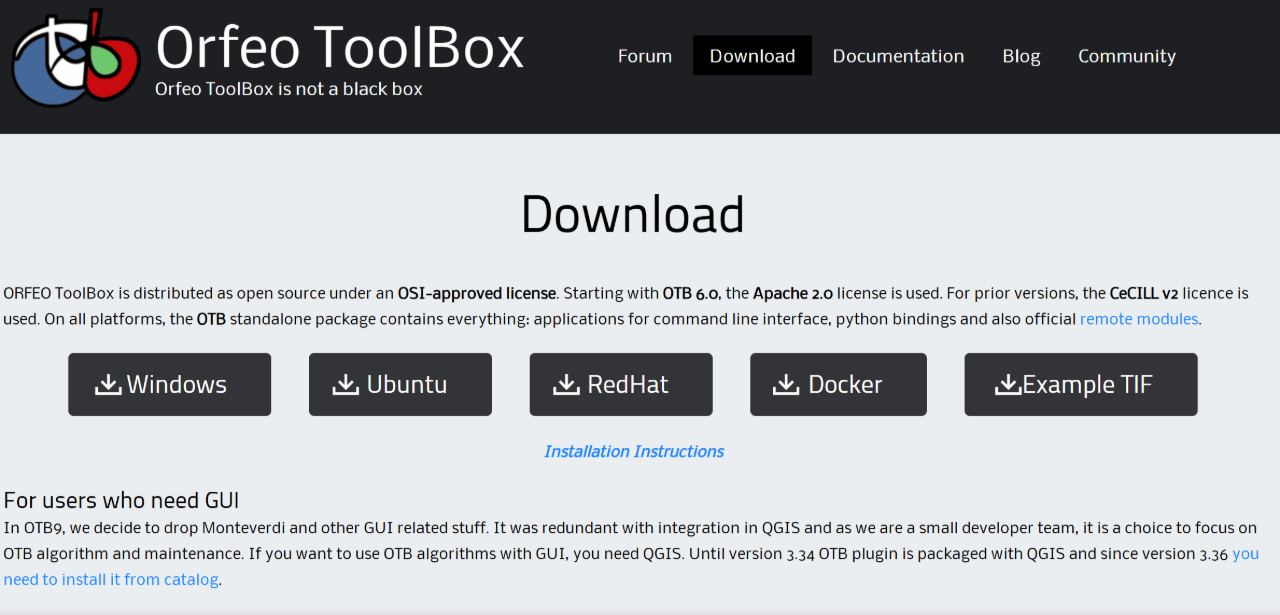
- Official Orfeo ToolBox Downloads (Windows, Linux & Docker): https://www.orfeo-toolbox.org/download/
- Official OTB CookBook Documentation: https://www.orfeo-toolbox.org/CookBook/
- Pricing & Licensing (100% Free & Open-Source under Apache 2.0 License): https://www.orfeo-toolbox.org/
4. Step-by-Step Installation Guide
- Verify Operating System & Hardware: Confirm your workstation runs 64-bit Windows, 64-bit Linux (Ubuntu/Debian or RedHat/Fedora), or macOS (via Docker for Intel or Apple Silicon M-series), with at least 8 GB RAM (16 GB–32 GB+ recommended for large multi-band scenes) and fast SSD storage.
- Download the Official Standalone Archive or Docker Image: Visit https://www.orfeo-toolbox.org/download/ and download the latest `OTB-9.1.1-Win64.zip` or `OTB-9.1.1-Linux.tar.gz` package (or pull `orfeotoolbox/otb:9.1.0` via Docker).
- Extract Portable Package (No Admin Rights Required on Windows): Extract the downloaded archive to a clean directory without spaces (such as `C:\OTB-9.1.1` on Windows using 7-Zip for fast extraction, or `/opt/otb` on Linux) and run `otbenv.bat` or source `otbenv.profile`.
- Connect OTB to QGIS (Optional GUI Workflow): Open QGIS, install the `Orfeo Toolbox` plugin from the QGIS Plugin Manager, go to `Settings > Options > Processing > Providers > OTB`, and point `OTB folder` and `OTB application folder` to your extracted OTB directory.
5. How to Use Orfeo ToolBox (OTB 9.1): Beginner Workflow
- Initialize Environment or Open QGIS Processing Toolbox: Source your OTB environment in a terminal (`otbenv.bat` on Windows or `source otbenv.profile` on Linux) or open the `Processing Toolbox` panel inside QGIS.
- Inspect Satellite Image Metadata: Run `otbcli_ReadImageInfo -in satellite_scene.tif` (or run `ReadImageInfo` in QGIS) to inspect sensor bands, pixel spacing, bit depth, and projection metadata.
- Perform Radiometric Calibration or Pansharpening: Use `OpticalCalibration` for TOA/TOC reflectance conversion or `BundleToPerfectSensor` / `Pansharpening` to sharpen multispectral bands with a panchromatic band.
- Run Segmentation or Supervised Classification: Execute `LargeScaleMeanShift` to delineate land-cover objects or train a Random Forest model with `TrainImagesClassifier` and classify your scene with `ImageClassifier`.
- Export GeoTIFF or Shapefile/GeoPackage Outputs: Save classified rasters and segmented vector boundaries in standard GDAL/OGR formats for cartographic styling and spatial analysis in QGIS or PostGIS.
6. Frequently Asked Questions (FAQ)
- Is Orfeo ToolBox 9.1 completely free for commercial and research use?Yes. Since version 6.0, Orfeo ToolBox is 100% free and open-source software licensed under the permissive Apache 2.0 License, allowing unrestricted academic, government, and commercial usage.
- Why was Monteverdi removed in Orfeo ToolBox 9?Starting with OTB 9.0, the development team removed the standalone Monteverdi GUI to focus on core remote sensing algorithms and modular packaging, recommending QGIS with the official OTB Processing plugin for graphical workflows.
- Can Orfeo ToolBox run on macOS Apple Silicon?Yes. While native binaries target 64-bit Windows and Linux, the official OTB Docker images (`orfeotoolbox/otb`) run on macOS Intel and Apple Silicon (ARM64) systems.