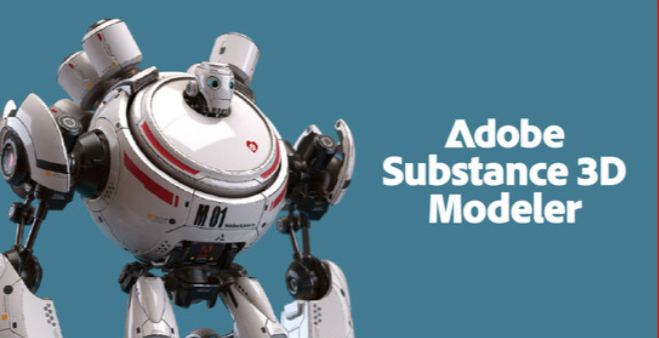
Adobe Substance 3D Modeler is a 3D sculpting and modeling application developed by Adobe for artists, game creators, industrial designers, and virtual reality (VR) builders. Unlike traditional polygon or NURBS modelers that require manual edge-loop management or boolean breakdowns, Substance 3D Modeler uses a clay-like multisurface workflow that lets you sculpt organic forms and crisp hard-surface assemblies smoothly on desktop monitors or inside compatible VR headsets.
1. In-Depth Review: Why 3D Artists & Designers Use Substance 3D Modeler
- Clay-Based Multisurface Sculpting Without Topology Bottlenecks: Lets artists push, pull, smooth, carve, and blend organic and hard-surface geometry freely while maintaining clean surface continuity.
- Seamless Desktop & VR Mode Switching: Allows you to block out forms in VR with spatial depth or refine precision details using mouse, pen/tablet, and keyboard shortcuts on desktop.
- Direct Integration Across Substance 3D & Creative Cloud: Sends sculpted assets straight into Substance 3D Painter, Sampler, Designer, and Stager so you can bake maps, texture, light, and stage scenes rapidly.
2. Key Features & Capabilities
- Organic & Hard-Surface Sculpting Brushes: Shape characters, creatures, props, vehicles, and industrial concepts using clay brushes, primitives, symmetry, and surface blending tools.
- Desktop & Virtual Reality (VR) Workflows: Work on standard desktop displays or connect supported VR headsets for immersive 3D spatial modeling.
- Non-Destructive Layer & Grouping Organization: Organize parts, groups, and transforms cleanly as you iterate on proportions and mechanical sub-assemblies.
- Real-Time Viewport & Material Preview: Inspect sculpted silhouettes, normals, and surface shading interactively as you model.
- Export to 3D Suites & Game Engines: Export models in standard 3D exchange formats for texturing in Substance 3D Painter or rendering in Blender, Unreal Engine, Unity, and Maya.
- Part of Adobe Substance 3D & Education Plans: Included in Adobe Substance 3D plans and eligible higher-education student/teacher programs.
- Official Links: Free Trial, Free / Education & Pricing
Always download Creative Cloud and Substance 3D installers, trials, and documentation through Adobe's official portals:
- Official Substance 3D Free Trial & Download: https://www.adobe.com/products/substance3d/free-trial-download.html
- Official Substance 3D Plans & Pricing: https://www.adobe.com/products/substance3d/plans.html
- Official Substance 3D Education Portal: https://substance3d.adobe.com/education/
- Official Substance 3D Modeler Help & FAQ: https://helpx.adobe.com/substance-3d-modeler/desktop/getting-started/faq.html
4. Step-by-Step Installation Guide
- Verify Operating System & Hardware: Confirm your computer runs a supported 64-bit Windows 10/11 or macOS system with a multi-core processor, at least 8 GB–16 GB RAM (32 GB recommended for heavy sculpts or VR), a compatible GPU with dedicated VRAM, and free SSD storage.
- Start Your Free Trial or Sign In: Visit https://www.adobe.com/products/substance3d/free-trial-download.html and sign in with your Adobe account to start a free trial or access your subscription.
- Install via Creative Cloud Desktop: Open the Creative Cloud Desktop app and install `Substance 3D Modeler` (plus any VR headset runtime software if using VR mode).
- Launch & Verify Viewport / VR Setup: Open Substance 3D Modeler, start a new project, and confirm smooth 3D viewport navigation and GPU performance.
5. How to Use Substance 3D Modeler: Beginner Workflow
- Create a New Sculpting Project: Launch Substance 3D Modeler, create a new project, and set up your scale, symmetry, and workspace preferences.
- Block Out Base Volumes: Start with primitive shapes or clay strokes to establish major proportions, silhouettes, and sub-parts.
- Sculpt & Blend Details: Use clay brushes, smoothing, carving, and surface blending to shape organic contours or crisp mechanical bevels and cutouts.
- Refine & Inspect Shading: Rotate around the model in the viewport, enable symmetry where needed, and check surface flow and proportions from multiple angles.
- Export for Texturing & Look-Dev: Export your completed 3D mesh to bring into Substance 3D Painter for PBR texturing or into Substance 3D Stager, Blender, or your game engine.
6. Frequently Asked Questions (FAQ)
- Can I try Adobe Substance 3D Modeler before subscribing?Yes. You can start a free trial through Adobe's official Substance 3D portal with your Adobe account.
- Do I need a VR headset to use Substance 3D Modeler?No. Substance 3D Modeler works in standard desktop mode on your monitor as well as in VR mode with supported headsets.
- Is Substance 3D Modeler available for students and teachers?Yes. Eligible higher-education students and teachers can access Substance 3D applications through Adobe's Substance 3D education licensing.