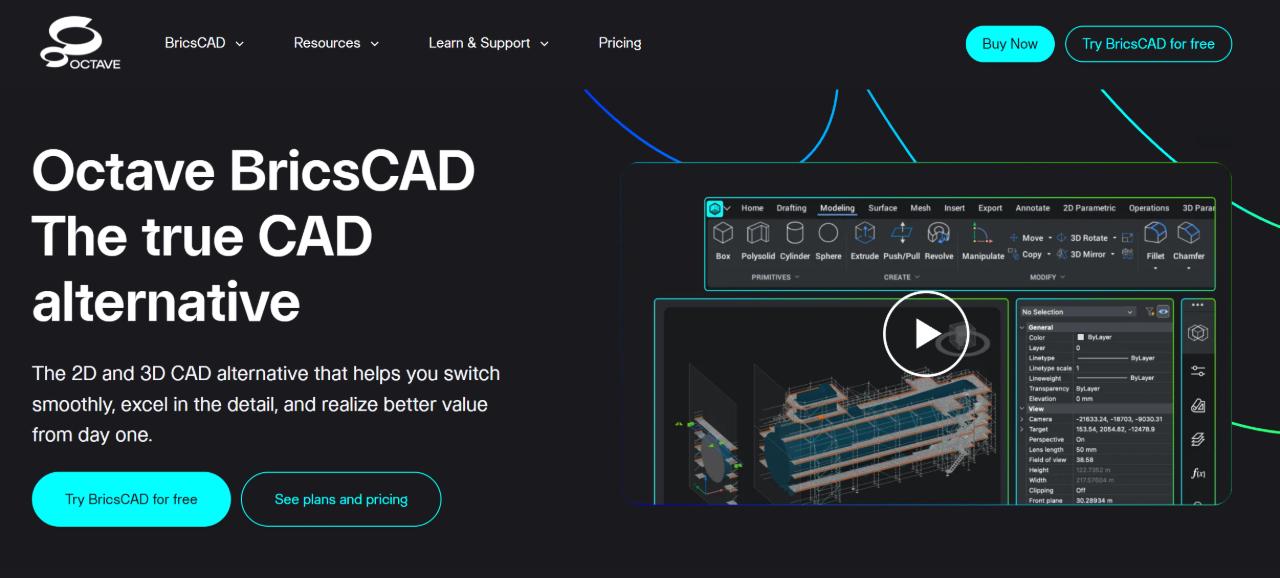
BricsCAD (x64) is a computer-aided design (CAD) and Building Information Modeling (BIM) software platform developed by Bricsys (part of Hexagon). Built natively on the industry-standard `.DWG` file format, BricsCAD offers a familiar AutoCAD-compatible interface, commands, and LISP/API support alongside AI-driven 2D drafting tools, direct 3D solid modeling, BricsCAD BIM, and BricsCAD Civil workflows across Windows, macOS, and Linux.
1. In-Depth Review: Why CAD Drafters & Engineers Use BricsCAD
- 100% Native DWG Compatibility & Familiar Workflow: Opens and saves `.DWG` drawings natively without file translation, supporting existing AutoCAD commands, shortcuts, hatch patterns, `.CTB`/`.STB` plot styles, and AutoLISP routines out of the box.
- AI-Assisted Productivity Tools (Blockify, CopyGuided & Optimize): Automatically converts repetitive 2D/3D geometry into reusable blocks (`BLOCKIFY`), aligns copied details to matching walls/lines (`COPYGUIDED`), and cleans up unaligned CAD drawings (`OPTIMIZE`).
- Flexible Perpetual or Subscription Licensing: Unlike many competing CAD suites restricted solely to recurring subscriptions, Bricsys offers both annual subscriptions and permanent perpetual licenses across BricsCAD Lite, Pro, BIM, Mechanical, and Ultimate editions.
2. Key Features & Capabilities
- Precision 2D Drafting & Annotation (BricsCAD Lite & Pro): Draft, dimension, and hatch architectural and engineering plans using dynamic UCS, parametric constraints, Sheet Set Manager, and the context-sensitive Quad cursor.
- Direct 3D Modeling & Parametric Solids (BricsCAD Pro): Create and push/pull 3D solid geometry directly without rigid history trees, or apply 3D parametric constraints to mechanical and structural parts.
- AI-Powered Drawing Cleanup & Blockify: Scan messy imported `.DWG` files to heal gaps, straighten near-orthogonal lines, and replace duplicate linework with block instances automatically.
- Civil & Point Cloud Workflows (BricsCAD Pro): Import survey points, build TIN Digital Terrain Models (DTMs), calculate grading volumes, and attach large `.LAS`/`.LAZ` or `.RCP` LiDAR point clouds.
- Integrated BricsCAD BIM & Mechanical Suites: Upgrade within the same `.DWG` environment to classify 3D solids into IFC-compliant BIM walls/slabs or create sheet-metal assemblies and Bills of Materials (BOMs).
- LISP, .NET, BRX & Python Extensibility: Run thousands of existing third-party CAD plugins and custom LISP automation scripts with full compatibility.
- Cross-Platform Availability: Runs natively on Windows, macOS, and Linux workstations so multi-OS engineering teams can share identical `.DWG` workflows.
3. How to Register & Access an Official Trial or License
To ensure software authenticity, workstation stability, and full compliance with licensing terms, always register and download BricsCAD through Bricsys’s official portal:
- Visit the Official Bricsys BricsCAD Website: Go to https://www.bricsys.com to compare BricsCAD editions (Lite, Pro, BIM, Mechanical, Ultimate) and explore product documentation.
- Create a Bricsys Account: Click Free Trial or Sign In on the official homepage to register a free Bricsys account with your email address and unlock your 30-day evaluation key.
- Choose Your Official Licensing Path:
- Official 30-Day Free Trial: Download the full-featured BricsCAD Ultimate trial installer from your Bricsys account dashboard to test all 2D, 3D, BIM, and Civil modules for 30 days.
- Academic License (Students & Educators): Accredited engineering and architecture students and faculty can request a free 1-year renewable academic license directly through the Bricsys Academic portal.
- Commercial Perpetual or Subscription License: Individual drafters and engineering firms can choose between perpetual ownership or annual subscription plans directly via the official Bricsys online store or authorized regional partners.
4. Step-by-Step Installation Guide
- Verify System Requirements: Confirm your computer runs 64-bit Windows 10/11, macOS 12+, or Ubuntu/Fedora Linux with at least 8 GB RAM (16 GB–32 GB recommended for 3D modeling and point clouds), a multi-core processor, an OpenGL 4.2+ discrete GPU, and 4 GB+ free SSD space.
- Download the Official Installer: Sign in to your Bricsys account and download the official 64-bit BricsCAD installer matching your operating system (`BricsCAD-V25-...-x64.msi` on Windows or `.dmg` on macOS).
- Run the Setup Wizard: Double-click the downloaded installer package, accept the end-user license agreement, choose your destination folder and default workspace profile (2D Drafting, 3D Modeling, or BIM), and click Install.
- Activate Your Trial or Commercial License: Launch BricsCAD, select Activate License on the startup launcher, and sign in with your Bricsys account credentials (or enter your official license key) to begin working.
5. How to Use BricsCAD: Beginner Workflow
- Start a New DWG Drawing from Template: Launch BricsCAD, select the 2D Drafting workspace on the launcher, click New Drawing, and choose a standard metric (`Default-mm.dwt`) or imperial (`Default-in.dwt`) template.
- Draft Geometry Using Familiar CAD Commands & the Quad Cursor: Type `LINE`, `PLINE`, `CIRCLE`, or `RECTANG` in the command bar (or hover over any entity to use the AI-predictive Quad cursor) with Ortho (`F8`) and Entity Snaps (`F3`) enabled.
- Organize Layers & Clean Up Drawings: Open the Layers panel on the right dock to assign colors and lineweights for walls, axes, and dimensions, and run `BLOCKIFY` or `OPTIMIZE` to keep your drawing lightweight and accurate.
- Add Dimensions, Text & Title Blocks: Switch to the Annotate ribbon tab to place aligned/linear dimensions (`DIMLINEAR`) and multi-line text (`MTEXT`), then switch to a Paper Space Layout tab to configure your viewport scale.
- Plot & Export High-Resolution PDFs: Press `Ctrl+P` (or type `PLOT`), select the built-in `Print As PDF.pc3` plotter, choose your paper size (such as A3 or A1), preview the layout, and click OK to export a vector PDF.
6. Frequently Asked Questions (FAQ)
- Can BricsCAD open and edit AutoCAD DWG files natively?Yes. BricsCAD uses `.DWG` as its native file format, meaning it opens, edits, and saves AutoCAD `.DWG` and `.DXF` files directly without converting or losing layer, block, or layout data.
- Does BricsCAD offer a perpetual (one-time purchase) license?Yes. Unlike many CAD competitors that only offer subscriptions, Bricsys allows customers to purchase either a one-time perpetual license or an annual subscription.
- Does BricsCAD run on Windows, macOS, and Linux?Yes. BricsCAD provides native 64-bit installers for Windows, macOS, and Linux operating systems.