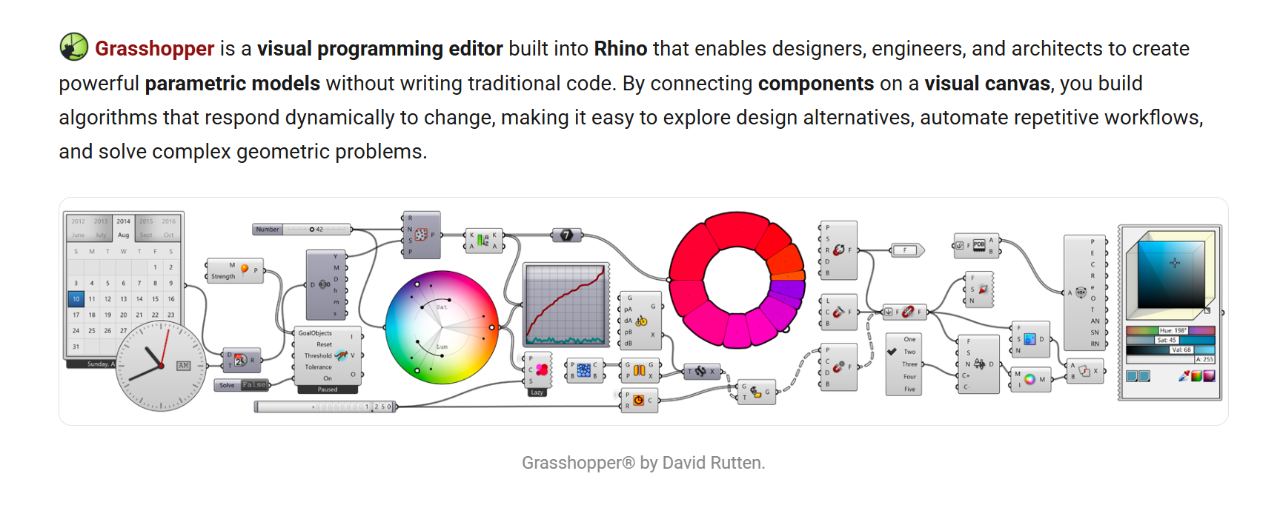
Grasshopper (created by David Rutten and developed by Robert McNeel & Associates inside Rhinoceros 3D) is a node-based visual programming and parametric design environment for Windows and macOS. Built for architects, industrial/product designers, structural engineers, and computational fabrication teams, Grasshopper lets you connect components on a graphical canvas to build generative geometry, automate repetitive modeling tasks, drive 2D drawings/schedules, and run simulations or evolutionary optimization without writing traditional code—while also supporting custom Python, C#, and VB.NET components.
1. In-Depth Review: Why Computational Designers & Engineers Use Grasshopper
- Instant Parametric Feedback & Data Tree Control: Connects parameters, math operations, curves, surfaces, meshes, and data lists/trees so adjusting a slider or spreadsheet input updates complex 3D geometry in real time.
- Massive Ecosystem via Package Manager & food4Rhino: Extends native Rhino geometry with hundreds of packages installable via Rhino's built-in `PackageManager` command and thousands of plugins on food4Rhino covering architecture, structural analysis, CFD, daylighting, and robotics.
- From Parametric Geometry to Drawings, Fabrication & Grasshopper Player: Drives Rhino 2D drafting (`Make2D`, `Section Tools`, hatches, layouts), exports schedules/CNC/3D print/robot toolpaths, and exposes definitions through Grasshopper Player for non-scripting teammates.
2. Key Features & Capabilities
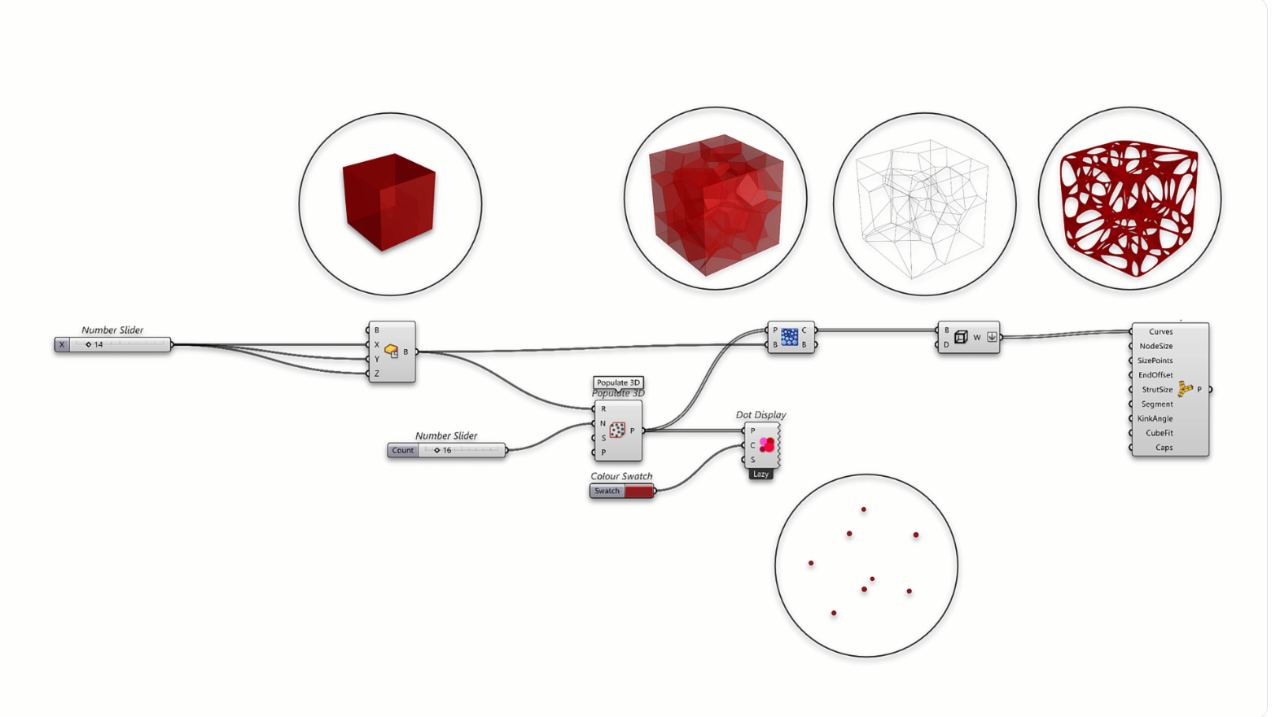
- Graphical Algorithm Canvas & Live Viewport Preview: Wire input parameters and geometry components together with immediate visual feedback inside Rhino.
- Data Trees, Associative Geometry & Constraints: Manage structured multi-branch data sets so design variants regenerate cleanly without remodeling.
- Native Analysis, Drafting & Rendering Components: Inspect curvature, area, volume, and mesh topology, or drive materials, textures, clipping/sections, and 2D layouts.
- Evolutionary Solvers & Data-Driven Design: Connect external data sources (such as spreadsheets or survey/environmental data) and optimize design goals iteratively.
- Custom Scripting, Hops & Built-In Package Manager: Extend components with Python/C#/.NET, offload computation with Hops, and install plugins via `PackageManager`.
- Included with Rhino (90-Day Official Evaluation): Included inside Rhinoceros 3D on Windows and macOS with an official 90-day evaluation download from McNeel.
- Official Links: Free Trial, Free / Education & Pricing
Always download Rhinoceros / Grasshopper installers, packages, and documentation directly from official McNeel portals:
- Official Rhino Grasshopper Page: https://www.rhino3d.com/for/grasshopper/
- Official Rhino & Grasshopper Feature Overview: https://www.rhino3d.com/features
- Official Rhino Download & 90-Day Evaluation: https://www.rhino3d.com/download/
- Official food4Rhino Grasshopper Plugin Hub: https://www.food4rhino.com/
4. Step-by-Step Installation Guide
- Check Rhino & System Requirements: Confirm you have a supported 64-bit Windows or macOS workstation running Rhinoceros 3D (such as Rhino 8 or Rhino 9) with adequate RAM and a modern GPU.
- Download Rhino (or Start the 90-Day Evaluation): Visit https://www.rhino3d.com/download/ or https://www.rhino3d.com/for/grasshopper/ to download Rhinoceros 3D—Grasshopper comes built in.
- Install & Launch Rhinoceros 3D: Run the official Windows or macOS installer, sign in with your Rhino Account, and open a 3D model viewport.
- Open Grasshopper & Install Add-Ons via `PackageManager`: Type `Grasshopper` on the Rhino Command Line to open the visual programming canvas, and run `PackageManager` if you want to install community add-ons.
5. How to Use Grasshopper: Beginner Workflow
- Launch Grasshopper Inside Rhino: Open Rhino, type `Grasshopper` in the Command Line, and position the Grasshopper canvas beside your 3D viewport.
- Place Parameters & Geometry Components: Double-click the canvas to search and add input components (such as `Number Slider` or `Point`/`Curve`) and modeling components (`Extrude`, ` Loft`, `Array`, or `Move`).
- Connect Wires to Build Parametric Logic: Drag wires from component output ports to input ports, watching preview geometry update dynamically as you drag sliders.
- Organize Lists & Data Trees: Use list/tree components (`Flatten`, `Graft`, `List Item`) when working across multiple points, curves, panels, or structural members.
- Bake Geometry to Rhino or Export Drawings/Data: Right-click final geometry components and select `Bake` to place real Rhino objects onto a layer, or drive 2D drawings, spreadsheets, or fabrication outputs.
6. Frequently Asked Questions (FAQ)
- Do I need to pay extra for Grasshopper if I already have Rhino?No. Grasshopper is built directly into Rhinoceros 3D on both Windows and macOS at no additional base cost.
- Do I need programming skills to use Grasshopper?No. You build algorithms visually by connecting components on a canvas, though you can also write custom nodes in Python, C#, or VB.NET when needed.
- How can teammates who do not use Grasshopper adjust parametric models?You can share definitions using `Grasshopper Player` so collaborators can run parametric workflows and enter inputs directly inside Rhino without opening the Grasshopper graph editor.