Shapr3D (developed by Shapr3D Zrt. for Windows, macOS, iPadOS, iOS, and visionOS) is a history-based parametric and direct 3D CAD modeling application built on the Siemens Parasolid geometry engine. Designed for product designers, industrial engineers, makers, and cross-device teams, Shapr3D lets you sketch, constrain, extrude, loft, and assemble precision 3D parts using mouse/keyboard, touch, or Apple Pencil—and sync projects across desktop and tablet devices with real-time visualization and 2D technical drawings.
1. In-Depth Review: Why Product & Industrial Designers Use Shapr3D
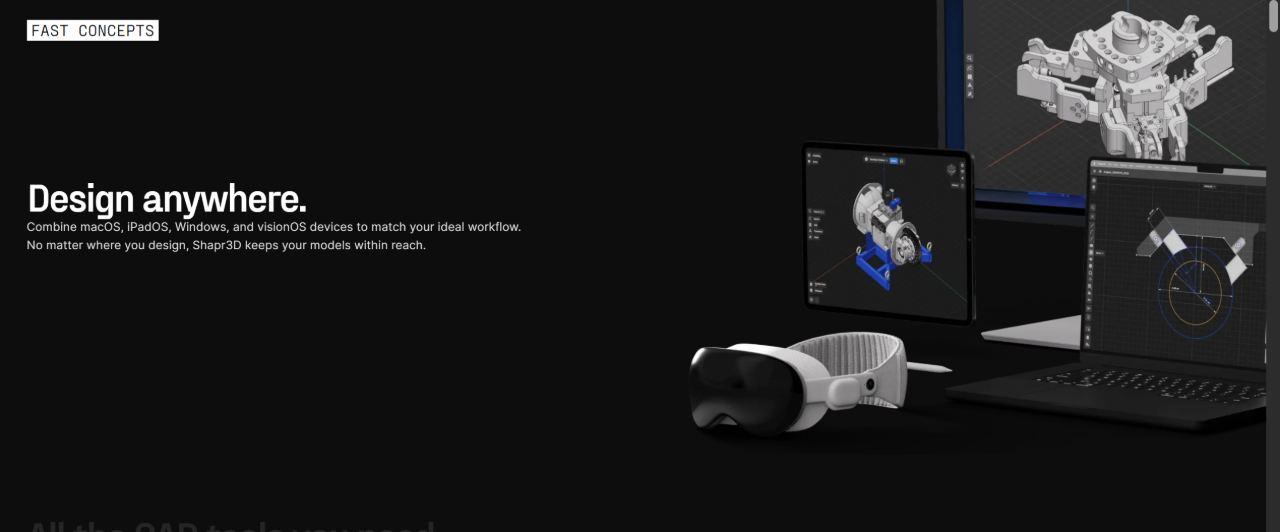
- Cross-Platform Parasolid CAD Across Desktop & iPad: Delivers true parametric and direct solid modeling on Windows, macOS, and iPadOS with a modern, uncluttered UI and cloud sync across up to three active devices per account.
- Fast Sketching, Direct Manipulation & History Editing: Combines rapid 2D sketch constraints and direct face/edge handles with a parametric history timeline so dimensions and features update cleanly.
- Built-In Visualization, AR & Manufacturing Drawings: Includes real-time rendering with PBR materials, iPad AR previewing, 2D manufacturing drawings, and broad CAD import/export formats (STEP, Parasolid X_T/X_B, IGES, STL, 3MF, DXF/DWG, SOLIDWORKS, SketchUp).
2. Key Features & Capabilities
- Parasolid Solid & Surface Modeling: Build accurate 2D sketches with geometric constraints and create 3D solids, sweeps, lofts, fillets, chamfers, and shells.
- Cross-Device Cloud Sync (`Windows`, `macOS` & `iPadOS`): Start a concept with Apple Pencil on iPad and refine assemblies on a Windows or Mac workstation.
- Real-Time Visualization & Decals: Preview materials, studio lighting, and decals/labels in real time.
- 2D Technical Drawings: Generate orthographic and section drawings for manufacturing hand-offs.
- Broad CAD & 3D Print Interoperability: Import/export STEP, IGES, Parasolid (`X_T`/`X_B`), STL, 3MF, OBJ, DXF, DWG, and more (depending on plan tier).
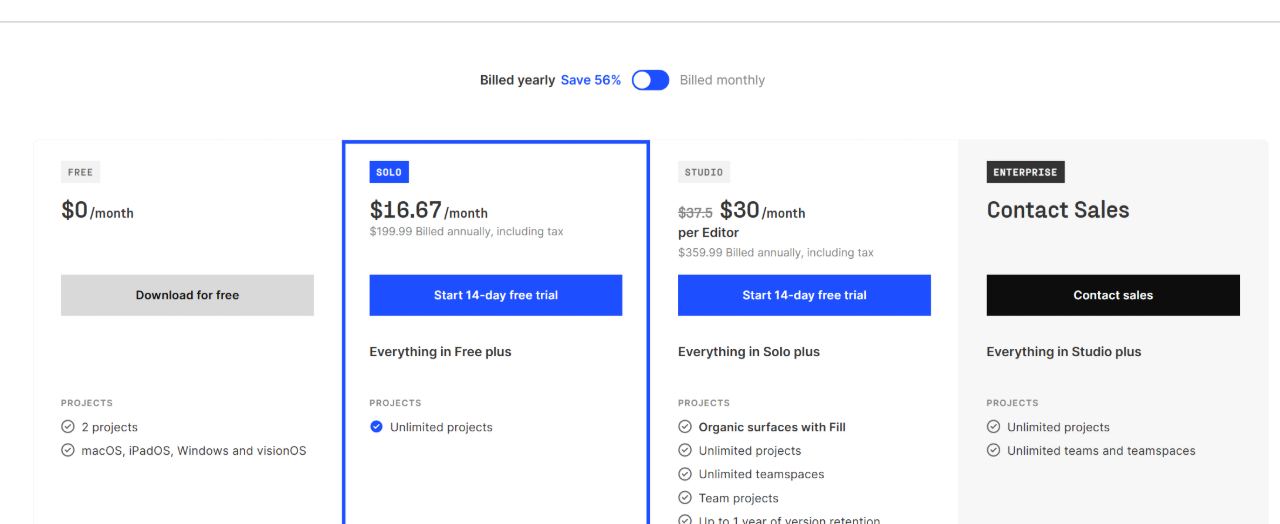
- Free Tier, Education Plan & 14-Day Free Trial: Offers a limited Free tier (up to 2 projects), free plans for verified students and educators, and a 14-day free trial of paid plans.
- Official Links: Free Trial, Free / Education & Pricing
Always download Shapr3D installers and start your official trial or free plan directly from Shapr3D portals:
- Official Shapr3D Website & Download: https://www.shapr3d.com/
- Official Shapr3D Pricing, Free Plan & 14-Day Trial: https://www.shapr3d.com/pricing
- Official Shapr3D Compatible Devices & System Specs: https://www.shapr3d.com/compatible-devices
- Official Shapr3D Help Center & Tutorials: https://support.shapr3d.com/
4. Step-by-Step Installation Guide
- Check Operating System & Hardware Requirements: Confirm your Windows 10 (v22H2+) / Windows 11 (64-bit, AVX2 or ARM), macOS Sonoma (14.0+) / Apple Silicon, or iPadOS 17+ device meets DirectX 12 / Metal and RAM requirements.
- Create an Account or Start a 14-Day Trial: Visit https://www.shapr3d.com/pricing to sign up for the Free tier, apply for an Education license, or start a 14-day free trial.
- Download & Install Shapr3D: Download the official installer for Windows or macOS (or install from the Apple App Store on iPadOS/iOS).
- Sign In & Verify Device Sync: Launch Shapr3D, sign in with your Shapr3D account (up to 3 signed-in devices per account), and confirm cloud sync status.
5. How to Use Shapr3D: Beginner Workflow
- Create a New Design Project: Launch Shapr3D, click `New Design` (or open a sample workspace), and set your preferred measurement units (`mm` or `in`).
- Draw & Dimension a 2D Sketch: Select a plane, sketch profiles (`Line`, `Circle`, `Rectangle`), apply constraints (`Tangent`, `Parallel`, `Coincident`), and lock exact dimensions.
- Extrude or Revolve into a 3D Solid: Select closed sketch regions and drag or enter exact values for `Extrude`, `Revolve`, `Sweep`, or `Loft`, then refine edges with `Fillet` or `Chamfer`.
- Assemble Parts & Inspect Fit: Add additional bodies or parts, align mates/positions, and check clearances or cross-sections.
- Render or Export CAD / 3D Print Files: Switch to `Visualization` for material/lighting previews, create 2D drawings, or export `STEP`, `X_T`, `3MF`, `STL`, or `DXF/DWG` according to your plan.
6. Frequently Asked Questions (FAQ)
- Does Shapr3D have a free plan and free trial?Yes. Shapr3D offers a Free tier (up to 2 projects with basic low-res STL/3MF export), free Education licenses for eligible students and educators, and a 14-day free trial of paid plans.
- Can I model offline in Shapr3D?Yes. Modeling works offline, while downloading/updating the app, syncing across devices, importing/exporting via cloud services, and managing account settings require an internet connection.
- Does Shapr3D support iPhone and Android?Shapr3D runs on Windows, macOS, iPadOS, visionOS, and iOS (view/inspect workflows on iPhone), while Android tablets, Android phones, and Chromebooks are not supported.