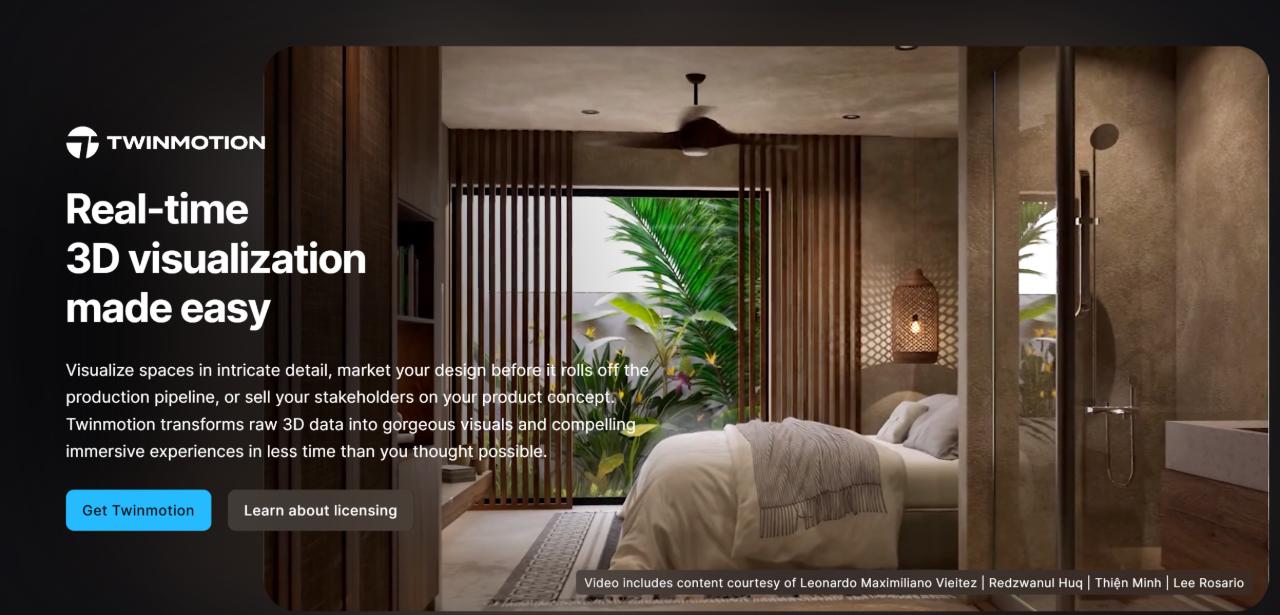
Epic Games Twinmotion is a real-time 3D architectural visualization and immersive presentation software application developed by Epic Games and powered by Unreal Engine. Built for architects, landscape designers, urban planners, and product visualizers, Twinmotion transforms 3D models from Revit, SketchUp, Rhino, Archicad, and Cinema 4D into photorealistic images, animated videos, 360° panoramas, and interactive cloud presentations in minutes.
1. In-Depth Review: Why Architects & Designers Use Twinmotion
- Powered by Unreal Engine 5 & Lumen Real-Time Global Illumination: Delivers physically accurate indirect lighting, reflections, and dynamic weather/season transitions in real time without lengthy CPU render times, alongside a built-in Path Tracer for offline photorealism.
- One-Click Direct Link Sync with Major CAD/BIM Apps: Connects live to Revit, SketchUp, Rhino, Archicad, Vectorworks, and 3ds Max via Datasmith plugins so material overrides, vegetation, and lighting stay intact when the base CAD model updates.
- Massive Built-In Quixel Megascans & Animated Asset Library: Provides direct cloud access to thousands of high-resolution Quixel Megascans PBR surfaces, animated 3D people, vehicles, and wind-reactive trees that respond dynamically to season and weather sliders.
2. Key Features & Capabilities
- Lumen Real-Time GI & Path Tracer Rendering: Switch effortlessly between real-time Lumen global illumination for fast interactive navigation and unbiased GPU Path Tracing for studio-quality stills and animations.
- Datasmith Direct Link & Broad 3D Import: Synchronize models live from Revit, SketchUp, Rhino, and Archicad, or import `.FBX`, `.OBJ`, `.GLTF`, `.USD`, `.C4D`, and `.3DM` files cleanly.
- Dynamic Weather, Seasons & Geographic Sun Study: Adjust time of day, latitude/longitude, clouds, rain, snow, wind speed, and seasonal foliage changes in real time with intuitive sliders.
- Built-In Asset Library & Quixel Megascans Integration: Populate scenes rapidly with animated pedestrians, driving vehicles, furniture, and photorealistic Quixel Megascans materials and 3D assets.
- Foliage Scatter & Terrain Painting: Paint dense forests, grass fields, and rocks across terrain surfaces using adjustable brush density, scale, and slope rules.
- Twinmotion Cloud & VR Presentations: Export local standalone executables, 360° panoramas, VR headset walkthroughs, or share interactive browser-based 3D presentations via Twinmotion Cloud.
- Seamless Export to Unreal Engine 5: Transfer Twinmotion projects directly into full Unreal Engine 5 when advanced interactive blueprints or custom game-engine behaviors are needed.
3. How to Register & Access the Official Free Community Edition or Commercial License
To ensure software authenticity, workstation stability, and full compliance with licensing terms, always download Twinmotion directly from Epic Games’ official portals:
- Visit the Official Twinmotion Website: Go to https://www.twinmotion.com to compare licensing tiers, watch feature demos, and check supported CAD/BIM plugins.
- Create or Sign In to an Epic Games Account: Register a free Epic Games account at https://www.epicgames.com/id/register using your email address to access the Epic Games Launcher and Twinmotion Cloud.
- Choose Your Official Licensing Path:
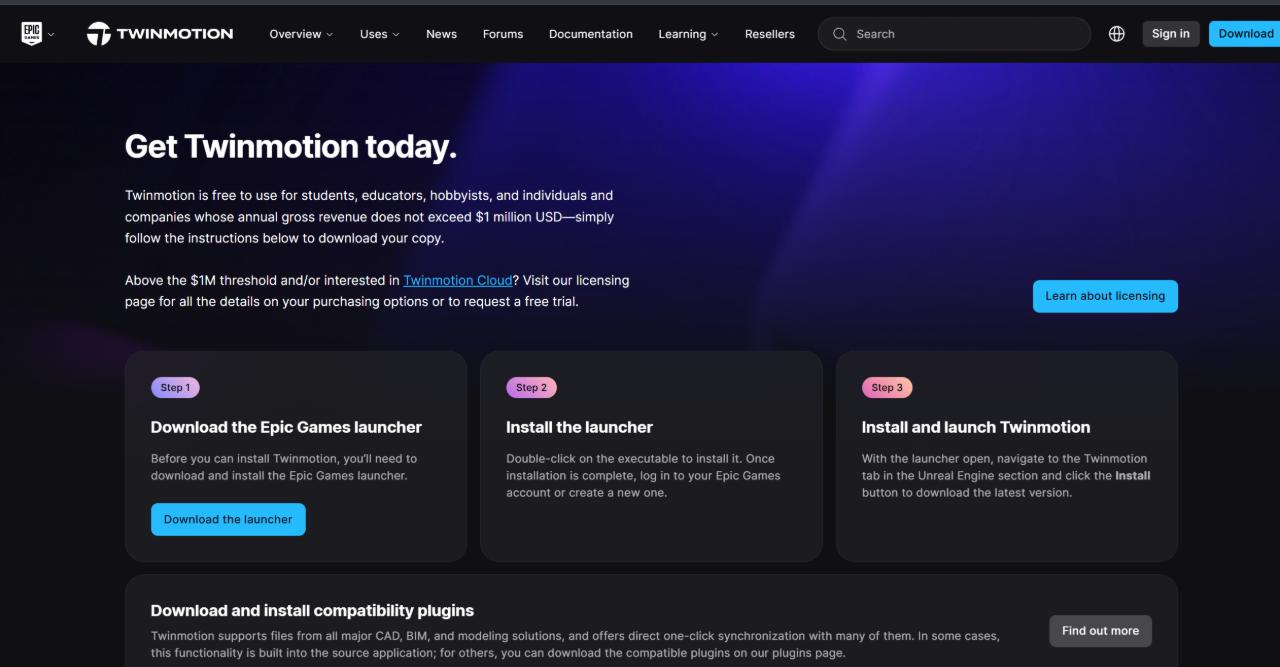
- Twinmotion Community Edition (Free): Freelancers, hobbyists, students, educators, and companies with under $1 million USD in annual gross revenue can download and use Twinmotion for free (with up to 2K export resolution and non-commercial cloud limits) via https://www.twinmotion.com/en-US/download.
- Educational License (Students & Educators): Accredited academic institutions and students can access full-resolution educational licensing through https://www.twinmotion.com/en-US/education.
- Commercial Subscription (Seat License / Unreal Subscription): Enterprise architecture and visualization studios exceeding the revenue threshold—or requiring full Twinmotion Cloud sharing—can subscribe via https://www.twinmotion.com/en-US/license.
4. Step-by-Step Installation Guide
- Verify System & GPU Requirements: Confirm your workstation runs 64-bit Windows 10/11 (v22H2+) or macOS 13.5+ with at least 16 GB RAM (32 GB–64 GB recommended for Lumen & Path Tracing), a 6+ core CPU, a DirectX 12 discrete GPU with 8 GB+ VRAM (NVIDIA RTX / AMD RX 6000+), and 30 GB+ free SSD space.
- Download & Install the Epic Games Launcher: Visit https://www.twinmotion.com/en-US/download, download the official Epic Games Launcher installer (`EpicInstaller-...msi` on Windows or `.dmg` on macOS), and run setup.
- Install Twinmotion from the Launcher: Open the Epic Games Launcher, sign in with your Epic Games account, select the Unreal Engine > Twinmotion tab on the left sidebar, choose your Twinmotion version, and click Install.
- Install Datasmith Exporter Plugins (Optional): Download the matching Datasmith Exporter plugin from https://www.twinmotion.com/en-US/plugins for Revit, SketchUp, or Rhino if you want one-click live synchronization.
5. How to Use Twinmotion: Beginner Workflow
- Import or Sync Your 3D Model: Open Twinmotion, click Import (`Ctrl+I`) at the bottom dock to load an `.FBX`, `.SKP`, or `.3DM` model (or click Direct Link to connect an open Revit/SketchUp session), and select Collapse by Material so surfaces can be textured easily.
- Navigate the 3D Viewport: Use `W, A, S, D` keys to move around, `Q` and `E` to move vertically, hold Right Mouse Button to look around, and press keys `1` through `6` to adjust movement speed from walking to aerial flight.
- Apply PBR Materials & Quixel Assets: Open the Library dock on the left, drag Materials (glass, concrete, wood, water) onto surfaces in the viewport, and place trees, furniture, vehicles, and animated characters into your scene.
- Set Lighting, Weather & Camera Views: Open the Ambience panel on the right to set Time of Day, Weather, and Lumen or Path Tracer rendering, then open the Media dock > Image and click Create Image to save camera viewpoints.
- Export High-Resolution Stills, Videos or Panoramas: Open the Export dock on the bottom right, select your saved Images, Videos, or Panoramas, configure output format (PNG, JPG, MP4), and click Start Export.
6. Frequently Asked Questions (FAQ)
- Is Twinmotion really free to use?Yes. Under Epic Games’ licensing terms, Twinmotion Community Edition is free for students, educators, hobbyists, and commercial creators/firms generating less than $1 million USD in annual gross revenue.
- What is the difference between Twinmotion and Chaos Enscape?Twinmotion is a standalone real-time visualization application powered by Unreal Engine with deep environment, weather, and animation tools, whereas Enscape runs as a tightly integrated viewport plugin directly inside CAD/BIM software.
- Does Twinmotion require an NVIDIA RTX graphics card for Path Tracing?Hardware ray tracing (such as NVIDIA RTX 2000/3000/4000/5000 series or AMD Radeon RX 6000/7000+ GPUs supporting DirectX 12 DXR) is required to enable Twinmotion’s Path Tracer mode.