Adobe Captivate (developed by Adobe Inc. as part of Adobe Digital Learning Solutions) is a dedicated interactive eLearning authoring, responsive course design, and software simulation application for 64-bit Windows and macOS. Built for instructional designers, corporate trainers, universities, and technical educators, Captivate turns PowerPoint decks, screen recordings, and branching scenarios into mobile-responsive HTML5, SCORM, and xAPI training modules enriched with interactive widgets, quizzes, and Adobe Firefly AI image/text generation.
1. In-Depth Review: Why Instructional Designers & Educators Use Adobe Captivate
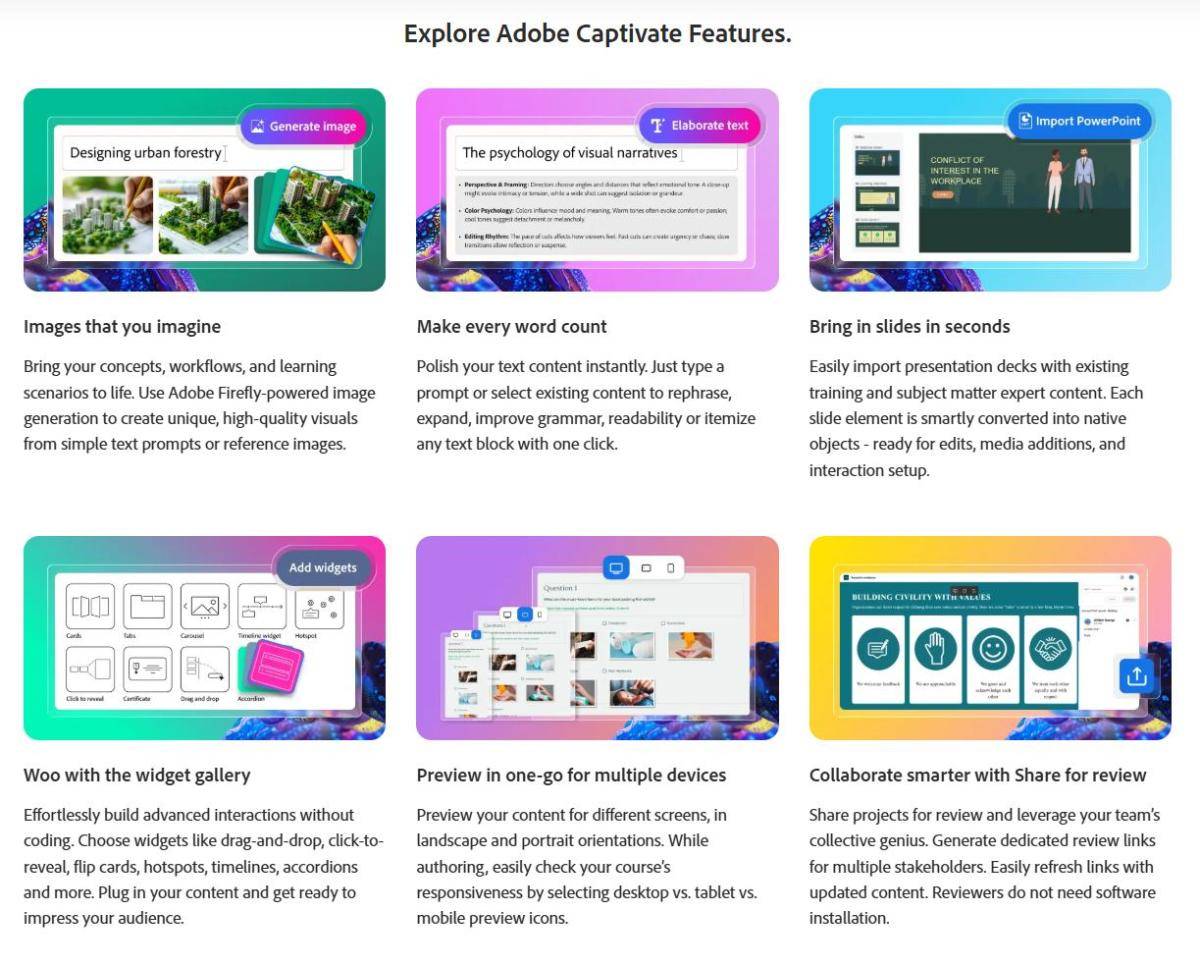
- Responsive-by-Default Multi-Device Course Authoring: Designs courses once and adapts layouts automatically across desktop, tablet, and mobile viewports in portrait or landscape mode without manual breakpoint coding.
- No-Code Interactive Widgets, Quizzes & Software Simulations: Builds drag-and-drop exercises, flip cards, hotspots, timelines, branching scenarios, and interactive software simulations alongside PowerPoint slide imports.
- Built-In Adobe Firefly Generative AI & Cloud Review Links: Generates custom course images, voiceovers, transcripts, and polished text blocks inside the editor while sharing browser-based review links with stakeholders who do not have Captivate installed.
2. Key Features & Capabilities
- Responsive Authoring & Instant Device Preview: Switch between desktop, tablet, and mobile previews in one click while authoring responsive blocks.
- PowerPoint to Interactive eLearning Conversion: Import existing presentation decks and convert slide elements into native editable Captivate objects and interactions.
- Interactive Widget Gallery & Assessments: Add drag-and-drop, click-to-reveal, flip cards, hotspots, accordions, timelines, and graded knowledge-check quizzes without coding.
- Adobe Firefly Generative AI Tools: Generate custom photo or art visuals from text prompts, rephrase/expand copy, and build AI-assisted narration and transcripts.
- Share for Review & LMS Standards Export: Generate stakeholder review links for live comments and publish to SCORM, xAPI, and HTML5 packages for LMS platforms.
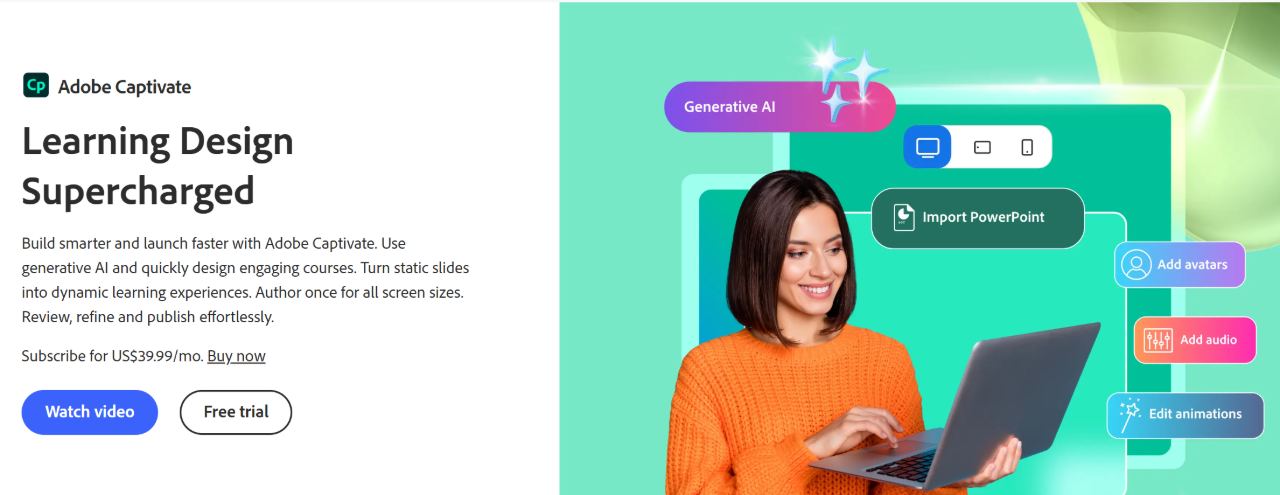
- Official 30-Day Free Trial & Subscription Options: Available via a 30-day free trial from Adobe and offered as an individual subscription (`US$39.99/mo`) or bundled in the Adobe Technical Communication Suite.
- Official Links: Free Trial, Free / Education & Pricing
Always download Adobe Captivate installers and start your official trial directly from Adobe portals:
- Official Adobe Captivate Product Page: https://www.adobe.com/products/captivate.html
- Official Adobe Captivate 30-Day Free Trial Download: https://www.adobe.com/products/captivate/download-trial/get-started.html
- Official Adobe Captivate System Requirements: https://helpx.adobe.com/captivate/help/system-requirements.html
- Official Adobe Captivate User Guide & Learning Hub: https://helpx.adobe.com/captivate/user-guide.html
4. Step-by-Step Installation Guide
- Check Operating System & Hardware Requirements: Confirm your Windows 10 (22H2+) / Windows 11 (64-bit) or macOS Sequoia (15) / Tahoe (26) computer has at least 16 GB RAM and 10 GB of free internal disk space.
- Start Your Official 30-Day Trial or Sign In to Adobe: Visit https://www.adobe.com/products/captivate/download-trial/get-started.html, click `Free trial` or `Buy now`, and sign in with your Adobe ID.
- Download & Run the Official Captivate Installer: Download the Windows or macOS installer onto a standard internal NTFS/APFS volume (do not install on removable flash drives or case-sensitive volumes).
- Activate & Launch Adobe Captivate: Open Adobe Captivate over an active broadband internet connection and sign in with your Adobe ID to validate your trial or subscription.
5. How to Use Adobe Captivate: Beginner Workflow
- Start a New Responsive Project or Import Slides: Launch Adobe Captivate, click `New Project` (or `Import PowerPoint`), select a theme preset, and open the slide editor.
- Add Content Blocks & Generative AI Visuals: Insert text, media, or character blocks, and use `Generate Image` (powered by Adobe Firefly) to create bespoke illustrations or photos for your lesson.
- Insert Interactive Widgets & Quizzes: Open the `Widgets` gallery to add flip cards, hotspots, drag-and-drop interactions, or graded quiz slides and configure feedback states.
- Preview Across Desktop, Tablet & Mobile Screens: Click the device preview icons (`Desktop`, `Tablet`, `Mobile`) in the toolbar to verify responsive text wrapping and button placement.
- Share for Review or Publish to LMS (SCORM/HTML5): Click `Share for Review` to collect stakeholder feedback, then choose `File > Publish` to export a SCORM/xAPI zip package or HTML5 course.
6. Frequently Asked Questions (FAQ)
- Does Adobe Captivate offer a free trial?Yes. Adobe offers a 30-day free trial of the latest version of Adobe Captivate for Windows and macOS through Adobe.com.
- How much does Adobe Captivate cost in 2026?In 2026, Adobe Captivate is priced at US$39.99/month on Adobe.com, with volume team plans and Adobe Technical Communication Suite bundle options also available.
- Do learners or reviewers need to install Adobe Captivate to view courses?No. Reviewers can comment directly through browser-based `Share for Review` links, and published HTML5/SCORM courses run in standard desktop and mobile web browsers (Google Chrome recommended).