Adobe Express (developed by Adobe Inc. across web browsers, Windows/macOS desktop apps, and iOS/Android mobile devices) is an all-in-one visual content creation, social media graphic, short-form video, and PDF quick-action platform powered by Adobe Firefly generative AI. Built for marketers, creators, educators, small businesses, and Creative Cloud users, Adobe Express pairs thousands of professionally designed templates, Adobe Fonts, and Adobe Stock assets with one-click background removal, generative fill/text-to-image tools, brand kits, and direct Photoshop/Illustrator file linking.
1. In-Depth Review: Why Creators & Teams Use Adobe Express
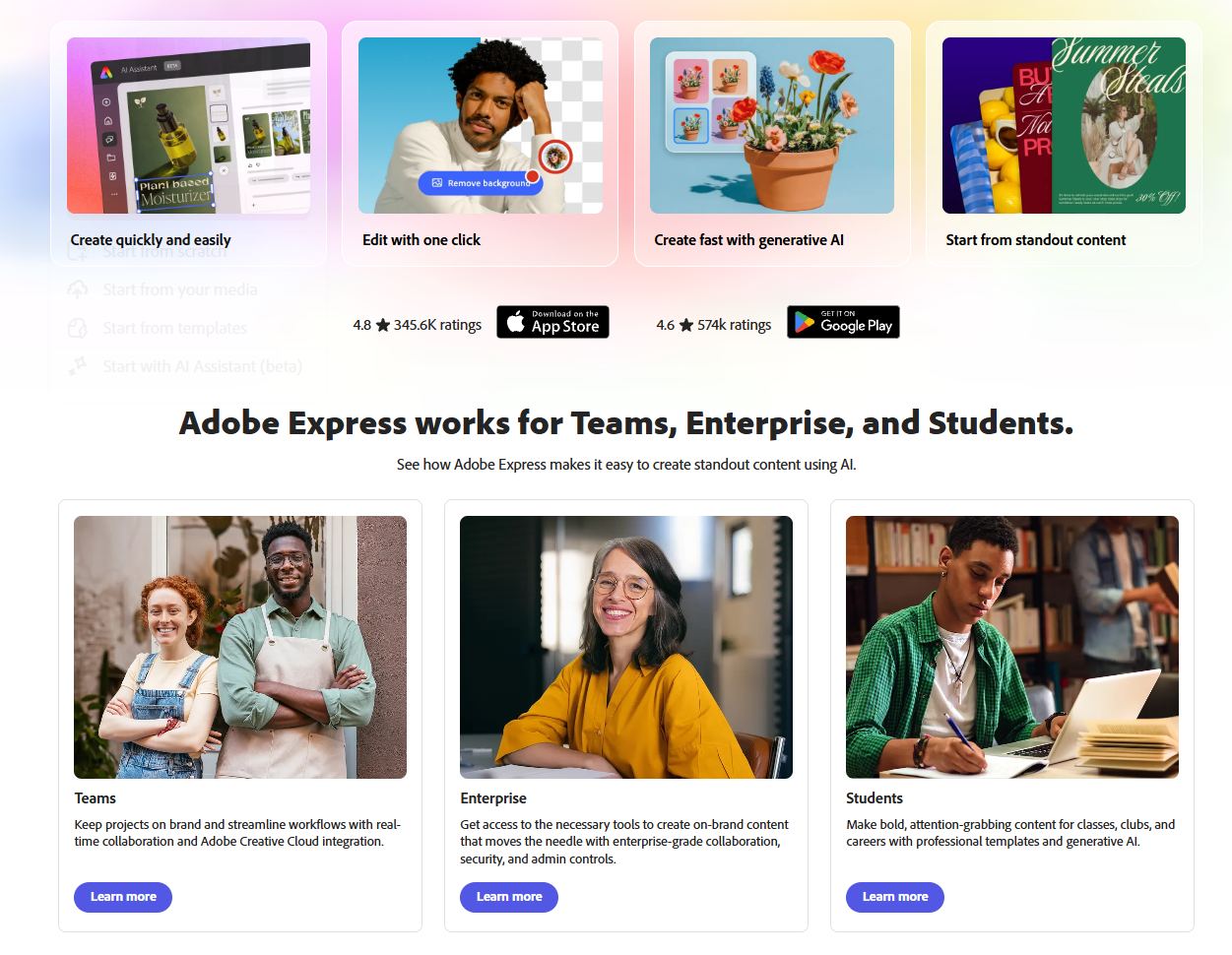
- Fast Template & Brand Kit Workflow Across Web and Mobile: Turns posters, social posts, presentations, flyers, logos, and short videos into polished deliverables in minutes while keeping brand colors, logos, and fonts consistent across devices.
- Built-In Adobe Firefly Generative AI & Quick Actions: Generates commercially safe images, text effects, and templates from prompts alongside one-click background removal, image/video resizing, QR code generation, and PDF conversion.
- Free Forever Core Plan & Seamless Creative Cloud Sync: Offers a generous permanent Free plan with no credit card required, while unlocking full Adobe Stock libraries, Brand Kits, and linked `.psd`/`.ai` asset workflows for Premium and Creative Cloud Pro subscribers.
2. Key Features & Capabilities
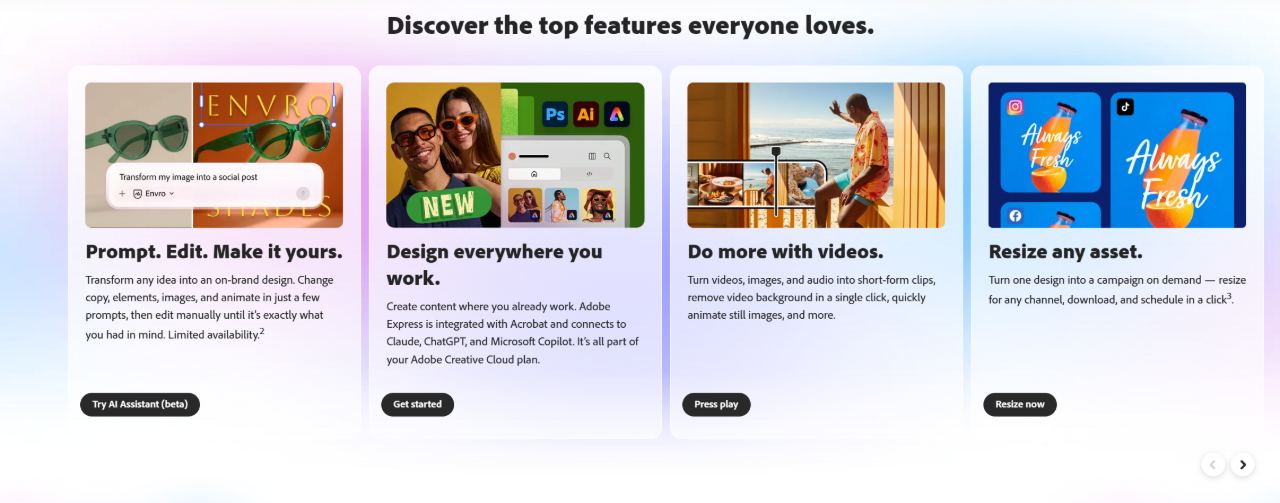
- Thousands of Customizable Design & Video Templates: Start from curated layouts for Instagram, YouTube thumbnails, presentations, posters, flyers, resumes, and animated reels.
- Adobe Firefly Generative AI Tools: Use Text to Image, Generative Fill, Text Effects, and Text to Template directly inside the canvas.
- One-Click Photo, Video & PDF Quick Actions: Remove backgrounds, resize designs for multiple platforms, trim/caption videos, merge PDFs, and convert PNG/JPG/SVG/MP4 files quickly.
- Linked Photoshop & Illustrator Assets: Place `.psd` and `.ai` files directly into Adobe Express layouts and update edits automatically when source files change.
- Multi-Track Timeline Video & Animation: Combine video clips, voiceovers, music, animated text, and transitions in an accessible drag-and-drop timeline.
- Free Forever Plan & Premium / Creative Cloud Access: Use the core web and mobile app free forever, or upgrade to Adobe Express Premium (or Creative Cloud Pro) for expanded AI credits, full Adobe Stock assets, and Brand Kits.
- Official Links: Free Trial, Free / Education & Pricing
Always access Adobe Express web, desktop, and mobile apps directly from official Adobe portals:
- Official Adobe Express Website & Free Sign-Up: https://www.adobe.com/express/
- Official Adobe Express Plans & Pricing (Free vs. Premium): https://www.adobe.com/express/pricing
- Official Adobe Express Education (Free for K-12): https://www.adobe.com/express/education
- Official Adobe Express User Guide & Tutorials: https://helpx.adobe.com/express/user-guide.html
4. Step-by-Step Installation & Setup Guide
- Check Browser or Device Compatibility: Confirm you have a modern desktop web browser (Chrome, Edge, Safari, or Firefox) on Windows/macOS, or an iOS/Android device.
- Visit the Official Adobe Express Portal: Go to https://www.adobe.com/express/ and click `Get Adobe Express free` to sign in with your free Adobe ID (or Google/Apple/Microsoft account).
- Launch Web App or Install Desktop/Mobile App: Open Adobe Express directly in your browser, install the Progressive Web App (PWA) on Windows/macOS desktop, or download the official iOS/Android app from the App Store / Google Play.
- Configure Your Workspace & Brand Assets: Open the `Brands` tab to upload your logo, set brand colors, and select default fonts for fast reuse.
5. How to Use Adobe Express: Beginner Workflow
- Choose a Template or Custom Canvas Size: On the Adobe Express home screen, pick a preset size (such as `Instagram Post`, `YouTube Thumbnail`, `Presentation`, or `Poster`) or search a template category.
- Customize Text, Fonts & Color Palettes: Click any text element to edit copy, swap typography from thousands of Adobe Fonts, and apply cohesive color themes in one click.
- Add Photos, Icons, Videos or Firefly AI Elements: Browse built-in photos, design assets, and shapes in the left panel, or type a prompt into `Text to Image` / `Generative Fill` to generate custom visuals.
- Apply Quick Actions or Motion Effects: Select an image to click `Remove background`, or open `Animation` to add smooth entrance, looping, and exit motion to text and graphics.
- Download, Share or Schedule Your Final Design: Click `Download` to export crisp `PNG`, `JPG`, `PDF`, or `MP4` files, share a live collaboration link, or schedule directly to social channels.
6. Frequently Asked Questions (FAQ)
- Is Adobe Express really free to use?Yes. Adobe Express includes a permanent Free plan with thousands of templates, basic editing tools, Quick Actions, and limited monthly generative AI credits—no credit card required.
- What is the difference between Adobe Express Free and Adobe Express Premium?Adobe Express Premium unlocks the full library of premium templates, over 200 million royalty-free Adobe Stock photos/videos/music tracks, full Adobe Fonts access, Brand Kits, one-click Resize, and higher monthly generative AI credits.
- Is Adobe Express included in Creative Cloud Pro subscriptions?Yes. Full Adobe Express Premium features are included at no extra cost with Creative Cloud Pro and most qualifying single-app Creative Cloud plans.