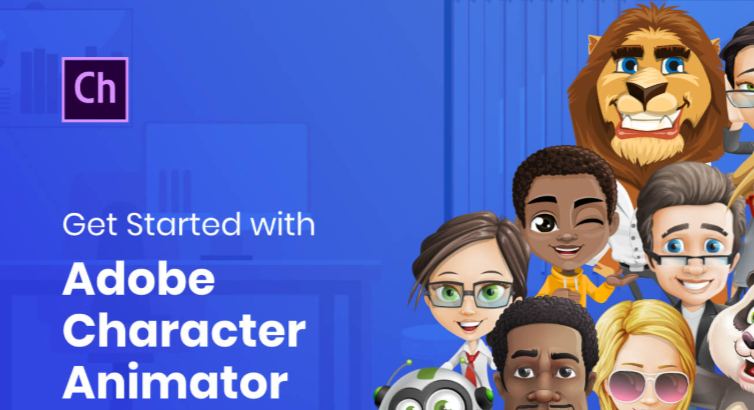
Adobe Character Animator (developed by Adobe Inc. as part of Adobe Creative Cloud) is a real-time 2D character rigging, webcam facial capture, and live performance animation application for Windows and macOS. Built for content creators, educators, animators, and live streamers, Character Animator translates facial expressions, eye gaze, head turns, and voice lip-syncing directly into expressive 2D puppets—or builds custom characters in minutes with Puppet Maker and layered Photoshop/Illustrator artwork.
1. In-Depth Review: Why Creators & Educators Use Adobe Character Animator
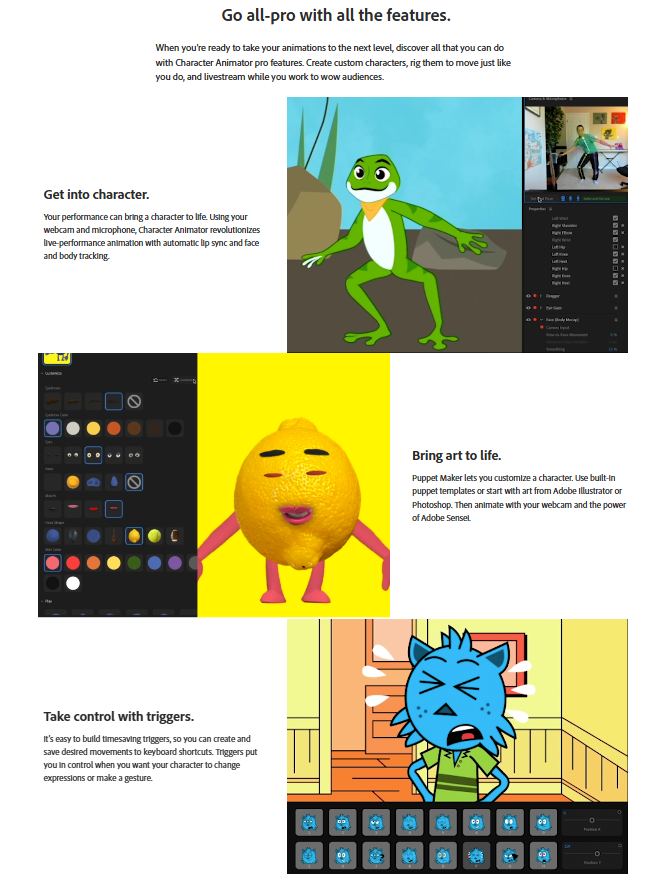
- Instant Webcam & Microphone Performance Capture: Maps your facial expressions, eyebrow raises, blinks, head movements, and voice lip-syncing onto a 2D character in real time without manual frame-by-frame keyframing.
- Layered Photoshop & Illustrator Rigging Pipeline: Turns properly named `.psd` and `.ai` layer groups (`Head`, `Eyes`, `Mouth`, `Arms`) into rigged puppets with physics-driven hair, clothing, and Limb IK controls.
- Dynamic Link Export & Live Streaming Support: Sends animated character scenes directly into Premiere Pro and After Effects via Dynamic Link or outputs live video via NDI/Syphon for OBS and broadcast workflows.
2. Key Features & Capabilities
- Real-Time Face, Eye & Head Tracking: Capture natural expressions and head tilts using a standard webcam and calibrate neutral poses in one click.
- Automated Voice Lip-Sync & Audio-Driven Motion: Generate accurate mouth shapes automatically from live microphone input or pre-recorded WAV/MP3 voice tracks.
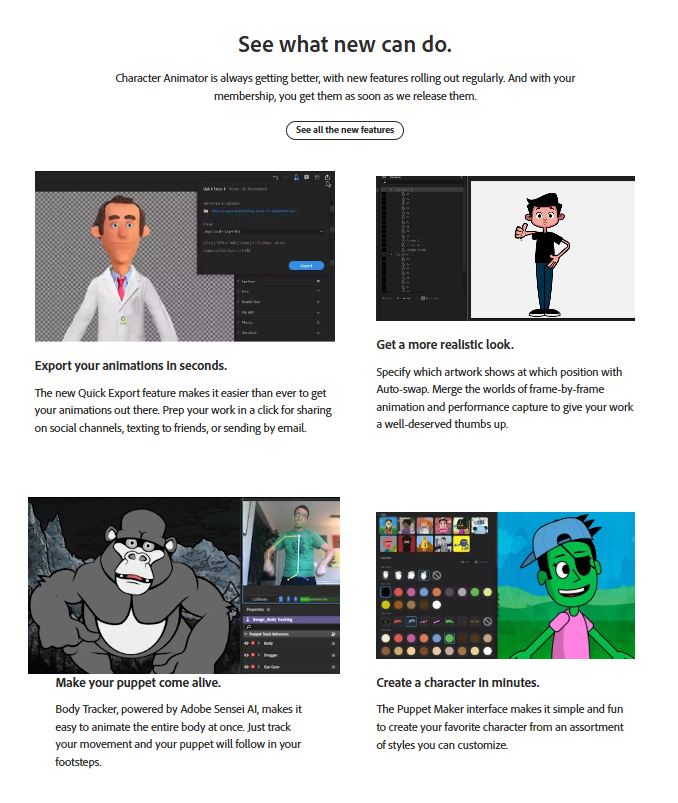
- Built-In Puppet Maker & Starter Puppets: Customize pre-rigged 2D characters (hair, outfits, accessories, expressions) right inside the app without drawing from scratch.
- Limb IK, Triggers & Physics Behaviors: Add inverse kinematics for natural arm/leg bending, keyboard triggers for hand gestures, and dangle/gravity physics for hair and props.
- Dynamic Link & Multi-Format Export: Send timelines directly to Premiere Pro and After Effects or export MP4, PNG sequences with alpha transparency, and live streams.
- Included in Creative Cloud Video & Pro Plans: Available via Creative Cloud Pro and Premiere Pro / After Effects single-app bundles (with official 7-day Creative Cloud free trials).
- Official Links: Free Trial, Free / Education & Pricing
Always download Adobe Character Animator installers and access official trials directly from Adobe portals:
- Official Adobe Character Animator Product Page: https://www.adobe.com/products/character-animator.html
Official Source & Interface Preview: www.adobe.com
- Official Adobe Creative Cloud Plans & Free Trial: https://www.adobe.com/creativecloud/plans.html
Official Source & Interface Preview: www.adobe.com
- Official Adobe Creative Cloud Desktop App: https://www.adobe.com/creativecloud/desktop-app.html
Official Source & Interface Preview: www.adobe.com
- Official Adobe Character Animator User Guide & Tutorials: https://helpx.adobe.com/adobe-character-animator/user-guide.html
Official Source & Interface Preview: helpx.adobe.com
4. Step-by-Step Installation Guide
- Check Operating System & Hardware Requirements: Confirm your Windows 10/11 (64-bit) or macOS computer has at least 8 GB RAM (16 GB+ recommended), a webcam, and a microphone for live tracking.
- Sign In to Adobe & Start a Creative Cloud Plan or Trial: Visit https://www.adobe.com/products/character-animator.html or https://www.adobe.com/creativecloud/plans.html and sign in with your Adobe ID.
- Download & Run the Creative Cloud Desktop App: Install the official Creative Cloud desktop manager on your Windows or macOS machine.
- Install & Launch Adobe Character Animator: Find `Character Animator` inside the Creative Cloud desktop app, click `Install`, wait for installation to complete, and click `Open`.
5. How to Use Adobe Character Animator: Beginner Workflow
- Choose a Starter Puppet or Open Puppet Maker: Launch Adobe Character Animator, open the `Home` screen, and pick a built-in starter puppet or click `Puppet Maker` to customize a character style.
- Calibrate Your Webcam & Microphone: Sit centered in front of your webcam in even lighting, check the `Camera & Microphone` panel, and click `Set Rest Pose` to calibrate face and eye tracking.
- Rehearse Expressions, Triggers & Gestures: Speak into your microphone to test live lip-sync, drag draggable handles with your mouse to move arms, and press number keys to trigger facial/hand expressions.
- Record a Performance Take on the Timeline: Click the red `Record` button to capture your facial performance, voice track, and trigger actions onto the scene timeline.
- Export Video or Send via Dynamic Link: Choose `File > Export > Video via Adobe Media Encoder` for an MP4 deliverable, or import the `.chproj` scene directly into Premiere Pro or After Effects.
6. Frequently Asked Questions (FAQ)
- Do I need a specialized depth camera to use Adobe Character Animator?No. Any standard built-in laptop webcam or USB HD webcam and microphone work for real-time face tracking and voice lip-syncing.
- Can I rig my own custom character from Photoshop or Illustrator?Yes. Naming your layer groups according to Character Animator's rigging structure (`+Head`, `Left Eye`, `Mouth`, `Body`) allows you to import `.psd` or `.ai` files and rig custom characters cleanly.
- Does Adobe Character Animator export transparent backgrounds for video overlays?Yes. You can export PNG image sequences with alpha transparency, ProRes 4444 video via Adobe Media Encoder, or bring the scene directly into Premiere Pro / After Effects via Dynamic Link.