Darktable 5.6 is a free, open-source photography workflow application and RAW developer licensed under the GNU General Public License (GPL). Designed as a virtual lighttable and darkroom for photographers and visual creators, darktable manages digital negatives in a database, organizes shoots on a zoomable lighttable, and processes camera RAW files non-destructively using floating-point color pipelines.
1. In-Depth Review: Why Photographers Use darktable 5.6
- Non-Destructive RAW Editing with Scene-Referred & Color Harmony Tools: Keeps original RAW files untouched while applying modular edits—including tone mapping, color calibration, color harmony adjustments, and diffuse/sharpen passes—stored in XMP sidecar files and a local library database.
- Free & Open-Source Across Windows, macOS & Linux: Runs on Windows, macOS, and Linux with zero subscription fees, watermarks, or feature paywalls.
- OpenCL GPU Acceleration & Optional AI Workflows: Accelerates image processing via OpenCL GPUs and supports optional AI-assisted object masking and neural restore (denoise/upscale) modules.
2. Key Features & Capabilities
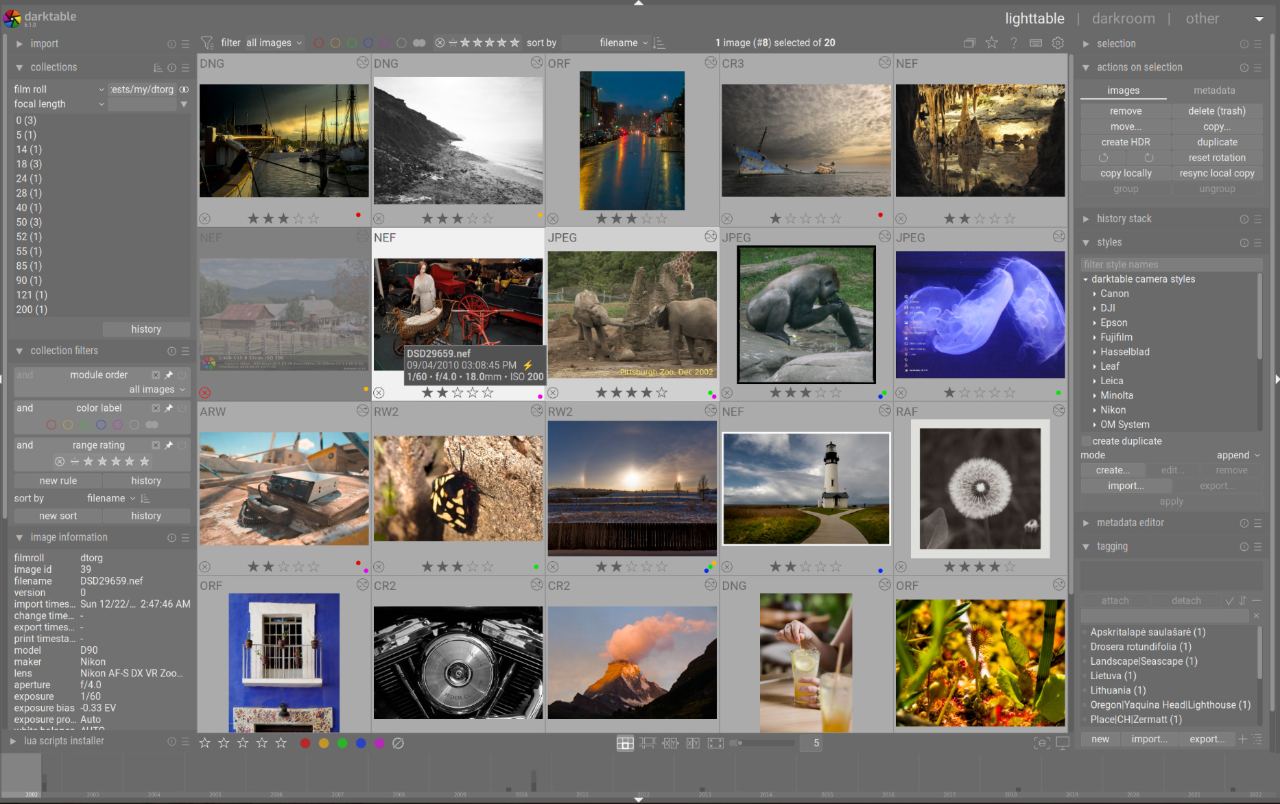
- Lighttable Library, Rating & Tagging: Browse shoots on a zoomable lighttable, filter by star ratings or color labels, apply tags and metadata, and copy/paste edit histories across batches.
- Non-Destructive Darkroom Modules: Adjust exposure, white balance, lens correction, tone curves, color harmony, local contrast, and sharpening inside a customizable module stack.
- Drawn, Parametric & AI-Assisted Masks: Target specific image regions with path/brush masks, parametric luminance/color channels, or interactive AI object segmentation masks.
- Tethering & Color Management: Capture directly from supported cameras in tethering mode and manage ICC display/export profiles.
- Neural Restore & Color Harmony Tools: Apply optional neural denoise/upscale models and color harmony adjustments synced with vectorscope controls.
- Multi-Format Export & LUT Support: Export high-resolution TIFF, JPEG, PNG, DNG, or HEIF images with custom scaling, watermarks, and 3D LUT support.
- Official Links: Free Trial, Free / Education & Pricing
Always download darktable installers and documentation directly from darktable's official portals:
- Official darktable Website: https://www.darktable.org/
- Official darktable Downloads (Windows, macOS & Linux): https://www.darktable.org/install/
- Free / Education & Official User Manual: https://www.darktable.org/usermanual/
- Pricing & Licensing (100% Free & Open-Source under GNU GPL): https://www.darktable.org/
4. Step-by-Step Installation Guide
- Verify Operating System & Hardware: Confirm your computer runs a supported 64-bit OS—Windows 10/11 (x64 or ARM64), macOS 13.5+ (Apple Silicon), or 64-bit Linux—with at least 8 GB RAM (16 GB+ recommended), an OpenCL-capable GPU for faster rendering, and free SSD storage.
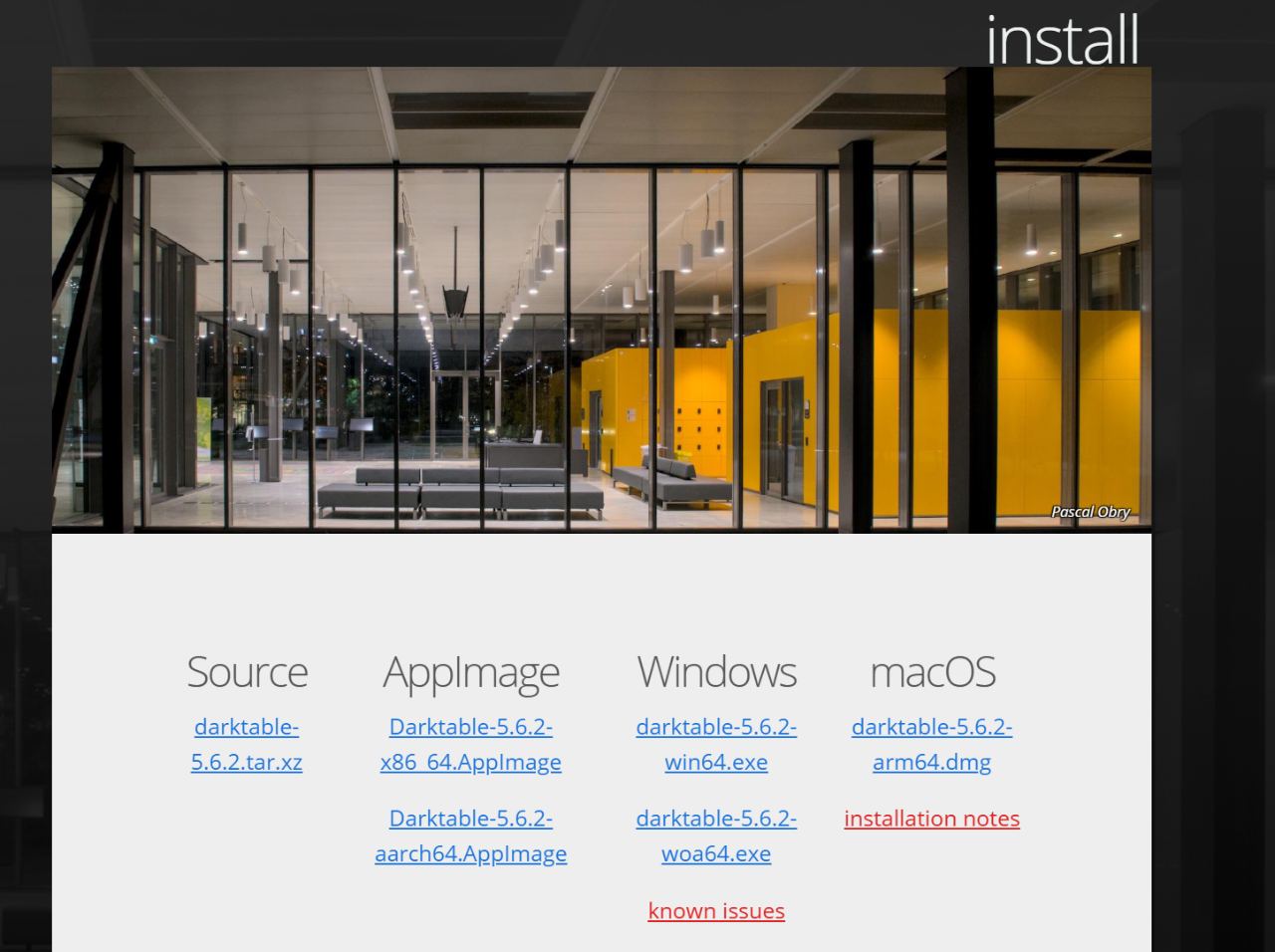
- Download the Official Installer: Visit https://www.darktable.org/install/ and download the official build for your platform (such as `darktable-5.6.2-win64.exe` / `woa64.exe` for Windows, `darktable-5.6.2-arm64.dmg` for macOS, or `AppImage` / package manager on Linux).
- Run the Setup Wizard: Launch the Windows installer (or drag `darktable.app` to Applications on macOS / run the AppImage or package manager command on Linux) and follow the installation prompts.
- Launch & Configure Preferences: Open darktable, check `Preferences > processing` to verify OpenCL/GPU settings and ICC color profiles, and start importing photos.
5. How to Use darktable 5.6: Beginner Workflow
- Import Photos into Lighttable: Launch darktable in the `lighttable` view, click `import` on the right panel, and select your RAW or JPEG folder to catalog your shoot.
- Cull & Rate Your Best Frames: Use star ratings (`1`–`5`), color labels, and filters on the lighttable to narrow down select images.
- Open an Image in Darkroom: Double-click a photo to enter `darkroom` mode and start with basic corrections such as `exposure`, `white balance`, and `lens correction`.
- Refine Tone, Color & Local Masks: Adjust tone mapping, `color balance rgb` / `color harmonizer`, noise reduction, and sharpening—using masks where edits should stay localized.
- Export Final Images: Return to `lighttable`, select your edited photos, and use the `export` module to save output files in your target format, resolution, and color profile.
6. Frequently Asked Questions (FAQ)
- Is darktable completely free for commercial and educational use?Yes. darktable is free and open-source software licensed under the GNU GPL, allowing unrestricted personal, educational, and commercial photography workflows.
- Does darktable support macOS Apple Silicon and Windows?Yes. darktable provides official builds for macOS (Apple Silicon, macOS 13.5+) as well as 64-bit Windows and Linux.
- Does darktable modify original RAW files?No. All edits are non-destructive and stored in darktable's database and `.xmp` sidecar files while leaving original RAW files untouched.